

Opening a trading account with Tradejini’s CubePlus is a fully digital and hassle-free process.
This step-by-step guide will help you complete the account setup quickly and efficiently.
Step 1: Mobile and Email Verification
Begin by visiting the Tradejini CubePlus website.
Enter your mobile number and verify it using the OTP sent via SMS.
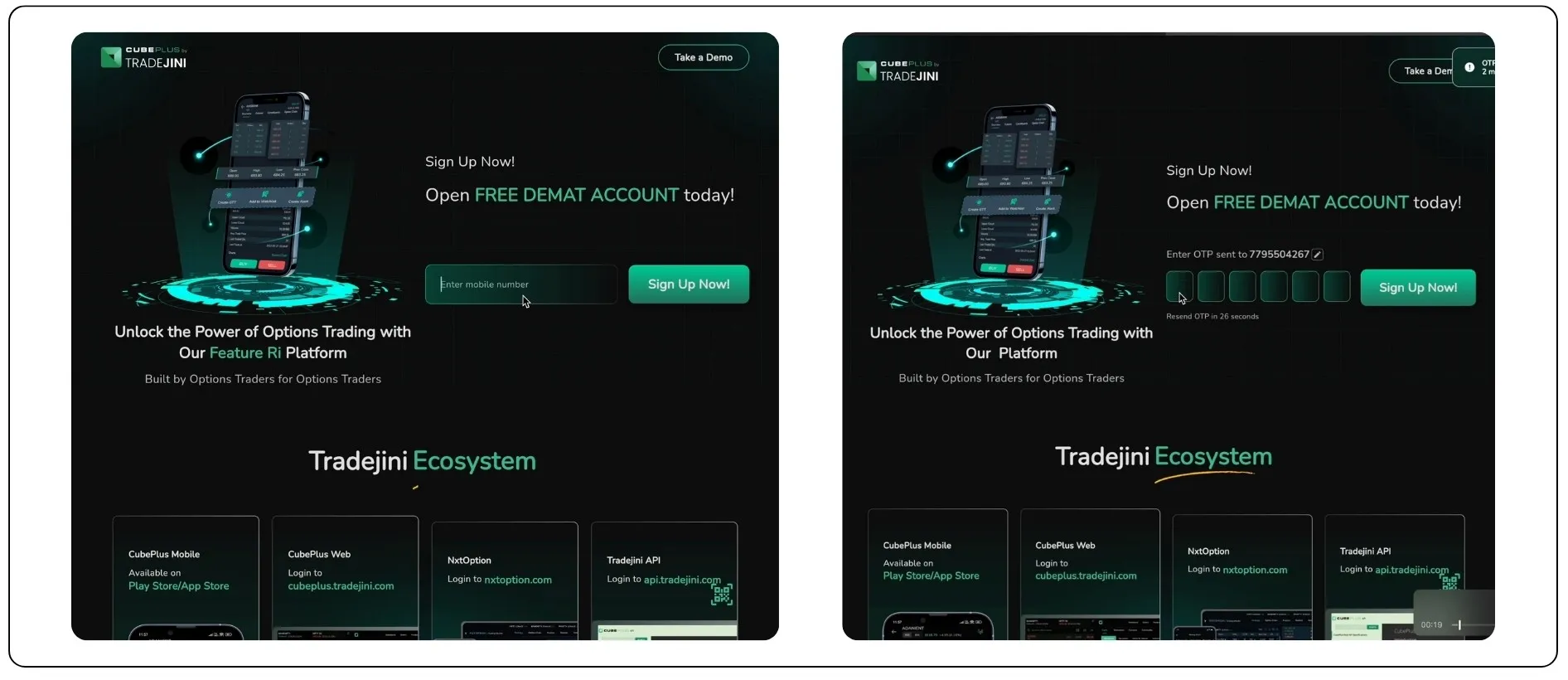
Next, enter your email address and confirm it by entering the OTP sent to your inbox. Both these steps are mandatory to proceed.
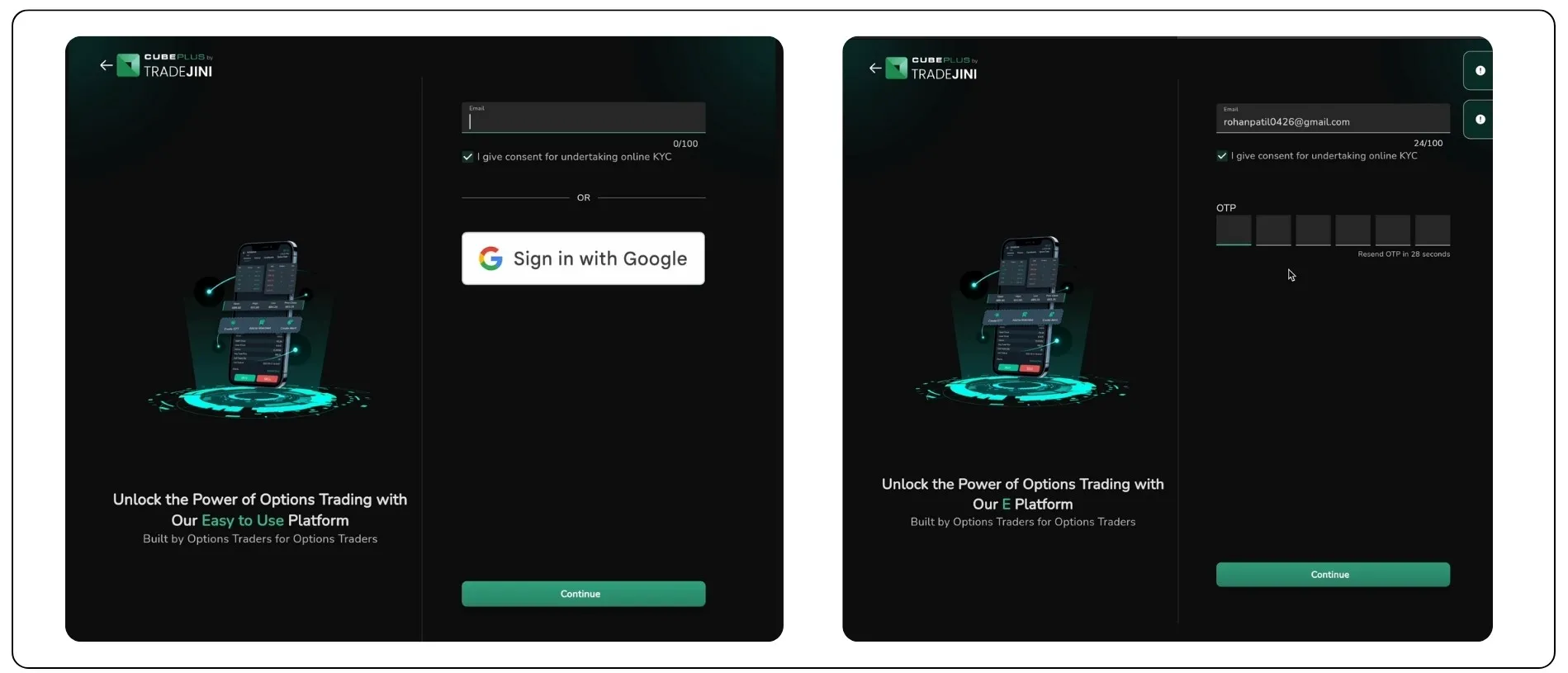
Step 2: Aadhaar Verification via Digilocker
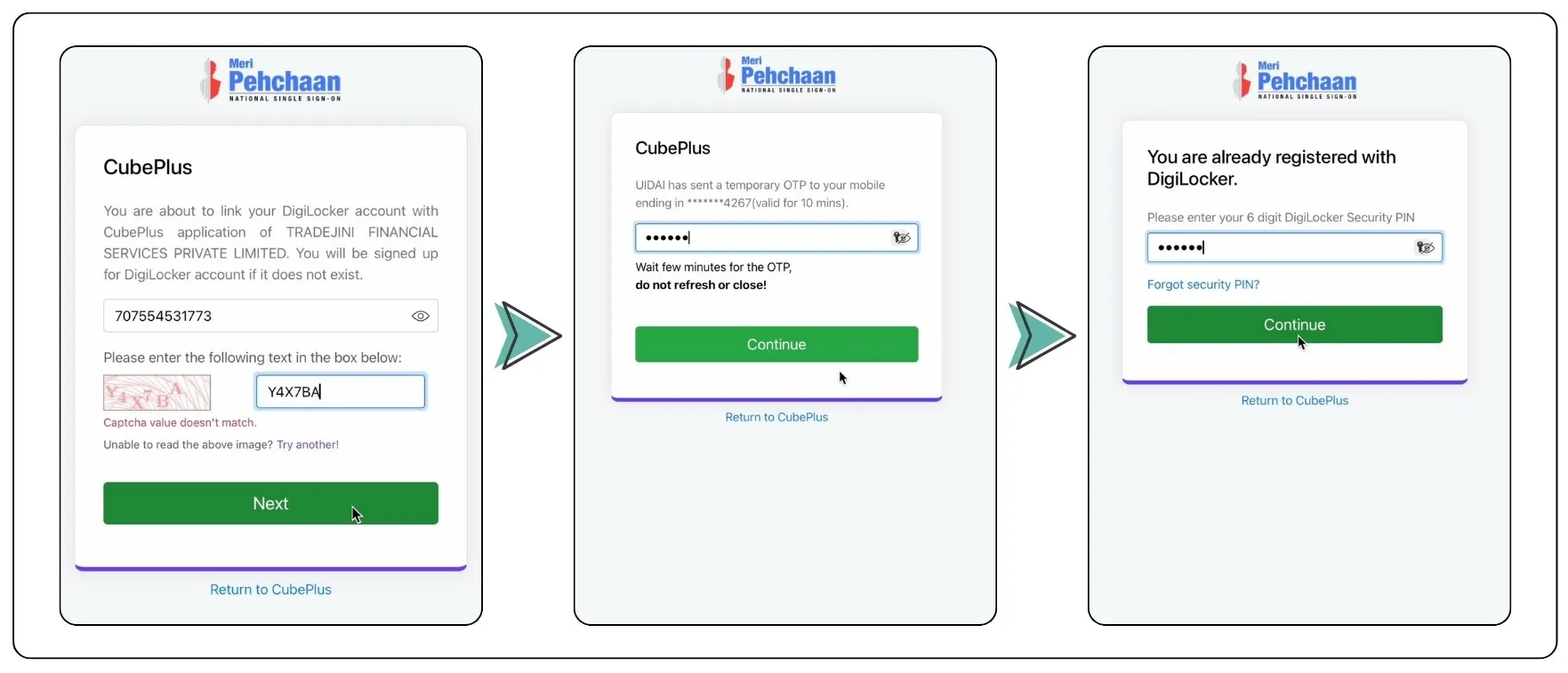
Enter your Aadhaar number, complete the CAPTCHA, and enter the OTP sent to your Registered mobile number associated with your Aadhaar.
Next, log in to Digilocker using your PIN to fetch your Aadhaar and PAN details. If your PAN is available in Digilocker, it will be automatically fetched.
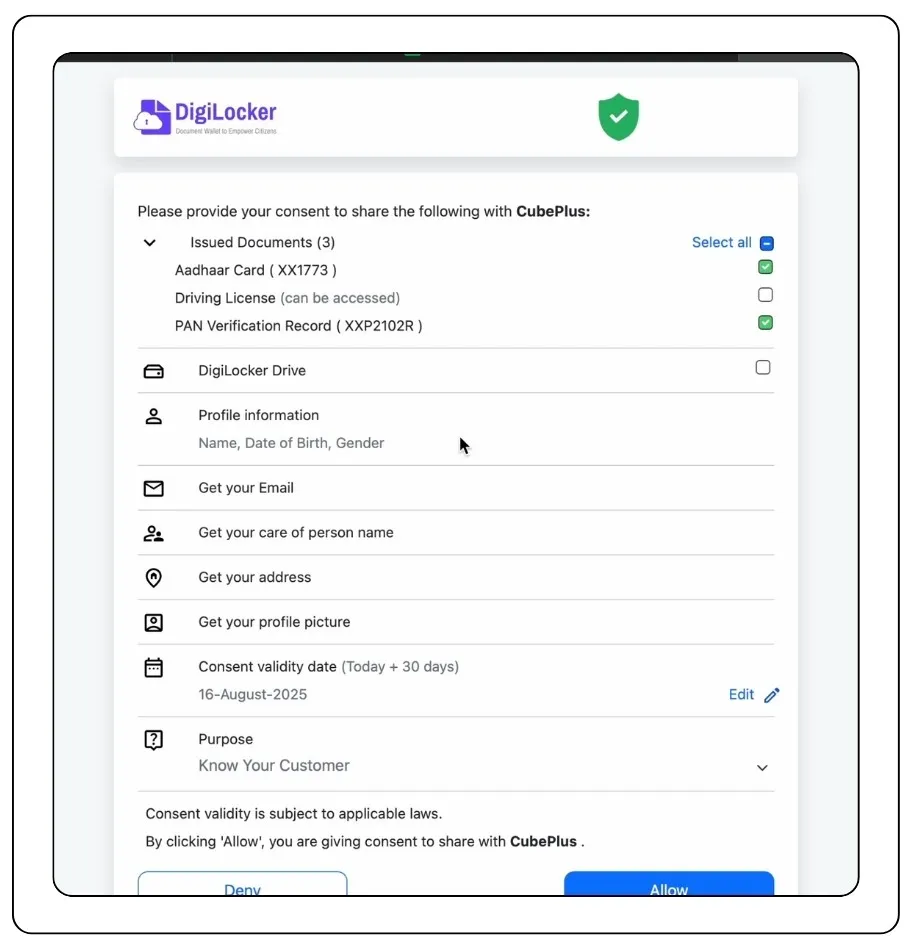
Step 3: PAN Card Verification
If the PAN card details are fetched from Digilocker, simply verify and confirm them.
If not, manually upload the PAN card. Ensure that it is an authentic, unlaminated picture of the card. Remember, photocopies and scanned copies will not be accepted.
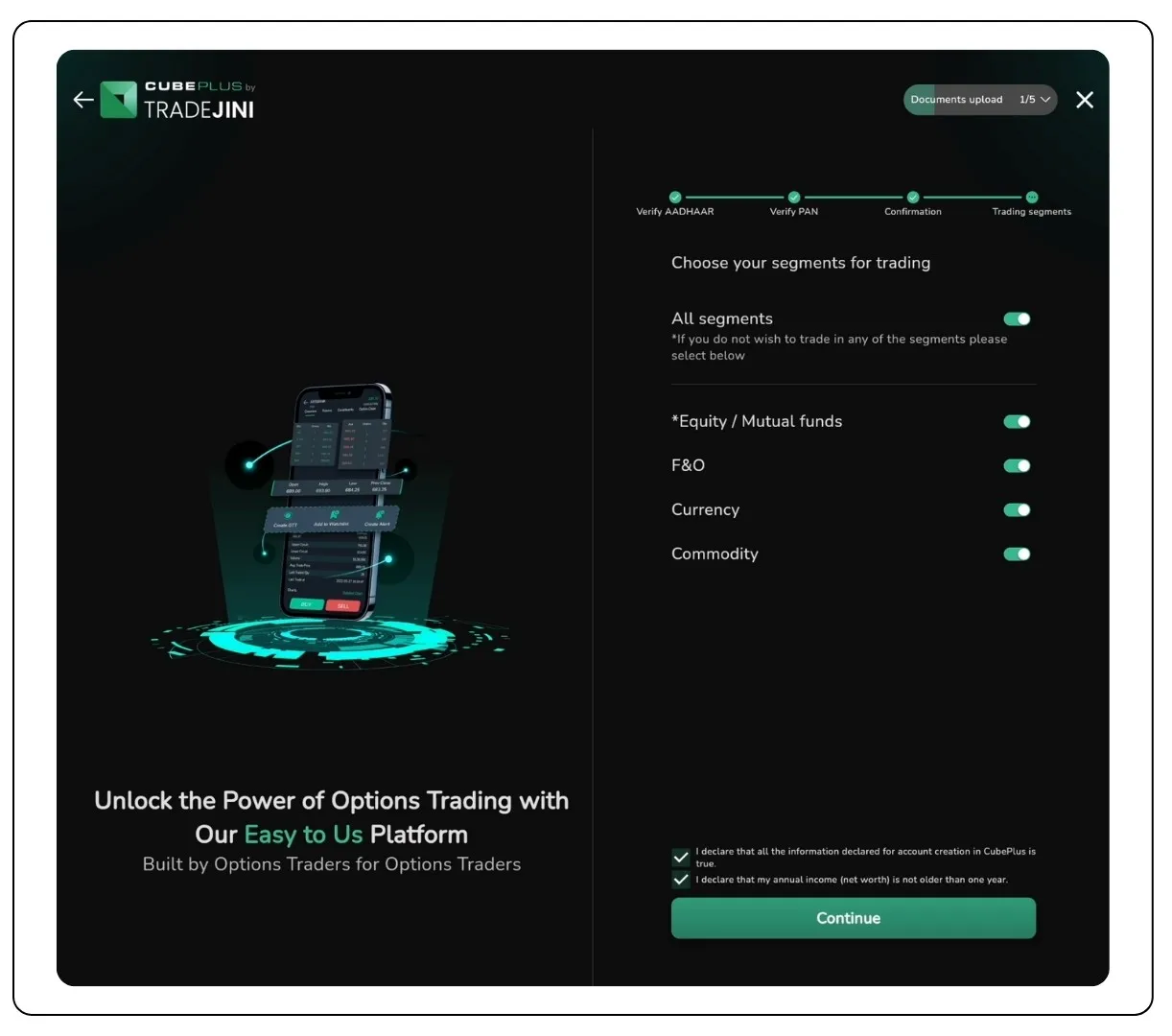
Step 4: Segment Selection
Choose the trading segments that you want to activate now. By default, equity is chosen. You can choose to add:
- Futures & Options (F&O)
- Currency
- Commodity
Pick only those segments you plan to trade in.
Step 5: Upload Income Proof (for F&O Activation)
If you have selected the F&O segment, you need to upload valid income proof. Any one of the following documents will work:
- Bank Statement (6 months): Minimum balance of ₹5,000 and at least 10 transactions
- ITR Acknowledgement: Annual income of ₹1.5 lakh or more
- Pay Slips (3 months): Monthly salary of at least ₹15,000
- Form 16: Annual income of ₹1.5 lakh or more
- Net Worth Certificate from a CA: Net worth of ₹1.5 lakh minimum
- Demat Holding Statement: Must show holdings worth ₹5,000 or more, with broker logo, registration details, and client name
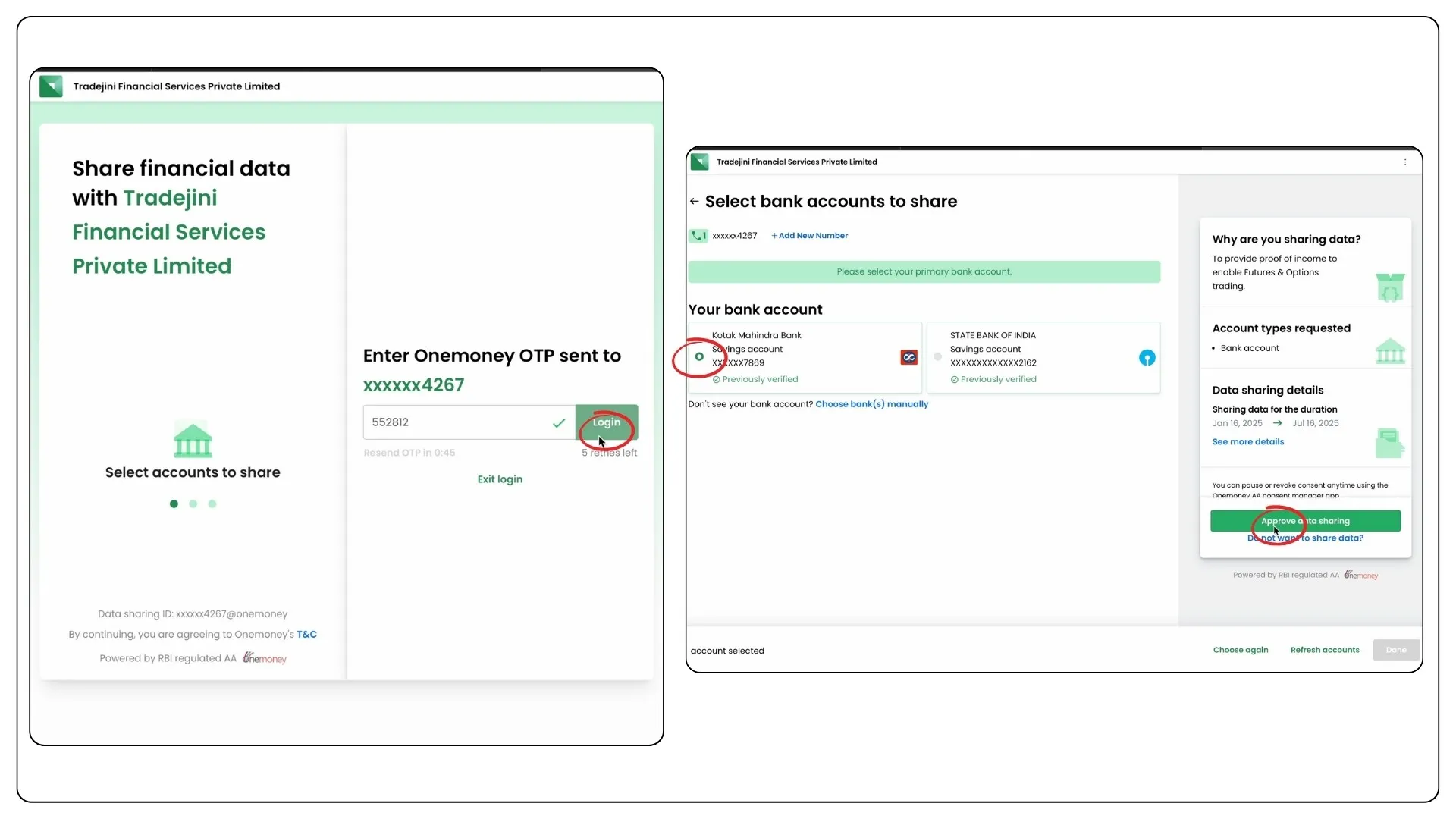
You can fetch your bank statement easily via Onemoney (RBI-regulated account aggregator). Just enter your mobile number, verify with OTP, select your bank, and approve data sharing.
Step 6: Link Your Bank Account
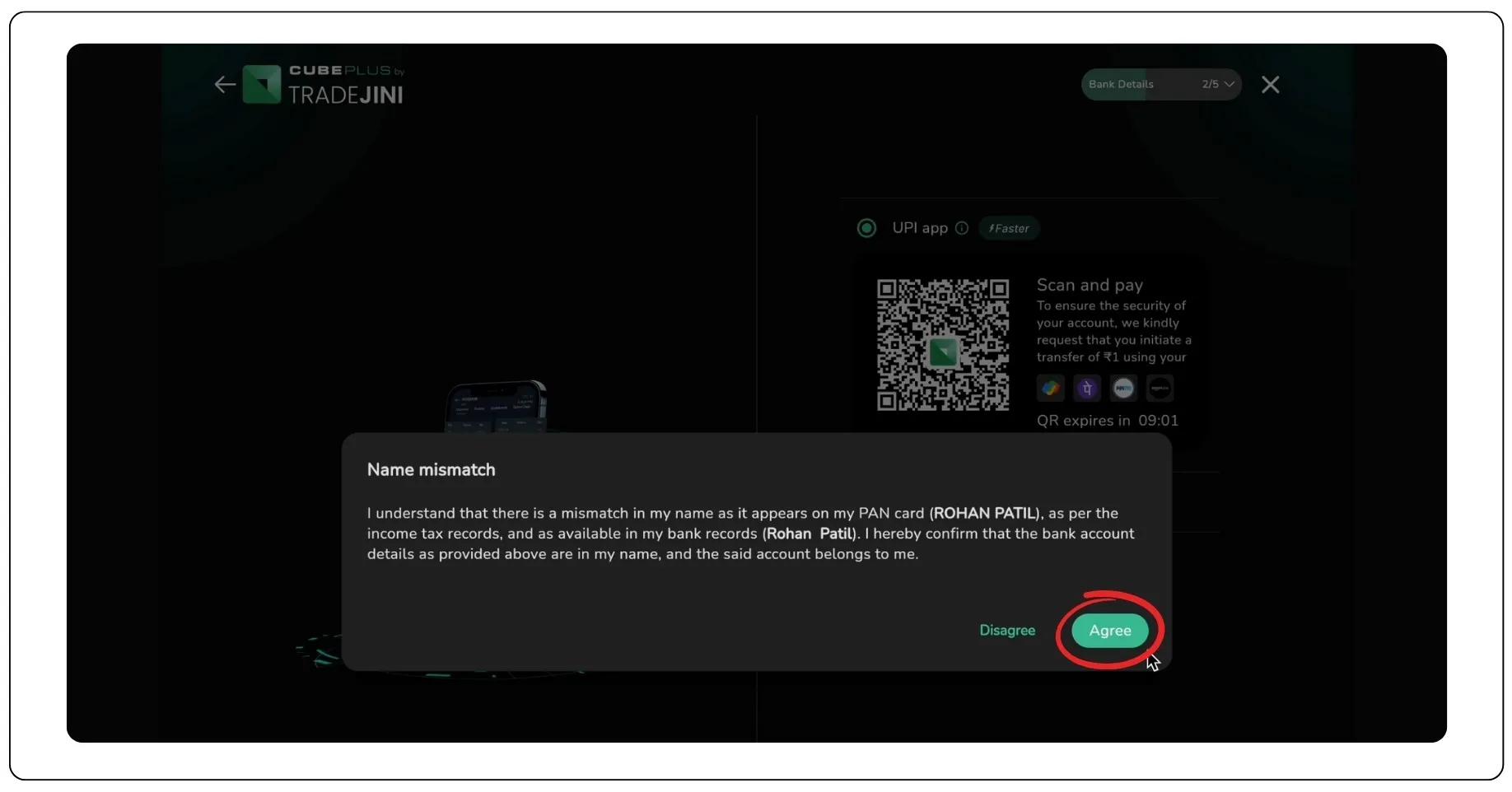
You can link your bank account in two ways:
- Scan the QR code and pay ₹1 using any UPI app (like GPay or Paytm)
- Enter bank details manually (Account number + IFSC)
This process, called Penny Drop Verification, helps validate your account. If the name on your PAN and bank account doesn’t match exactly, a prompt will appear asking you to acknowledge the discrepancy and proceed.
Step 7: Add Personal Details
Fill out the following information:
- Investment experience
- Marital status
- Occupation
- Politically exposed status
- Annual income
- Preferred investment/trading style
You will also be asked to enter your father’s and spouse’s name (if applicable), followed by nominee details. Adding a nominee is optional but recommended.
Step 8: KYC Verification
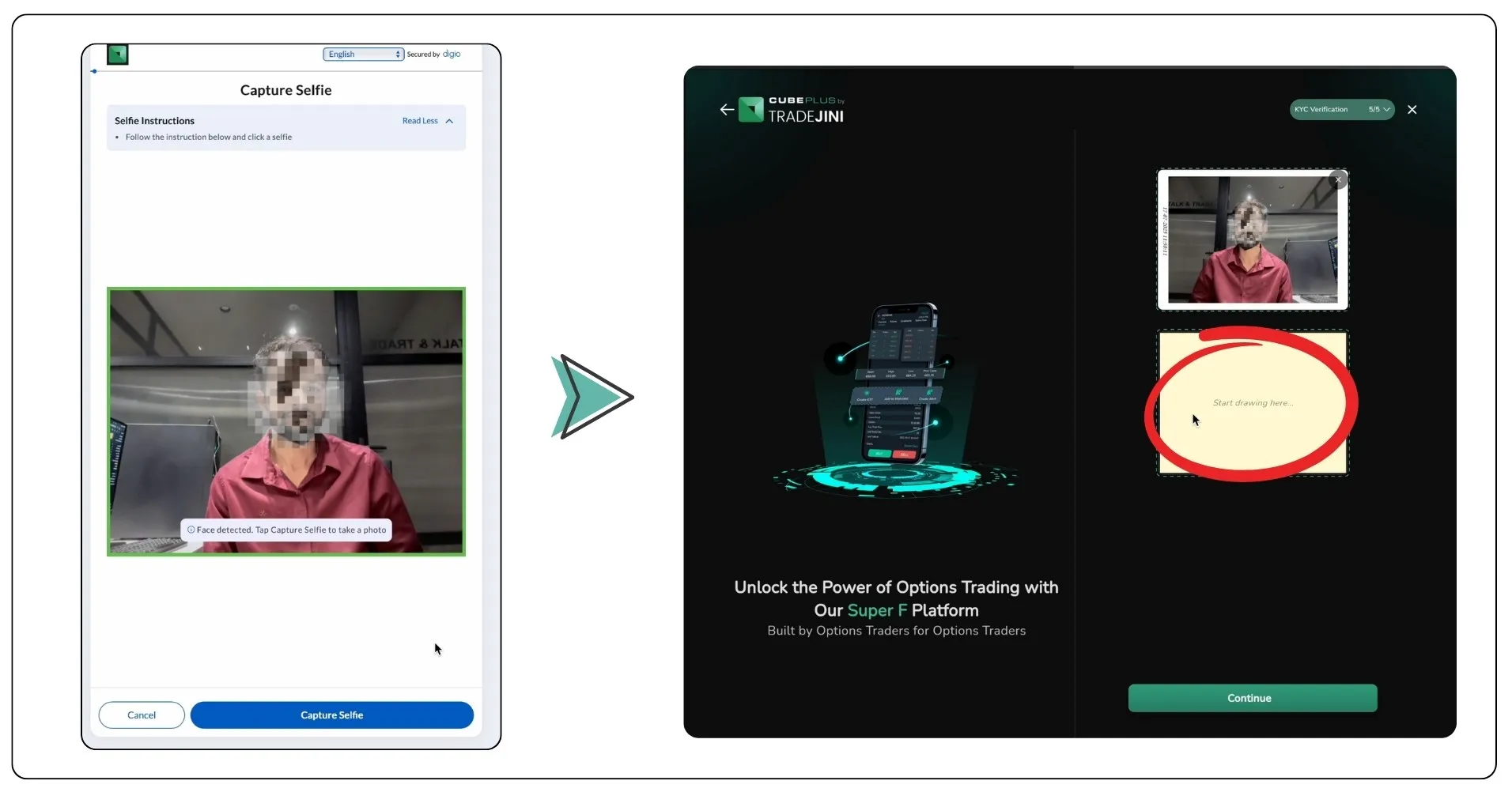
You’ll now have to complete a basic KYC process:
- Take a live selfie using your device camera
- Sign on the screen or upload a digital signature
This step helps verify your identity and links it to your Aadhaar and PAN.
Step 9: E-Sign the Application
To complete the application:
- Confirm consent by accepting the displayed prompts
- Enable location access (if prompted)
- Tap E-Sign, enter your Aadhaar number, and verify with the OTP
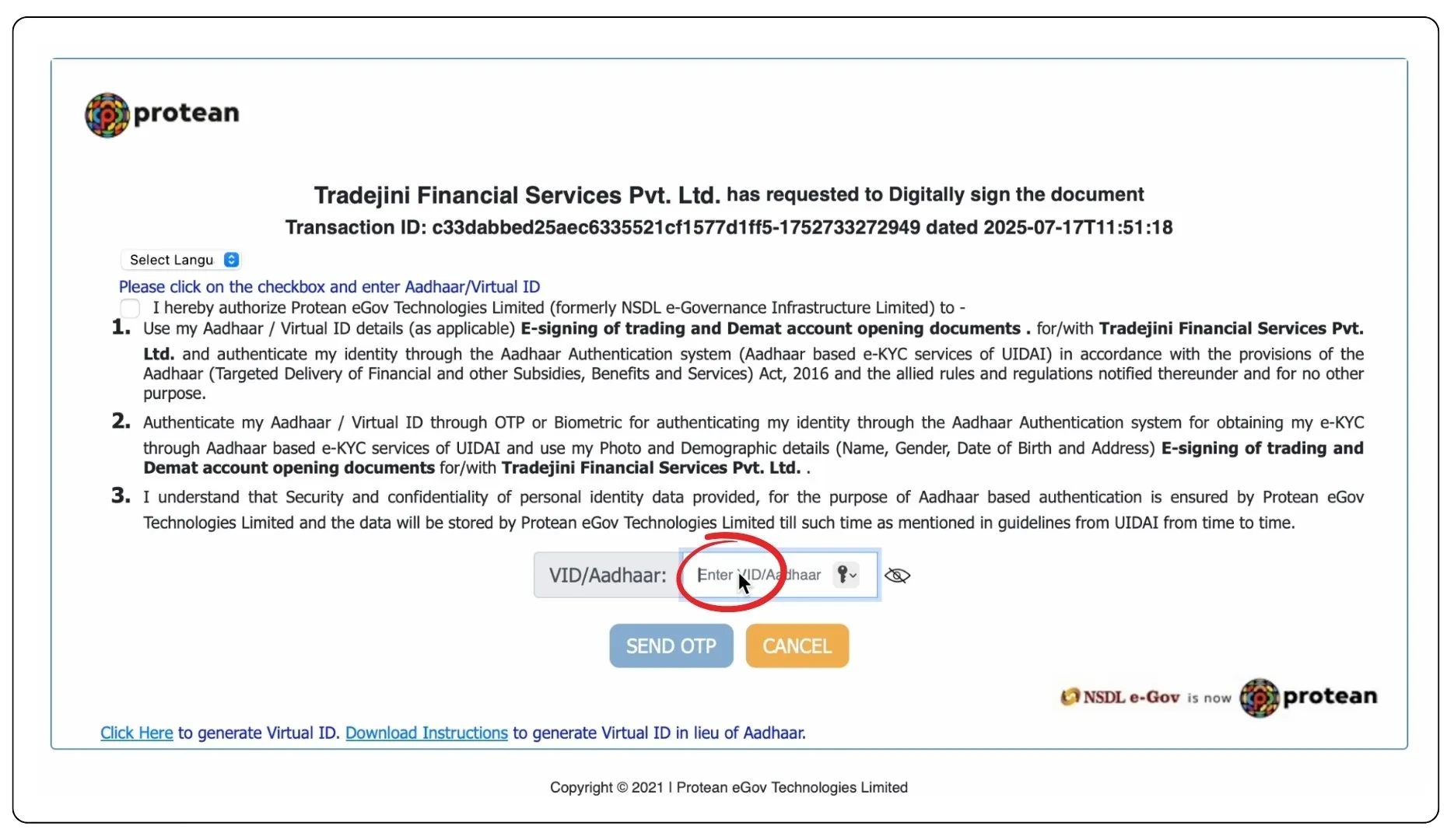
This step digitally signs your application and submits it for review.
You are Done!
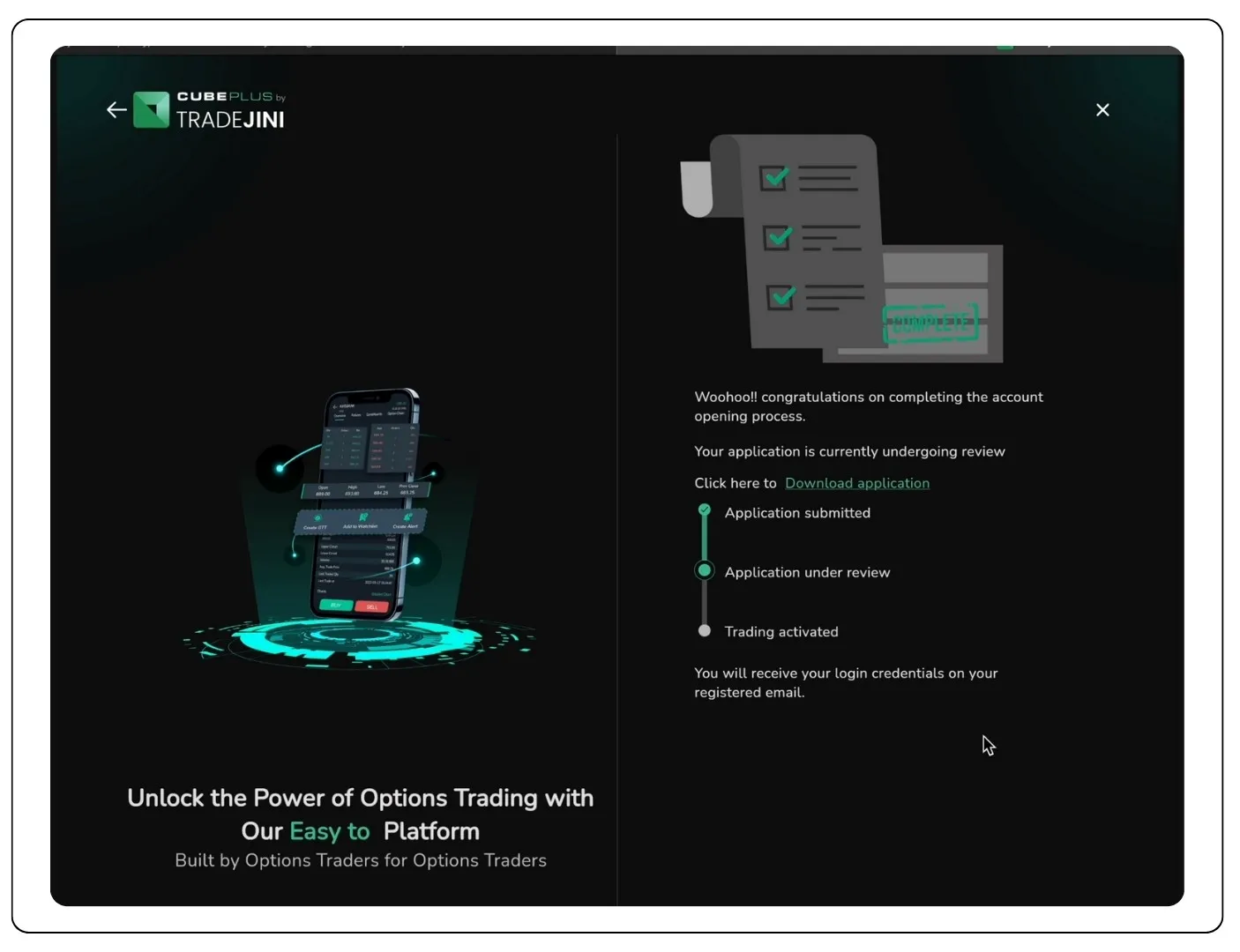
That's it. Your application will be reviewed after it is submitted. Once approved, your registered email address and mobile number will receive your login credentials.
So why wait?
Get started with Tradejini CubePlus and take full control of your investing journey, from equities to derivatives, all on one platform.
Let your money start working for you.
Disclaimer: The information provided in our blogs is for informational purposes only and should not be construed as financial, investment, or trading advice. Trading and investing in the securities market carries risk. Always conduct your own research and consult with a qualified financial advisor before making any investment decisions. Past performance is not indicative of future results. Copyrighted and original content for your trading and investing needs.
© 2025 — Tradejini. All Rights Reserved.

%252FCubePlus_Shield_Part%25203%2520Blog%2520Thumbnail.webp%3Falt%3Dmedia%26token%3Da5581624-5761-476f-8451-40c157b54840&w=3840&q=75)
%252FShield%2520on%2520Cubeplus%2520part2.webp%3Falt%3Dmedia%26token%3D252a5b48-a580-4e8d-b939-c82d4696eaef&w=3840&q=75)
