

Unleashing the power of CubePlus: a deep dive into the option terminal
For options traders, speed, reliable data, and efficiency are essential. Constantly switching between multiple tabs for charts, orders, and analysis often leads to missed opportunities. CubePlus solves this problem by bringing everything together in one powerful Option Terminal, integrating charts, orders, analytics, and risk tools for faster and more accurate trading.
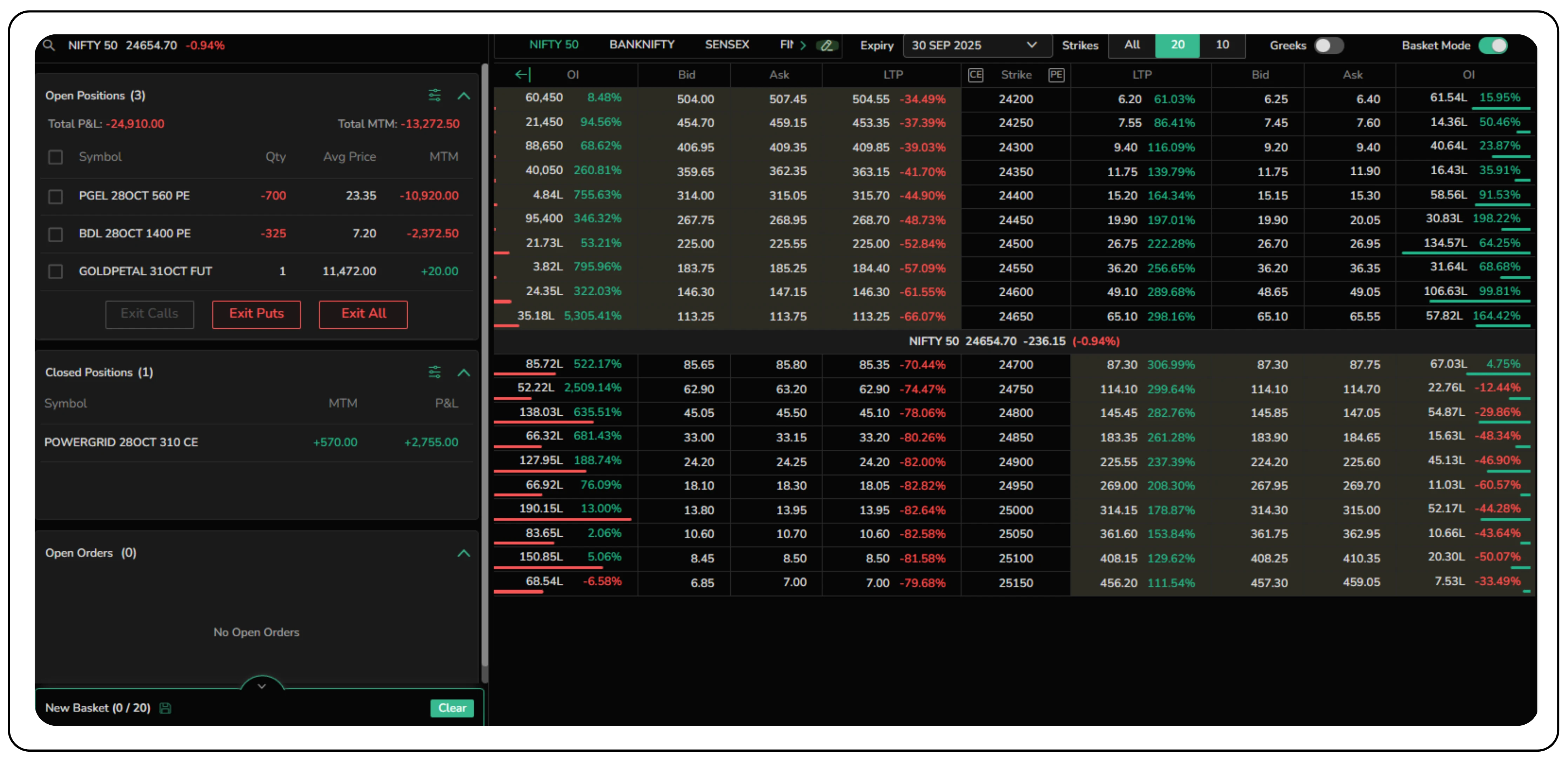
Let's take a closer look at the features that make the CubePlus Option Terminal an indispensable tool for every options trader.
A centralized and customizable dashboard
The Option Terminal opens to a clean, comprehensive market view right on the dashboard.
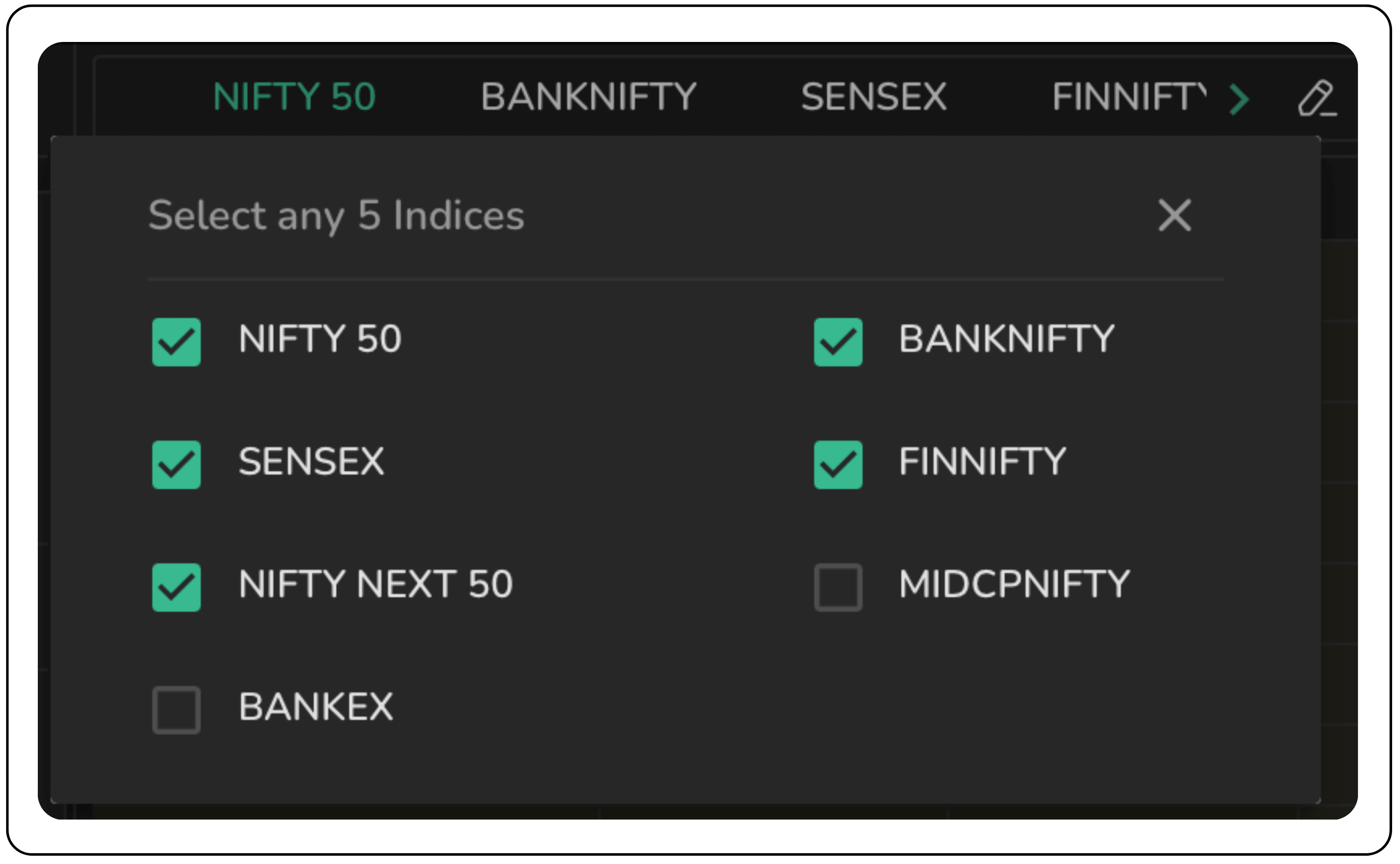
- Customizable index watchlist: At the top, you can quickly switch between popular indices like NIFTY 50, BANKNIFTY, and FINNIFTY. This watchlist is fully customizable, allowing you to pin up to five of your most-watched indices for instant access.
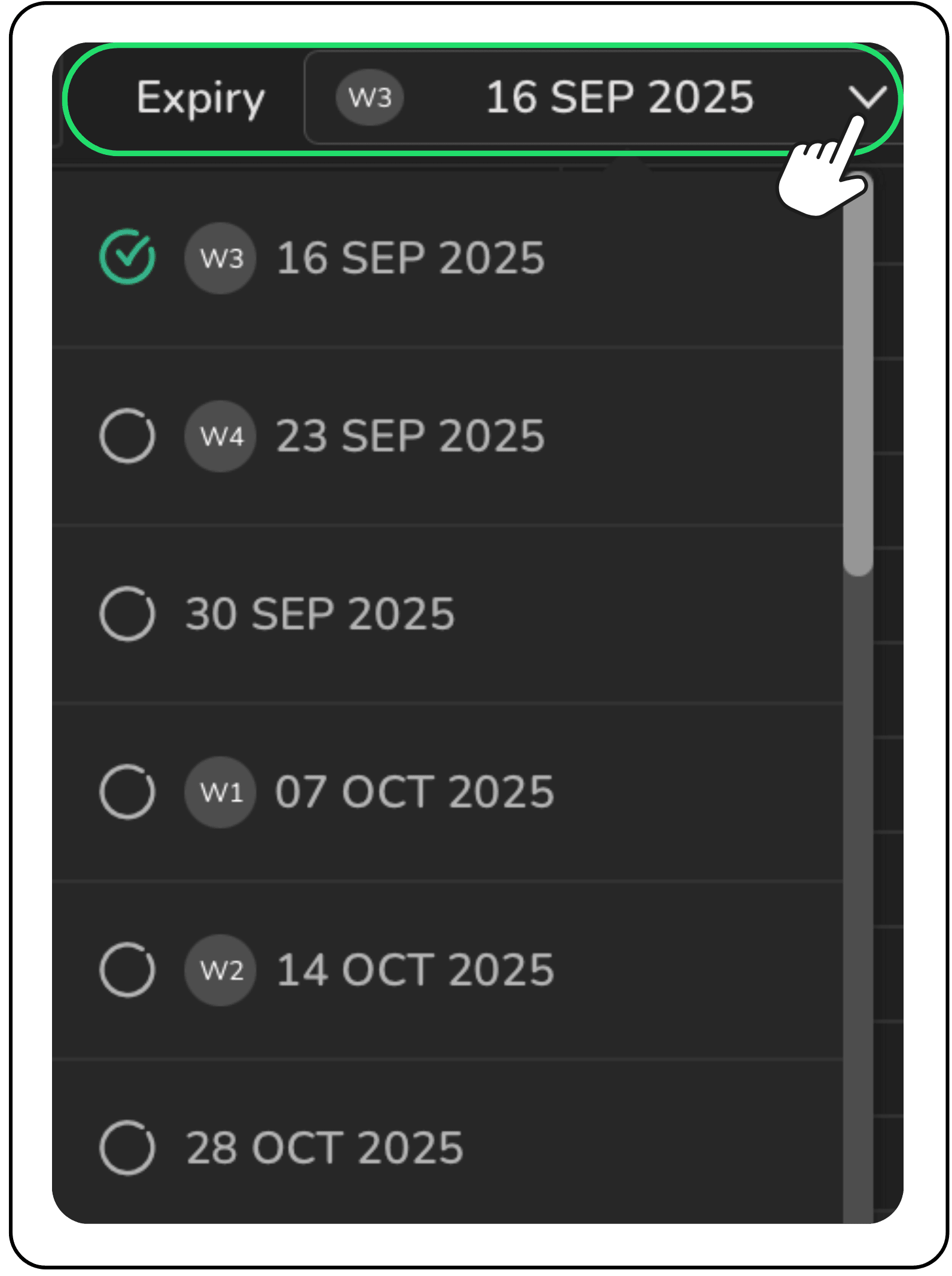
- Effortless expiry selection: A simple dropdown menu lets you seamlessly navigate between different contract expiry dates, from weekly to monthly, ensuring you are always looking at the right option chain at the right time.
Key useful features
An option chain can be overwhelming, with hundreds of strike prices to sort through. The Option Terminal provides intelligent filters to cut through the noise.
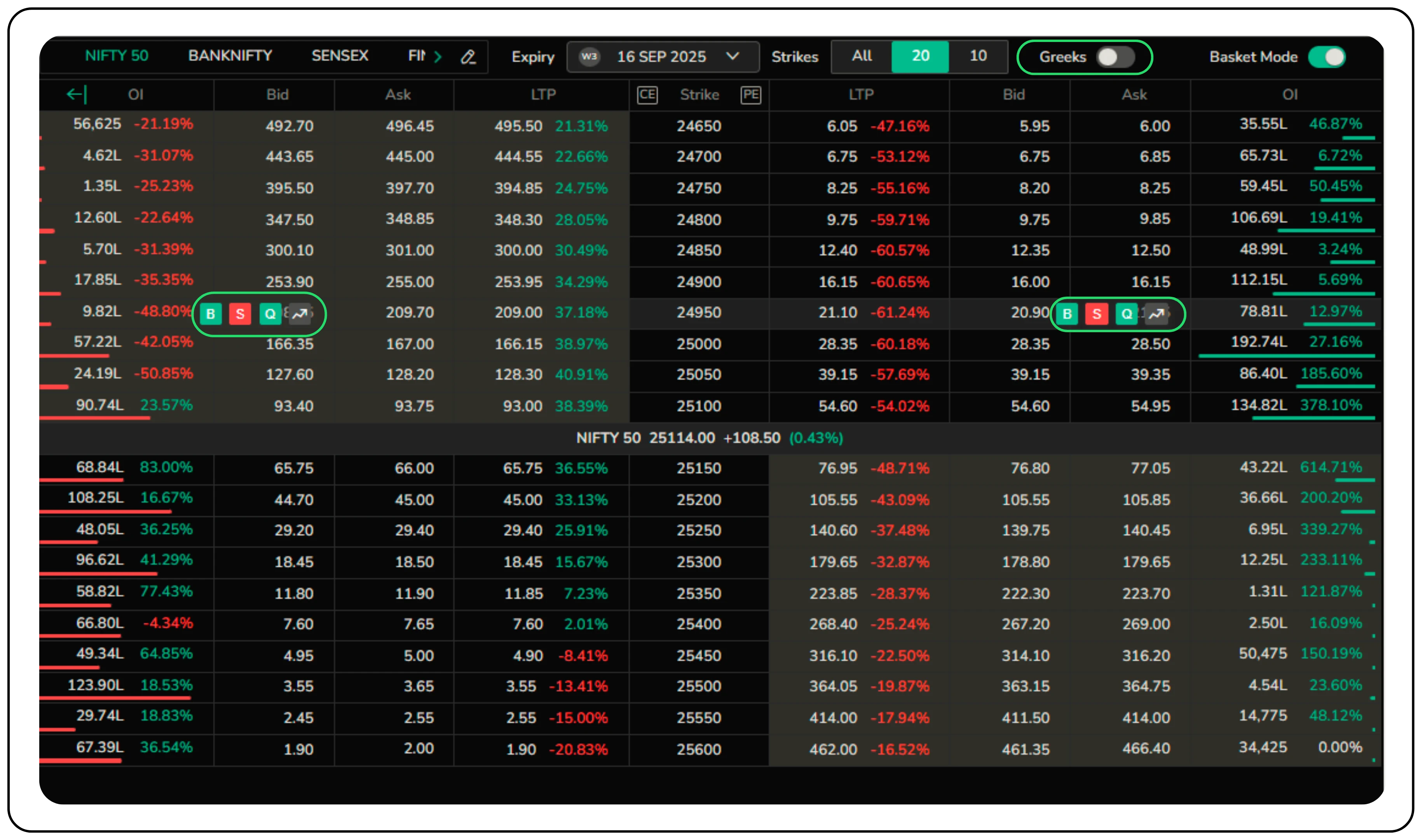
- Strike price filter: Instead of viewing all available strikes, you can choose to display a specific number of strikes (e.g., 10 or 20) above and below the at-the-money (ATM)

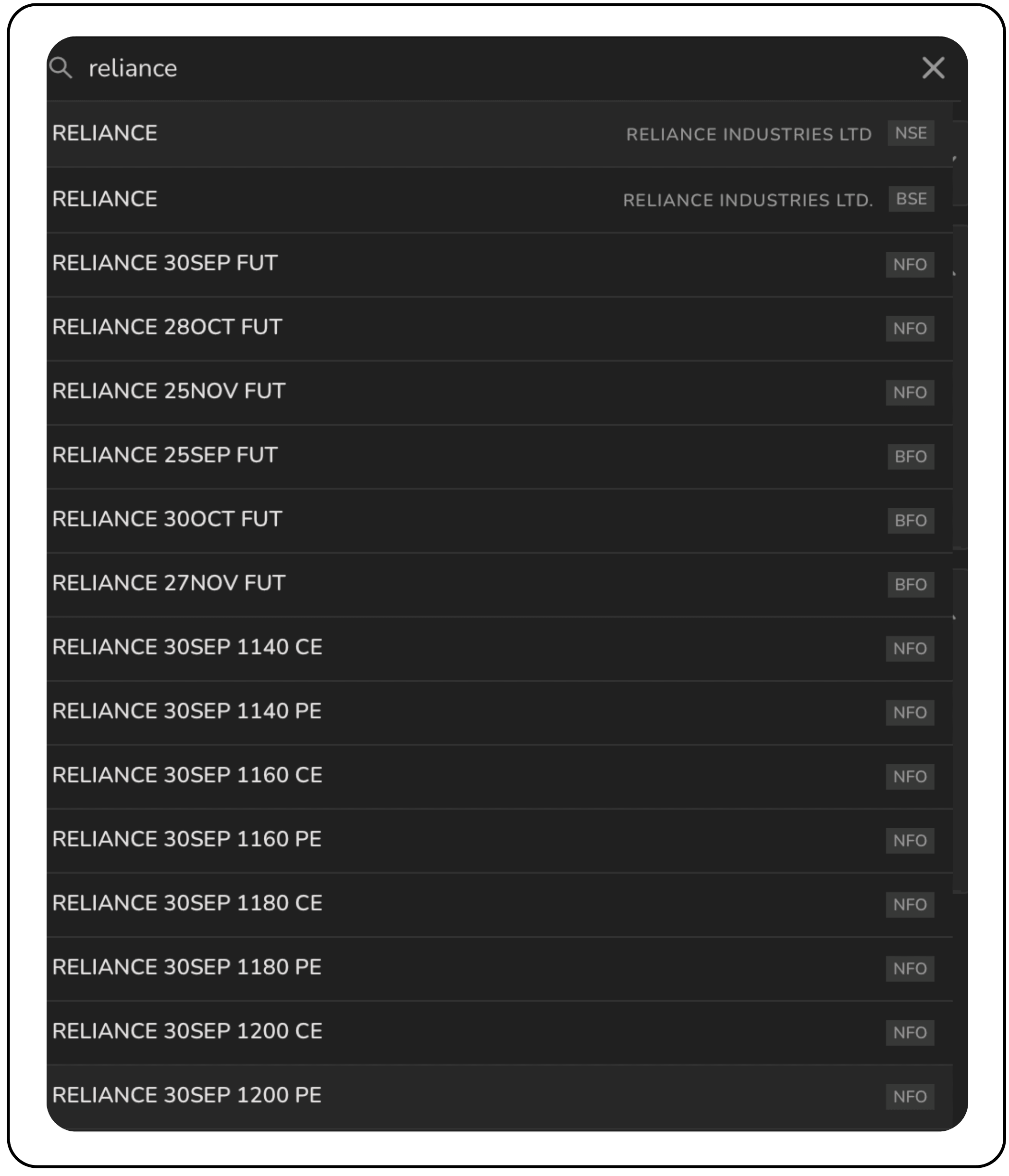
- Comprehensive search: The integrated search bar is more than just a scrip finder. You can search for individual stocks like RELIANCE and instantly pull up its entire option chain.
- The search is intelligent enough to filter by strike price, expiry, and instrument type (call, put, or futures).
Seamless trade execution, your way
The Option Terminal is built for swift and precise execution, catering to various trading styles.
- Quick trade: Simply hover over any bid or ask to access Buy (B), Sell (S), or Quote (Q). A detailed order window opens instantly, so you can place trades without missing a beat.
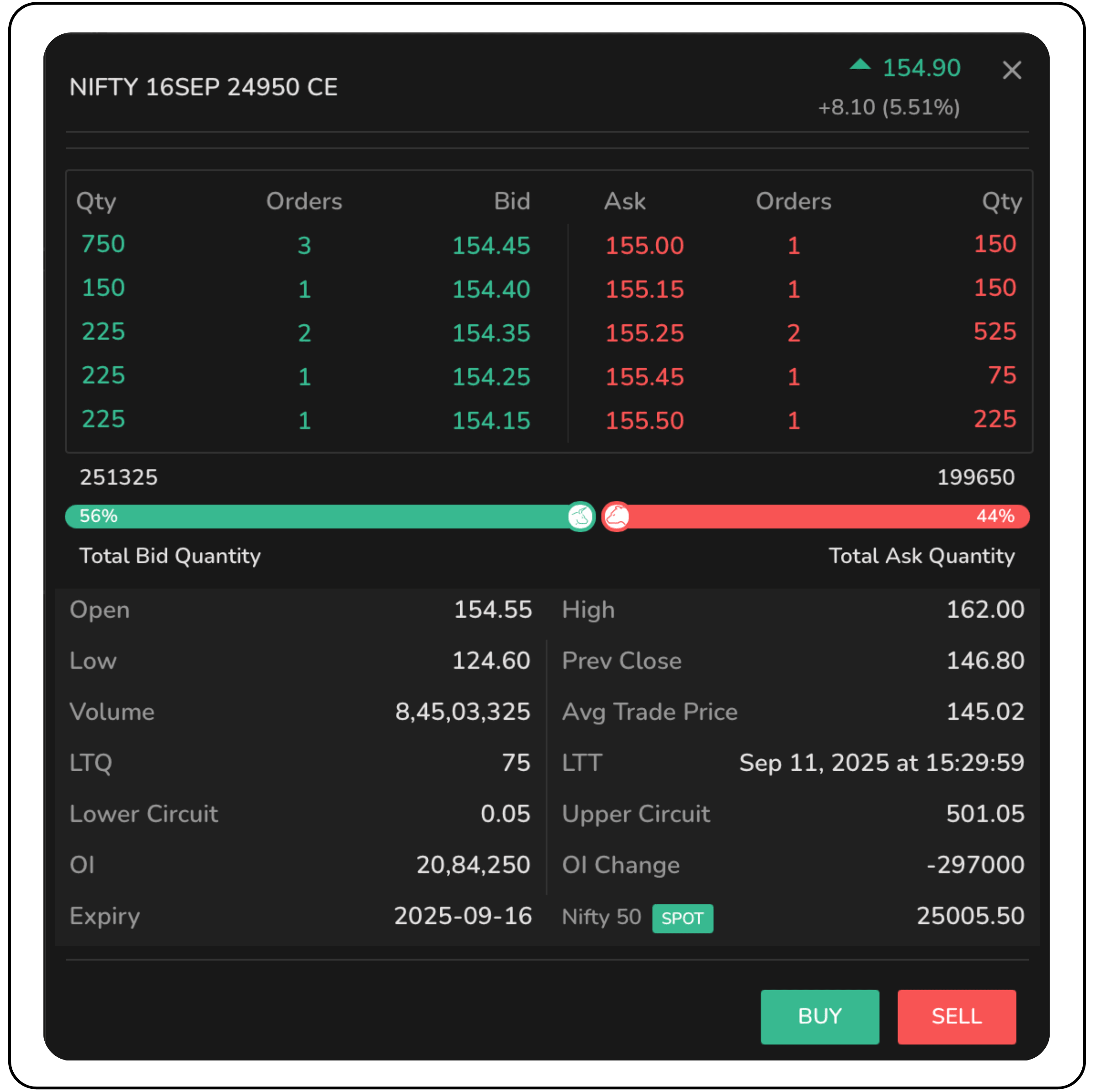
- In-depth quote window: Clicking the 'Q' icon next to any scrip opens a detailed quote window showing market depth with the top 5 bids and asks. It also provides key metrics like Open, High, Low, Close (OHLC), Volume, Open Interest (OI), and circuit limits.
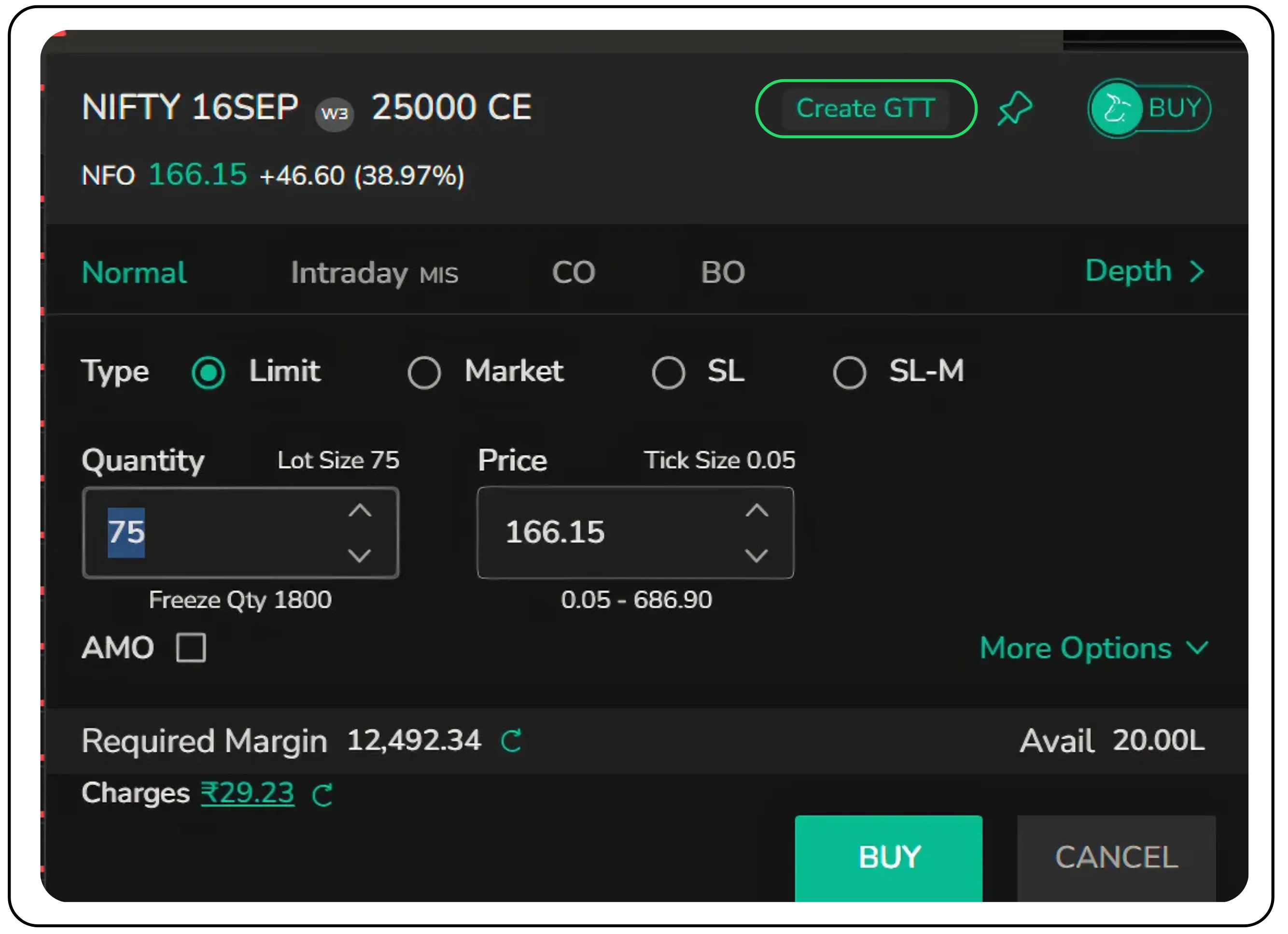
- Detailed order placement: The order window provides you with full control over your trade. You can place Limit, Market, Stop Loss (SL), and Stop Loss-Market (SL-M) orders with ease. You can also view the required margin and available funds before placing a trade.
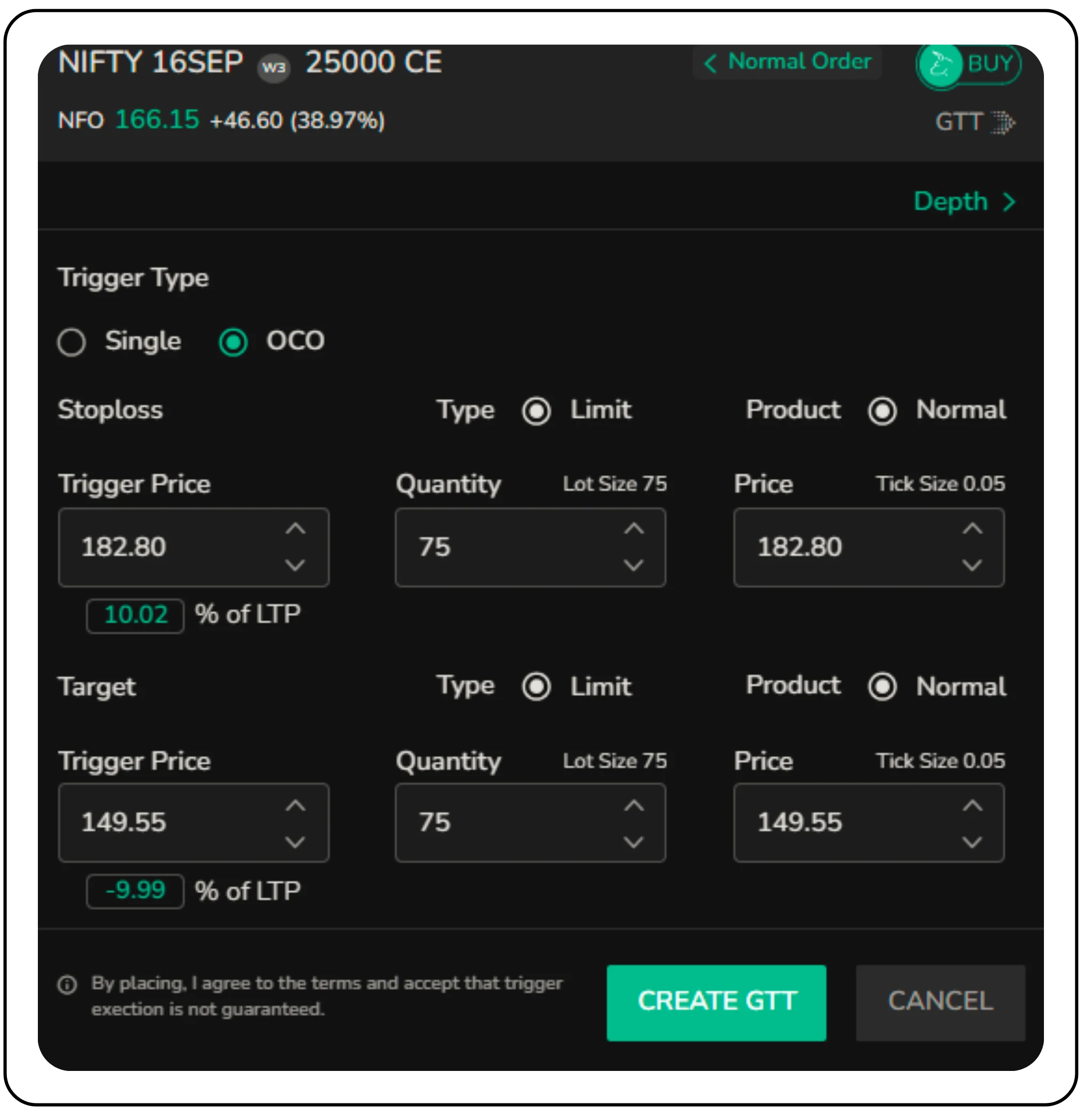
Toggle easily between Normal and GTT orders.
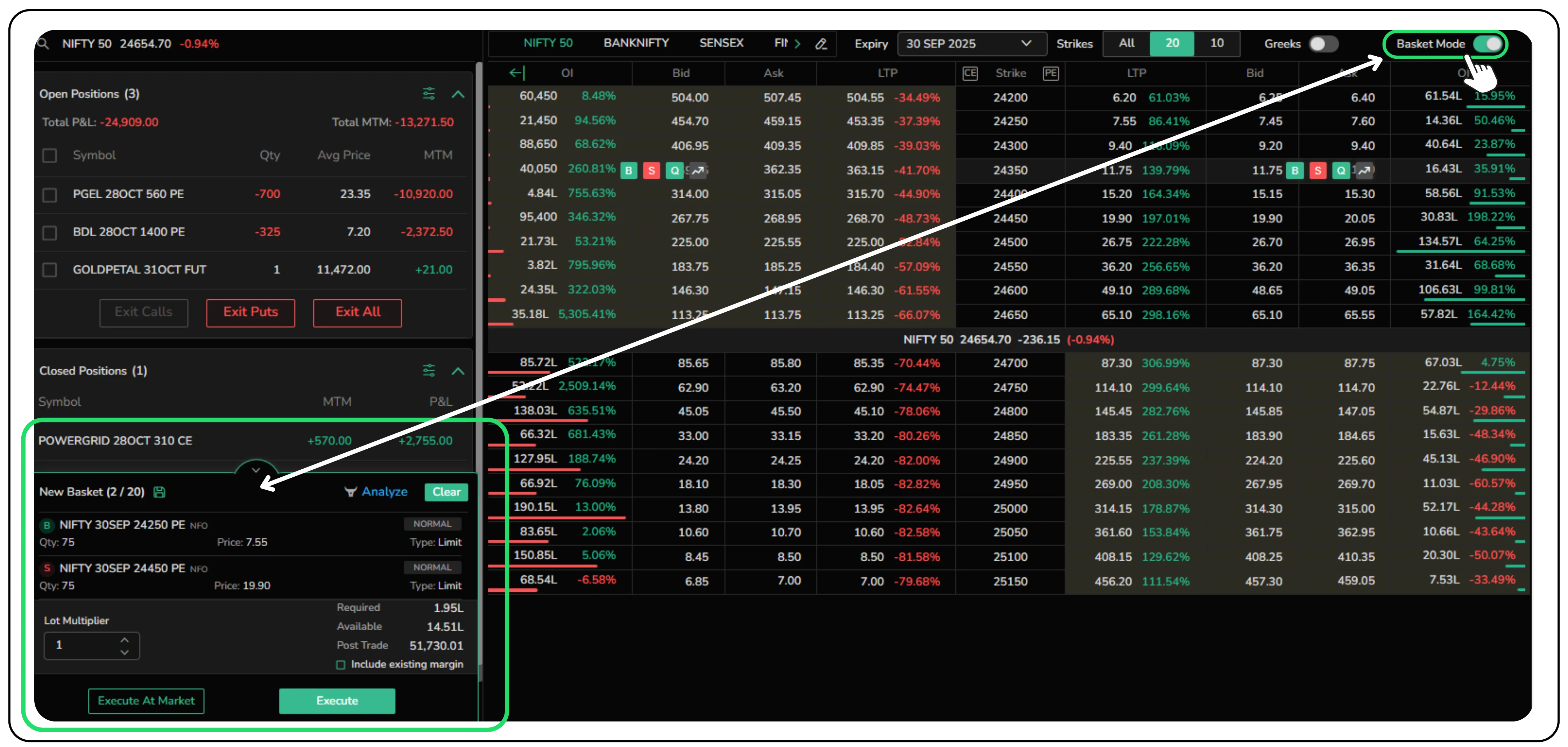
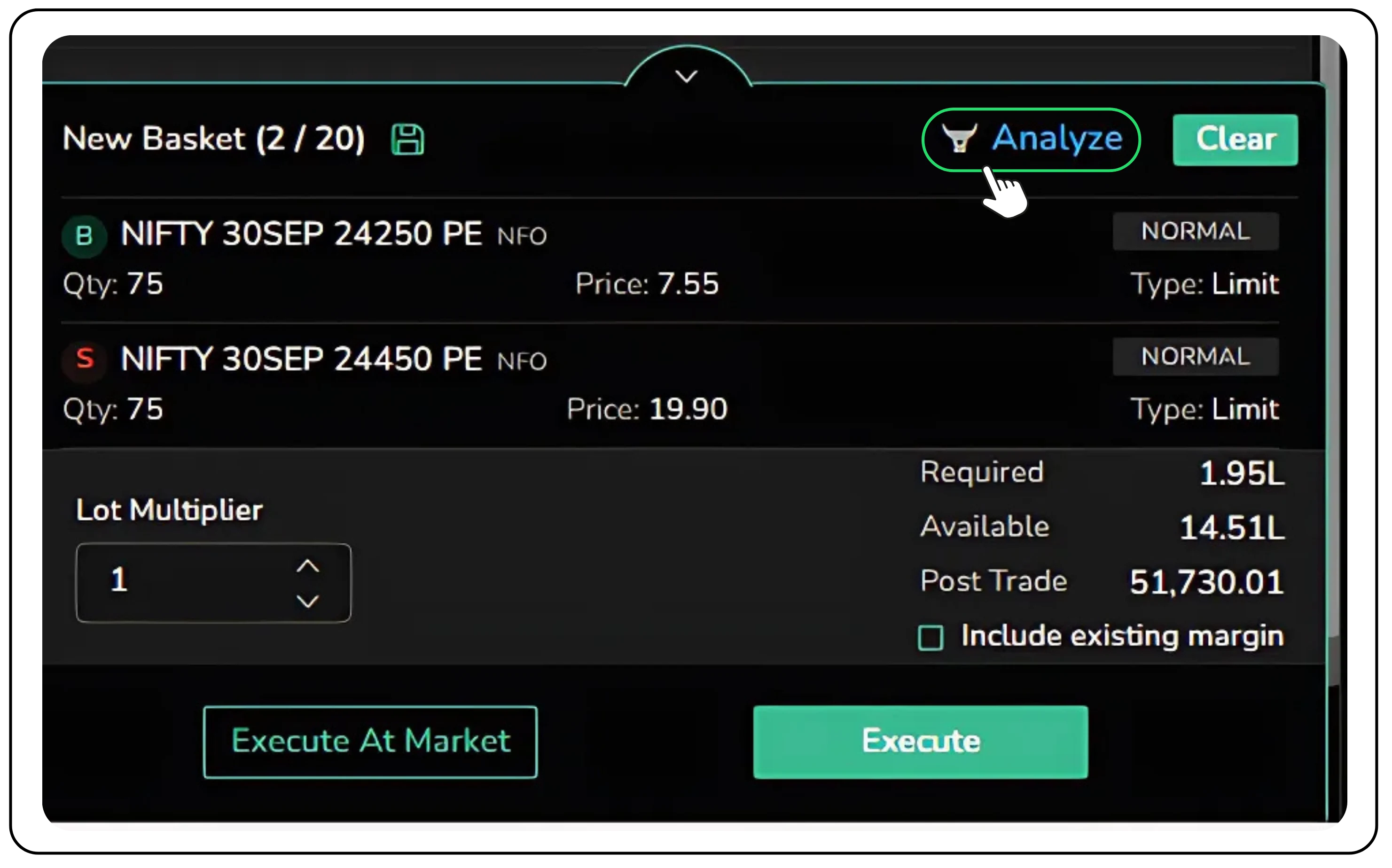
- Basket mode: Add multiple buy and sell legs in one go to execute straddles, strangles, or spreads efficiently. With a single toggle, you can add multiple buy and sell orders to a basket. This is perfect for executing complex strategies like straddles, strangles, or spreads in one go.
Tracking and managing positions
- Open Positions panel: Provides complete visibility into ongoing trades by displaying the contract details, quantity, average entry price, and mark-to-market (MTM) profit or loss. This allows traders to immediately identify which trades are working in their favor and which ones are dragging performance down.
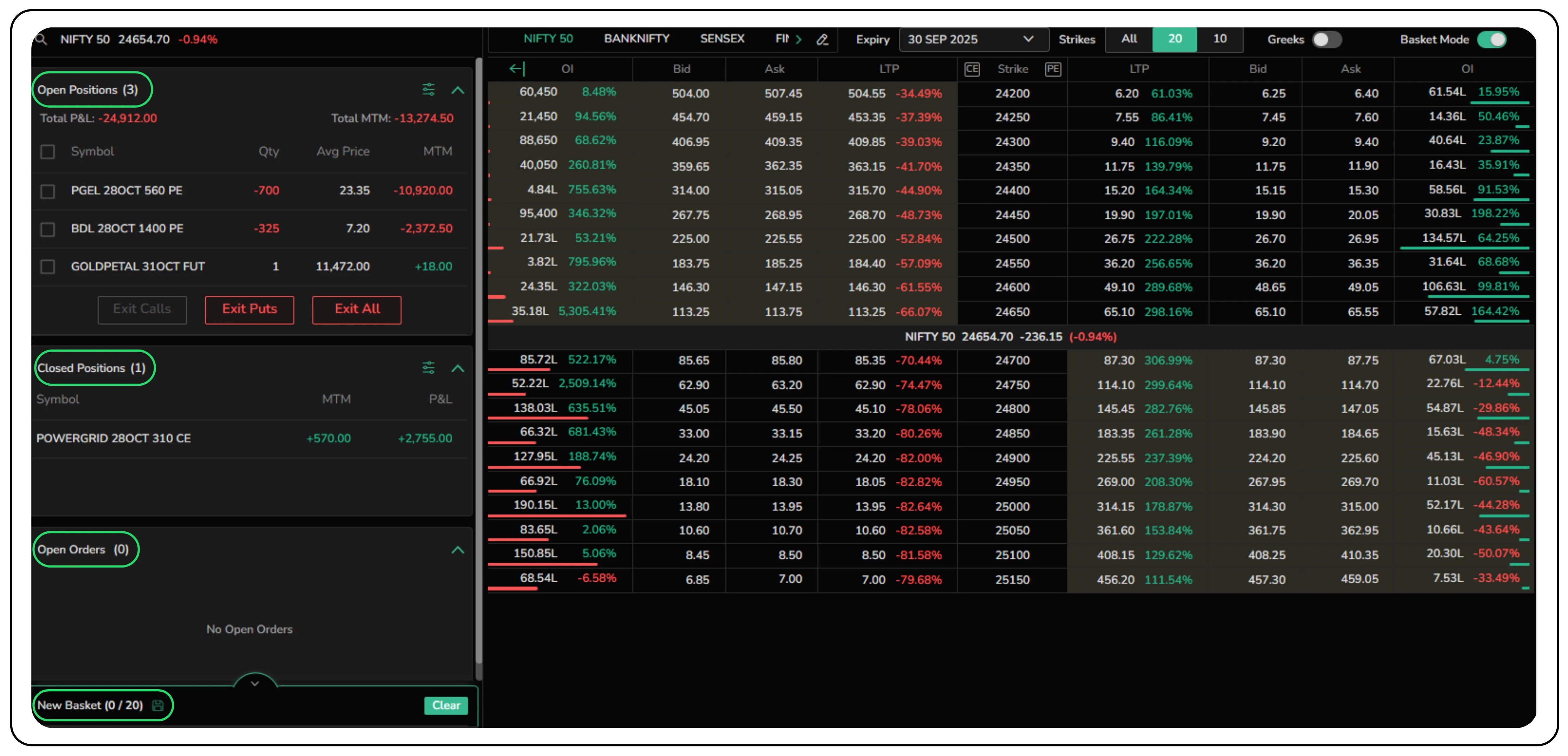
- Closed Positions section: Highlights the profits and losses from exited trades, ensuring that traders have a clear distinction between realized gains and the floating outcomes of active positions.
At the top level, the Total P&L and Total MTM figures offer a quick health check of the overall positions . While Total P&L reflects cumulative results, including both open and closed trades, Total MTM focuses solely on unrealized gains or losses. Together, these metrics give traders the ability to evaluate their current exposure and adjust strategies with precision.
Risk management is further enhanced with the inclusion of instant exit options. Buttons such as “Exit Calls,” “Exit Puts,” and “Exit All” allow traders to close out specific positions, or the entire portfolio, with a single click. This feature is especially powerful during periods of heightened volatility, where hesitation can quickly translate into mounting losses.
By combining real-time performance tracking with swift action tools, this screen does more than display numbers; it empowers traders to stay disciplined, protect their capital, and act with confidence even in unpredictable markets. For anyone serious about trading, it serves as the cockpit from which smarter and faster decisions are made.
Advanced analysis and position management
The terminal doesn’t just stop at execution; it offers powerful tools for post-trade analysis and management.
- Strategy analysis: When using Basket Mode, the "Analyze" button opens a detailed pop-up. This includes a complete payoff chart for your strategy, a detailed P&L table, and a breakdown of the strategy's Greeks. This allows you to visualize your potential profits, losses, and breakeven points before you commit your capital.
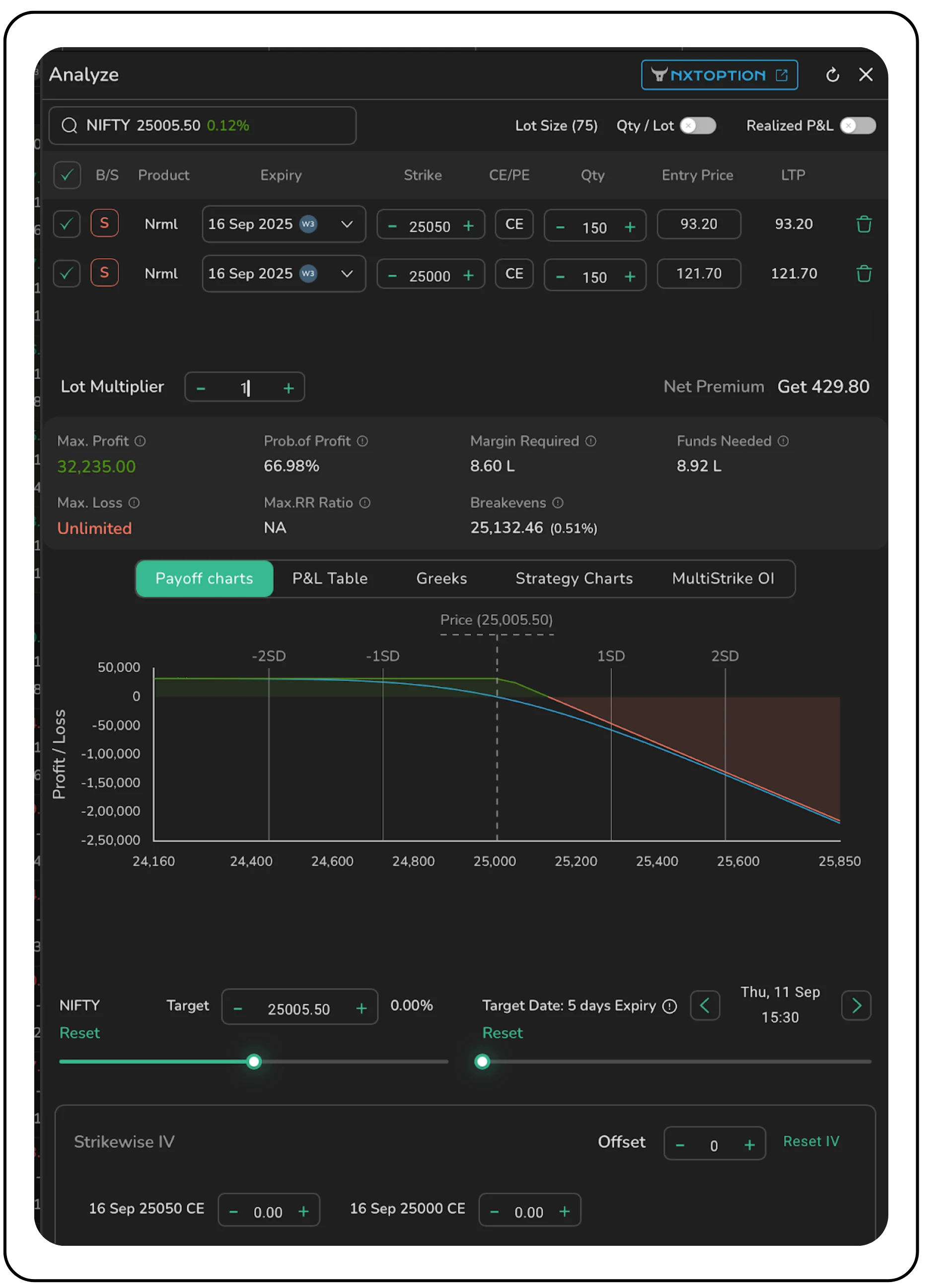
- NXTOption integration: For even deeper analysis, the terminal provides a direct link to NxtOption, Tradejini's advanced options analytics platform.
- Unified position tracking: Your Open Positions, Closed Positions, and Open Orders are neatly displayed on the left panel of the screen. This ensures you can monitor your entire portfolio's performance without leaving the terminal.
The CubePlus Option Terminal goes beyond an option chain, offering execution, analytics, and portfolio tracking in one workspace. It combines watchlists, filters, charting, execution, and analytics into a single interface, helping traders act quickly and manage their positions with clarity. Explore CubePlus today to experience faster, smarter options trading.
Data-rich environment for informed decisions
Making informed decisions requires access to the right data at the right time. The Option Terminal integrates this seamlessly.
- Integrated option greeks: Expand the option chain to view Delta, Gamma, Theta, Vega, and Implied Volatility (IV) for every strike.
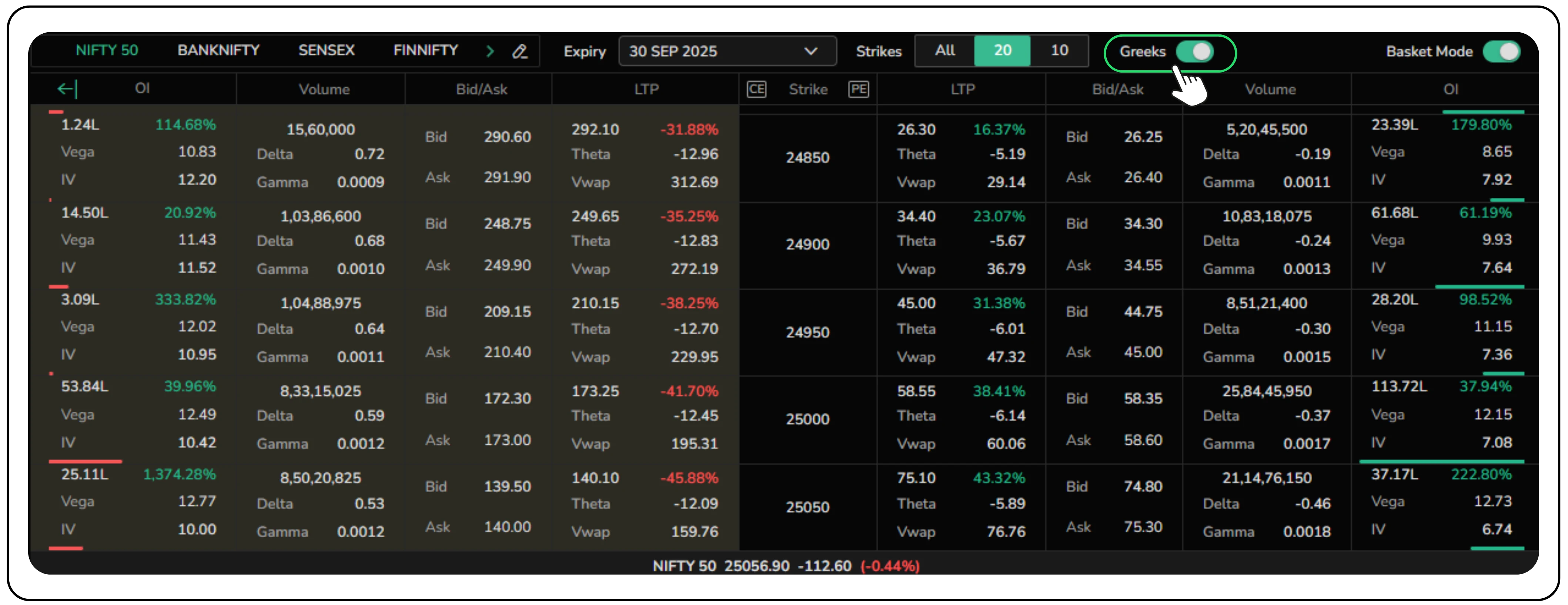
- Full-featured charting: Launch full TradingView charts with your saved layouts and indicators, ensuring a smooth shift from analysis to execution.
Disclaimer: The information provided in our blogs is for informational purposes only and should not be construed as financial, investment, or trading advice. Trading and investing in the securities market carries risk. Always conduct your own research and consult with a qualified financial advisor before making any investment decisions. Past performance is not indicative of future results. Copyrighted and original content for your trading and investing needs.
© 2025 — Tradejini. All Rights Reserved.

%252FCubePlus_Shield_Part%25203%2520Blog%2520Thumbnail.webp%3Falt%3Dmedia%26token%3Da5581624-5761-476f-8451-40c157b54840&w=3840&q=75)
%252FShield%2520on%2520Cubeplus%2520part2.webp%3Falt%3Dmedia%26token%3D252a5b48-a580-4e8d-b939-c82d4696eaef&w=3840&q=75)
