SEBI's Closing Auction Session, or CAS, changed how the closing price is set for a large part of the market. For anyone using CubePlus, the platform surfaces the relevant auction data in more than one place, and knowing where to look saves a scramble in the last twenty minutes of trading. Here is where that data lives on CubePlus, how to reach each view, and what the figures mean.
What Changed at the Close
SEBI introduced CAS through a circular dated January 16, 2026, effective from August 3, 2026. In its first phase, CAS applies only to Category I stocks, meaning stocks with active futures and options contracts on NSE and/or BSE. Every other listed stock continues with the earlier method of arriving at a closing price.
That earlier method used the volume weighted average price of trades in the last thirty minutes of the session. It worked, but it left the closing price open to being nudged by orders placed close to the bell. CAS replaces this with an auction. Buy and sell orders are collected over a fixed window and matched at a single equilibrium price, the same broad approach used at exchanges such as the London Stock Exchange and Nasdaq. For F&O eligible stocks, continuous trading now stops at 3:15 pm, after which the auction window takes over and the closing price is finalised through order matching rather than trade by trade activity.
Spotting a CAS Stock on the Watchlist
On CubePlus, any stock in your watchlist that falls under CAS carries a small symbol next to its name. Hovering the cursor over that symbol brings up a note confirming the stock is part of the Closing Auction Session. It is the fastest way to tell, at a glance, which of your tracked stocks will move into the auction mechanism as the market heads into close.
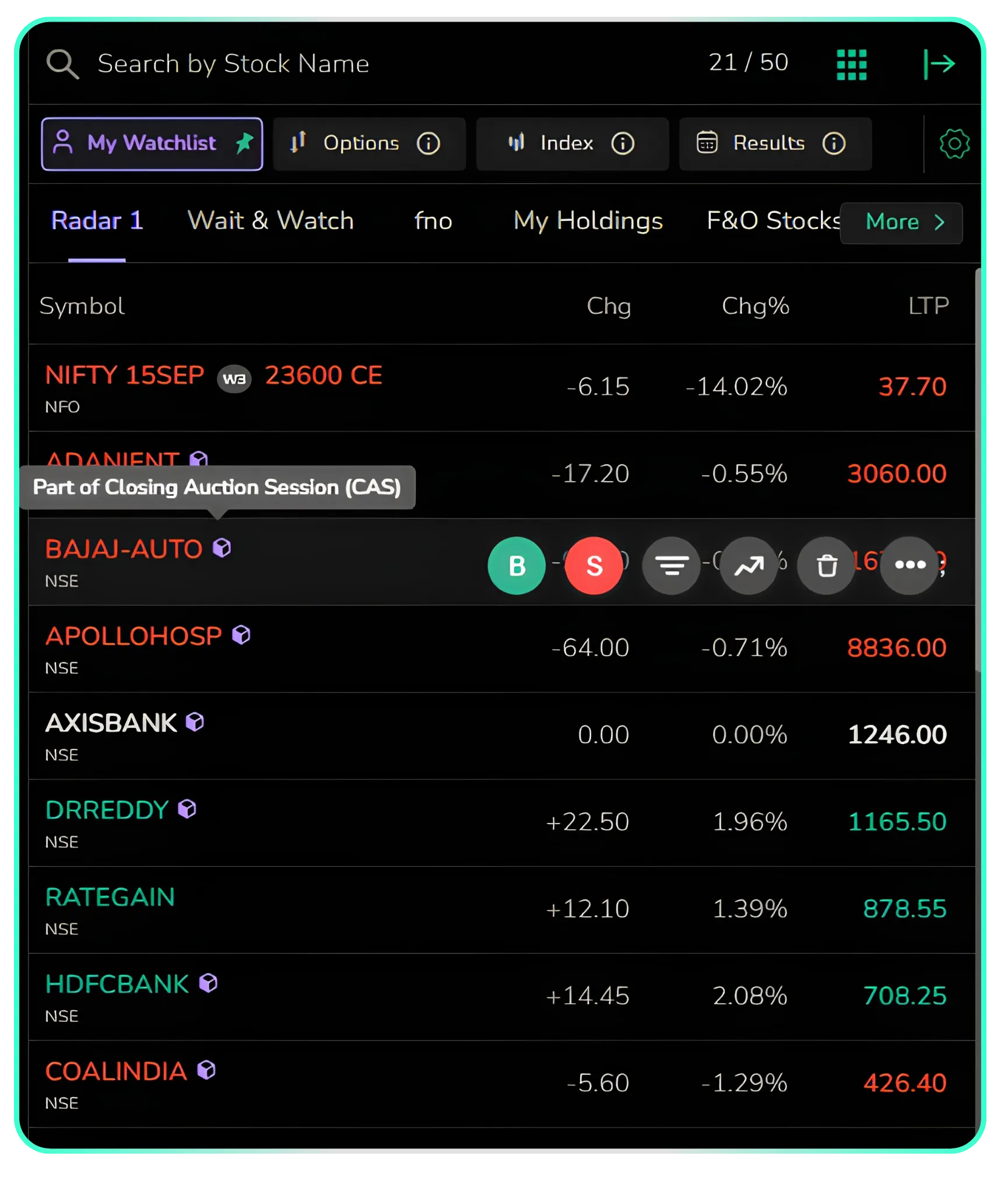 Hover over the CAS symbol next to a stock's name on the watchlist to see this confirmation.
The Performance Panel and What the Numbers Mean
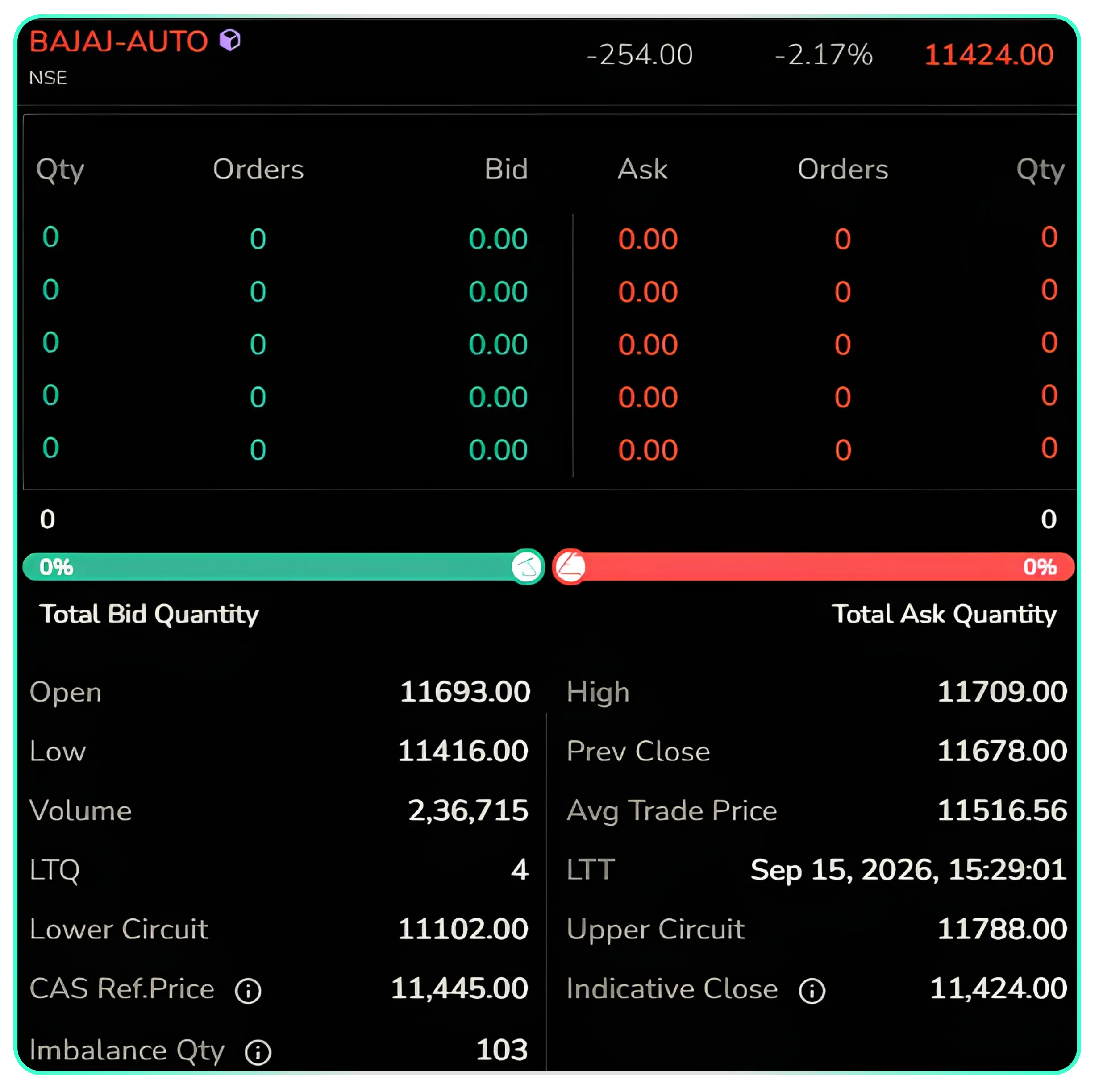
Clicking on a CAS stock's symbol opens its full page Quote Overview, with Market Depth and Performance placed side by side on the right.
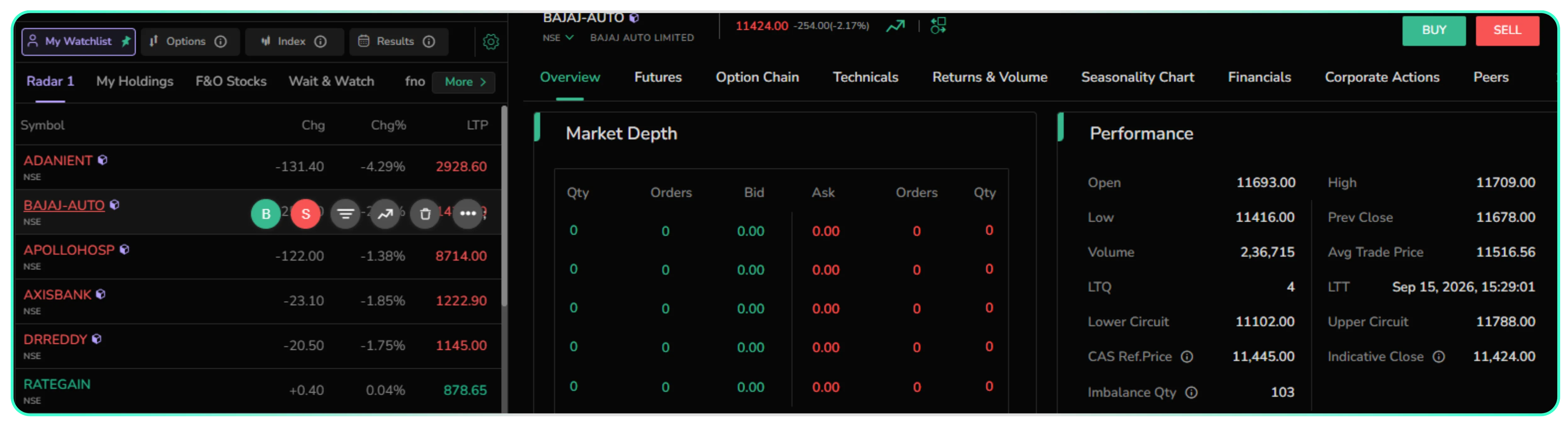 Clicking a CAS stock, BAJAJ-AUTO here, opens this page: Market Depth on the left, Performance on the right.
The Performance panel is where the CAS specific figures sit, alongside the day's regular price data, open, high, low, previous close, volume, and average trade price. However please note that the CAS specific data points will appear only after CTS stops for CAS stocks at 3:15 PM on a trading day.
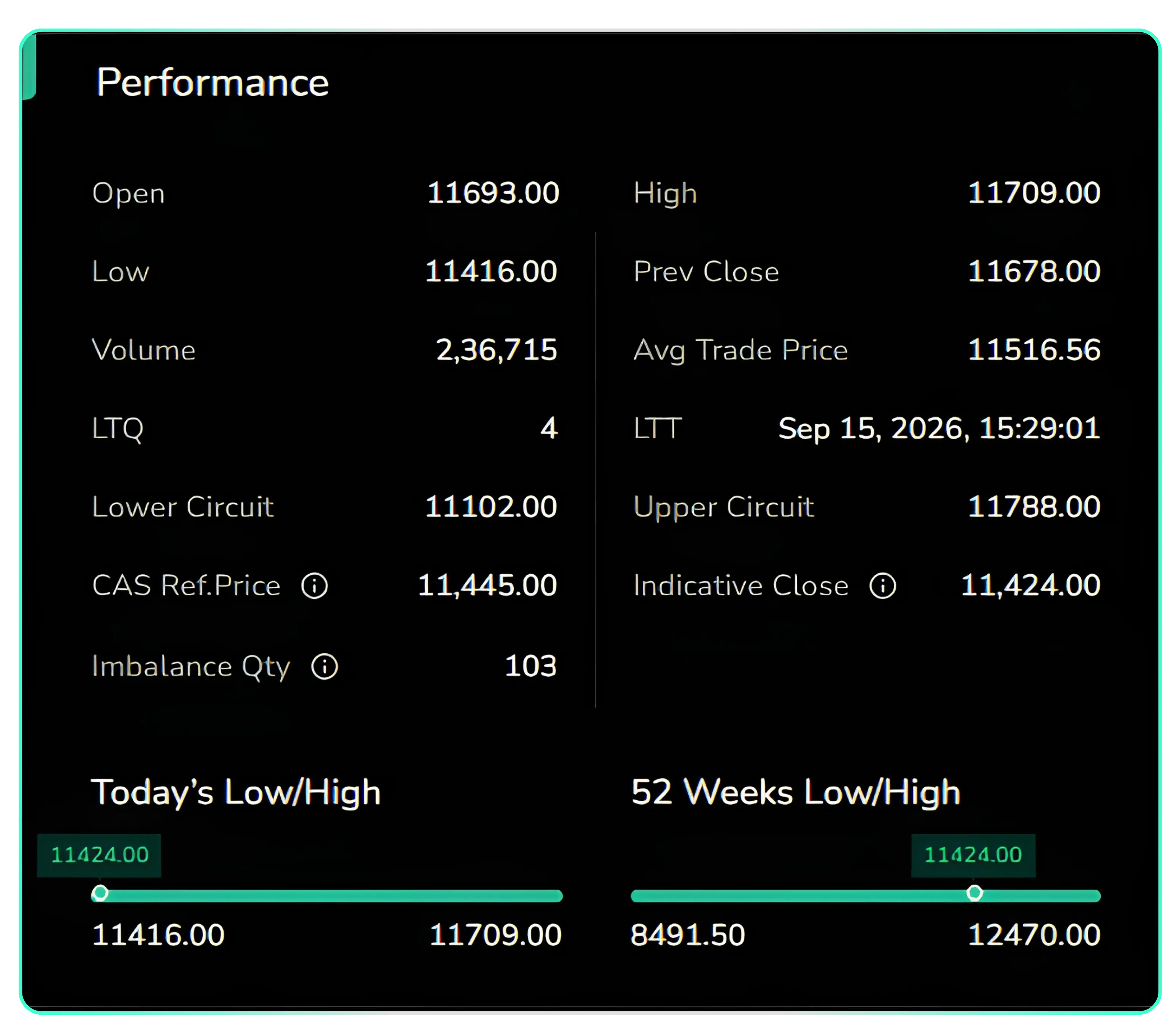 The Performance panel, with CAS Reference Price, Imbalance Quantity, and Indicative Close.
| Term | What it shows |
|---|---|
| CAS Reference Price | The VWAP of trades between 3:00 pm and 3:15 pm. It anchors the auction and sets the permitted price range for the session. |
| Indicative Close | The price at which the maximum quantity can currently be matched, based on orders received so far. It moves as fresh orders enter the auction. |
| Imbalance Quantity | The buy or sell quantity left unmatched at the current IEP, indicating whether demand or supply is dominating the auction. |
Hovering over the small info icon beside any of these labels brings up a short explanation right on the screen, so there is no need to leave the page to check what a figure means. The example below shows the note that appears for CAS Reference Price; the same works for Indicative Close, and Imbalance Quantity.
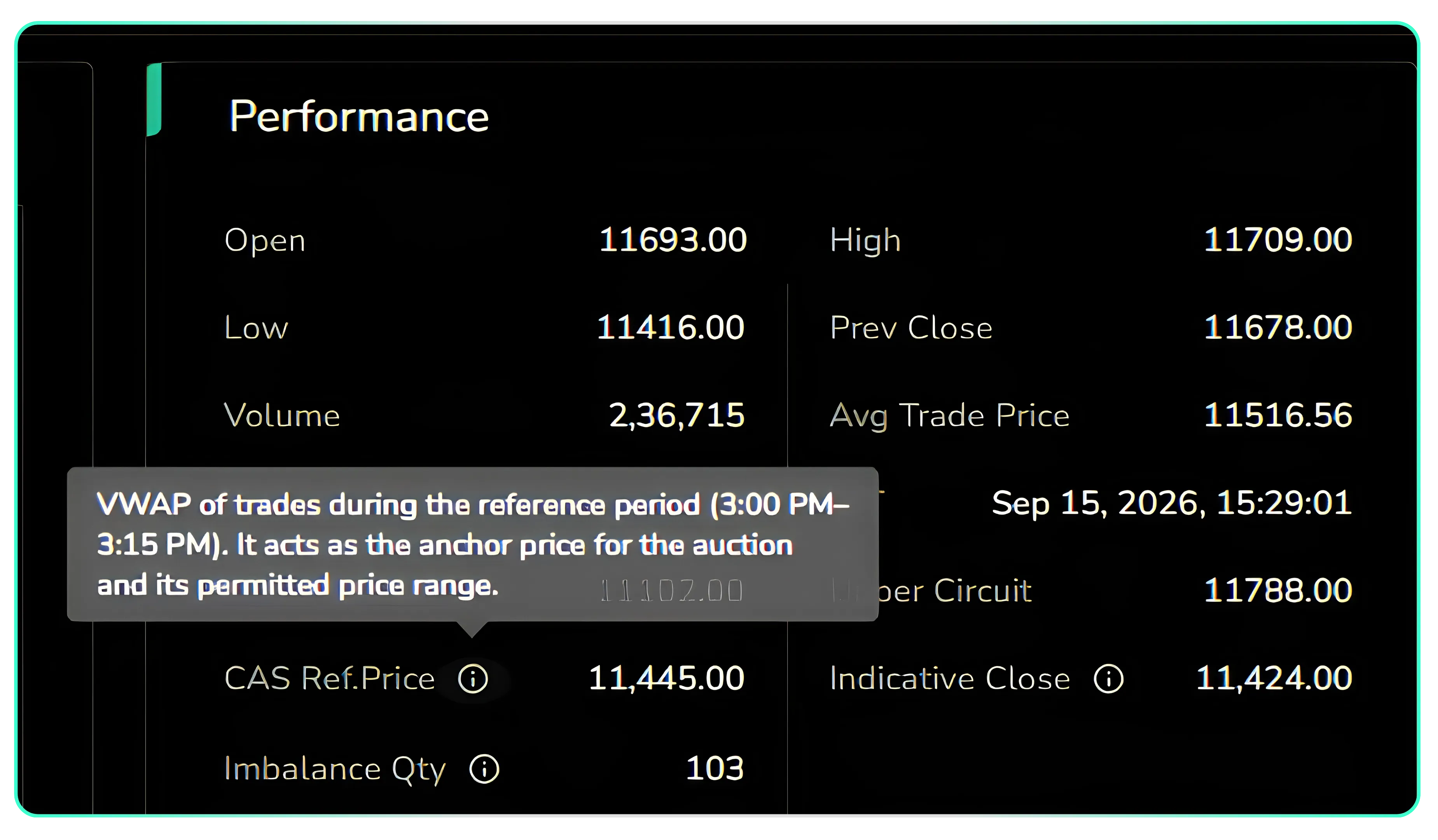 Hovering over the info icon next to Reference Price on the Performance panel.
Market Depth and the Expanded Watchlist
The CAS figures are also available in two other places on CubePlus. Hovering over a CAS stock on the watchlist and opening market depth shows bid and ask quantities alongside the reference price, Indicative Price, and imbalance figures in a single view.
 Market depth opened from the watchlist, with CAS Reference Price, Indicative Close, and Imbalance Quantity below the order book.
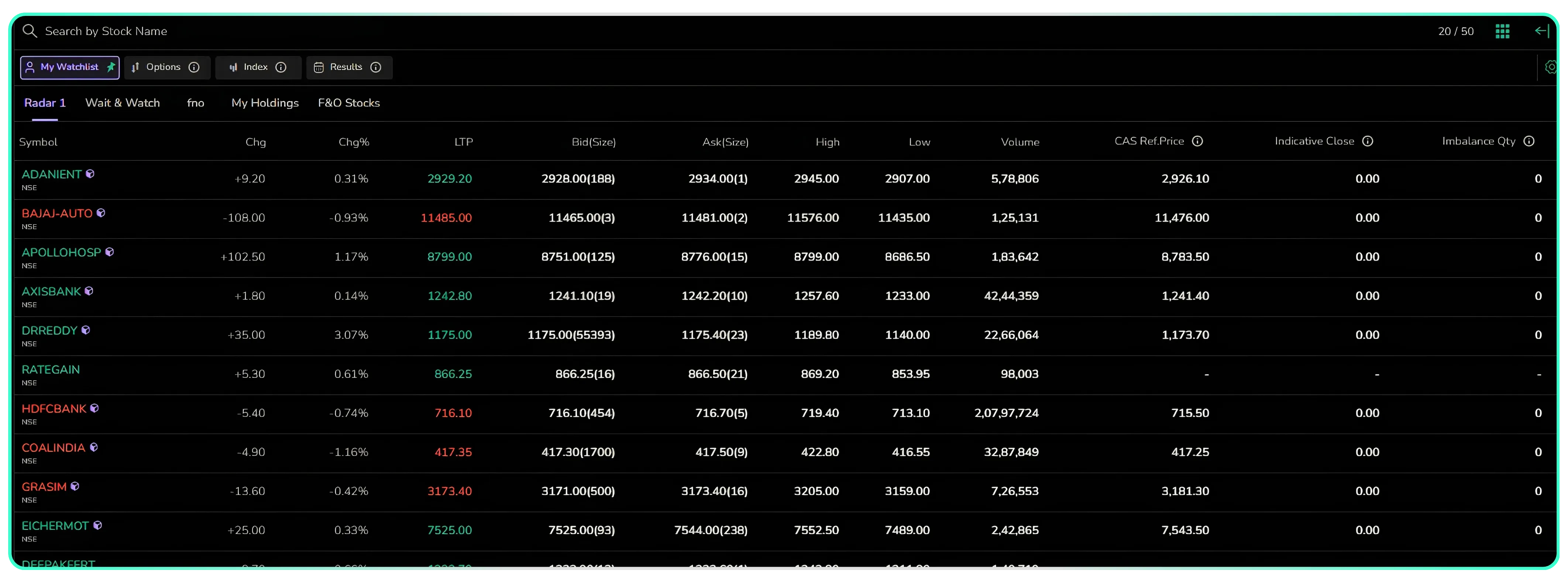
The watchlist can also be expanded into a full table layout, where reference price, indicative close, and imbalance quantity run as columns across your entire list of tracked CAS stocks, so several stocks can be scanned at once instead of opening each one in turn.
Checking CAS Data Before Placing an Order
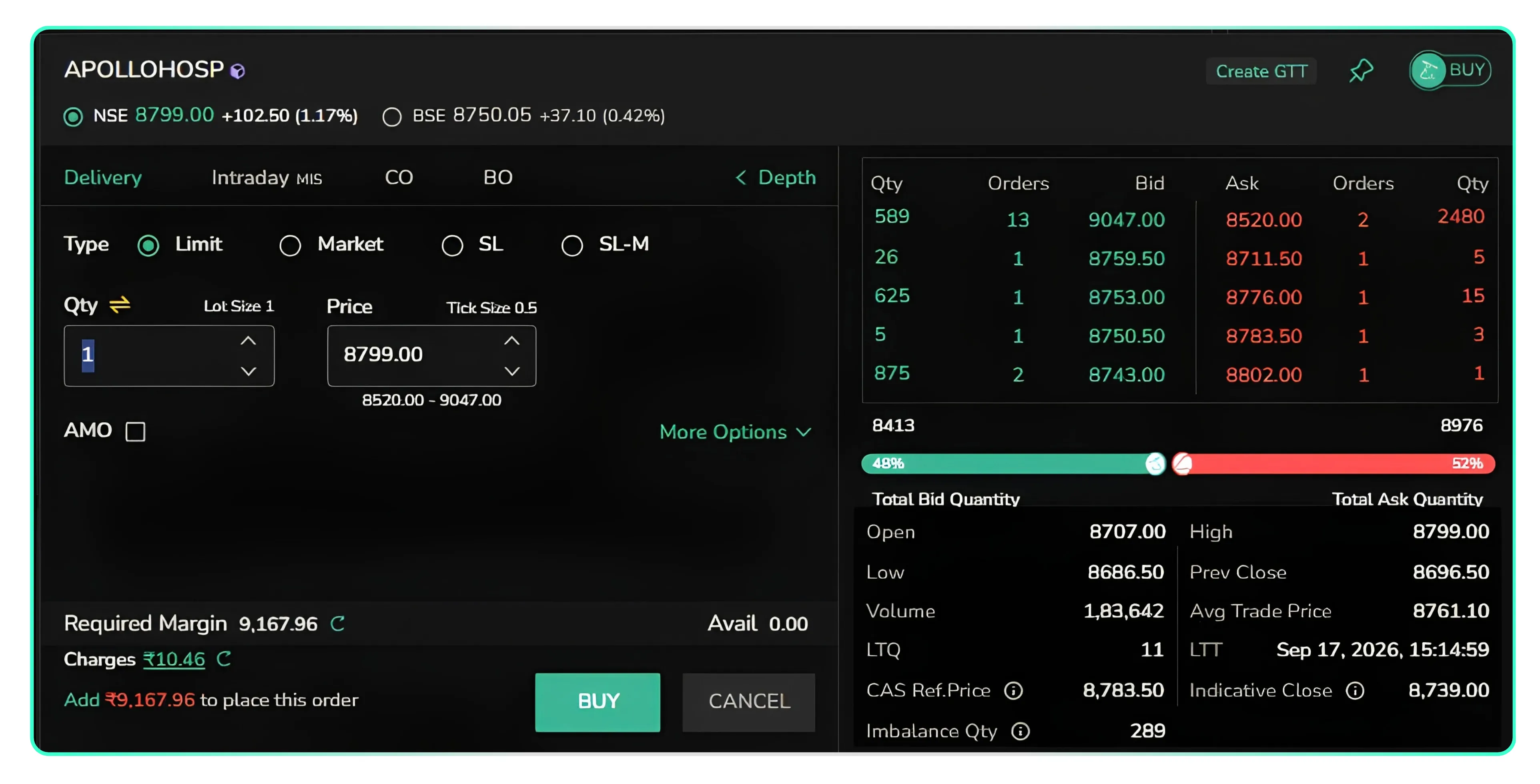
The same data also surfaces on the order pad itself. While placing an order for a CAS stock, clicking on depth pulls up the market depth alongside the day's price range and the reference price, Indicative Close, and imbalance figures, putting this information in front of you at the point of order entry rather than something to check on a separate screen.
Two Details Worth Remembering
The reference price for a CAS stock is fixed using the VWAP of trades between 3:00 pm and 3:15 pm, and the permitted range (+ or - 3%) for the auction is set around this price. For stock/index futures, after 3:15 pm, a future can move only three percent higher or lower than its own reference price, calculated independently of the underlying stock's reference price. Anyone tracking both the cash and derivative legs of the same stock through the closing session should keep this distinction in mind, since the two reference prices are not interchangeable.
Disclaimer: The information provided in our blogs is for informational purposes only and should not be construed as financial, investment, or trading advice. Trading and investing in the securities market carries risk. Always conduct your own research and consult with a qualified financial advisor before making any investment decisions. Past performance is not indicative of future results. Copyrighted and original content for your trading and investing needs.
© 2026 — Tradejini. All Rights Reserved.