
_11zon.webp%3Falt%3Dmedia%26token%3D249b6fc8-3d5b-4708-a62a-d44cece6ca5c&w=3840&q=85)
With an India INXGA account, you can participate directly in trading across major international exchanges. From account creation and verification to initiating trades, each step is streamlined to facilitate swift entry into global markets, allowing investors to diversify their portfolios beyond domestic boundaries.
Step 1: Opening Your INX Account
Start by registering for an account using the official INX onboarding link, which is exclusive to Tradejini users and accessible to Indian residents only.
Start Application.
Once you click the link, you will be redirected to the account creation page.
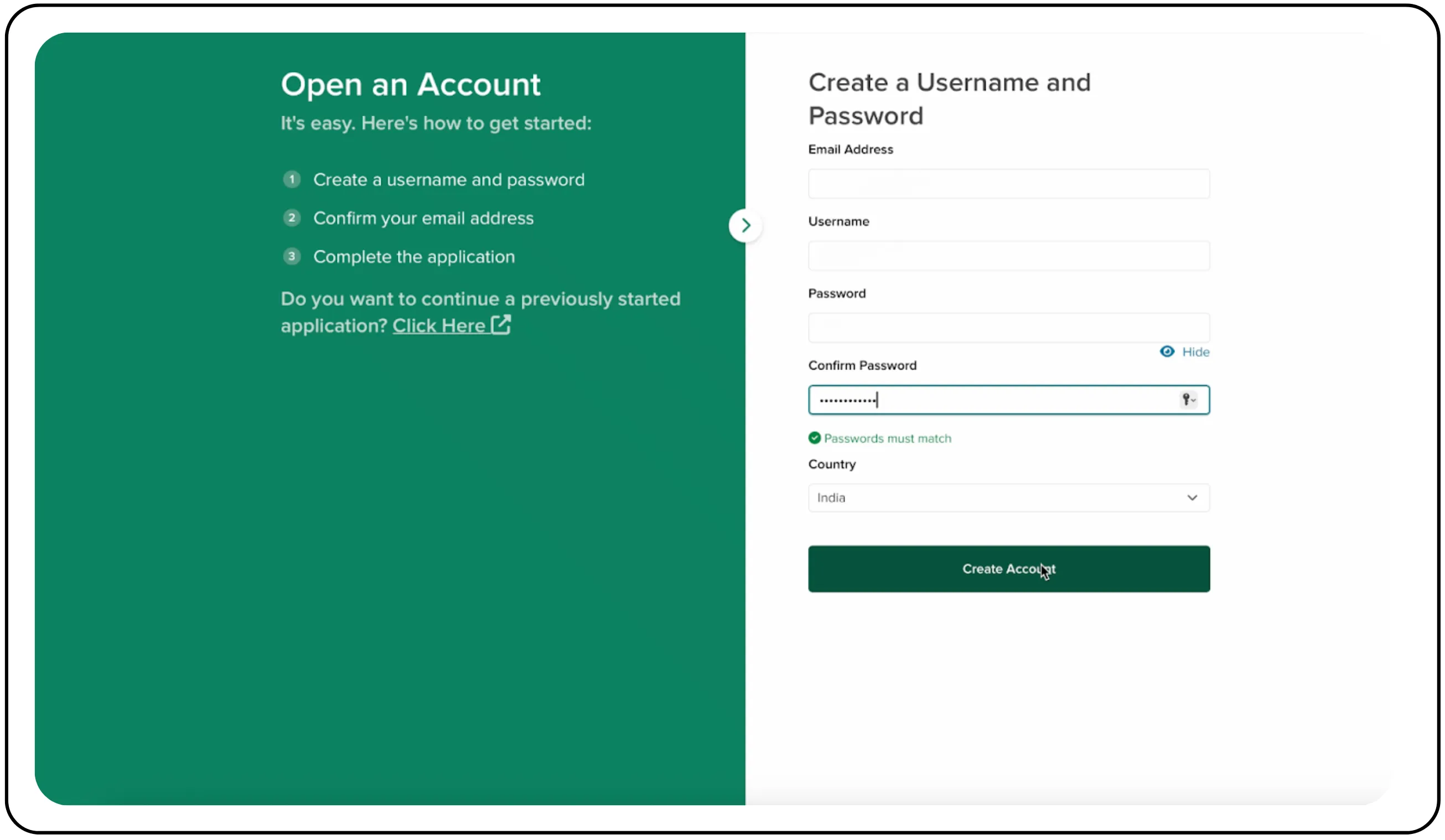
Step 2: Create your login credentials
On this page, set up your basic login details. Ensure you meet the on-screen requirements for your username and password.
- Enter your email address.
- Create a unique username and a secure password.
- Confirm your password.
- Select your country from the dropdown menu.
- Click the Create Account button to proceed.
Step 3: Select account type & legal residence
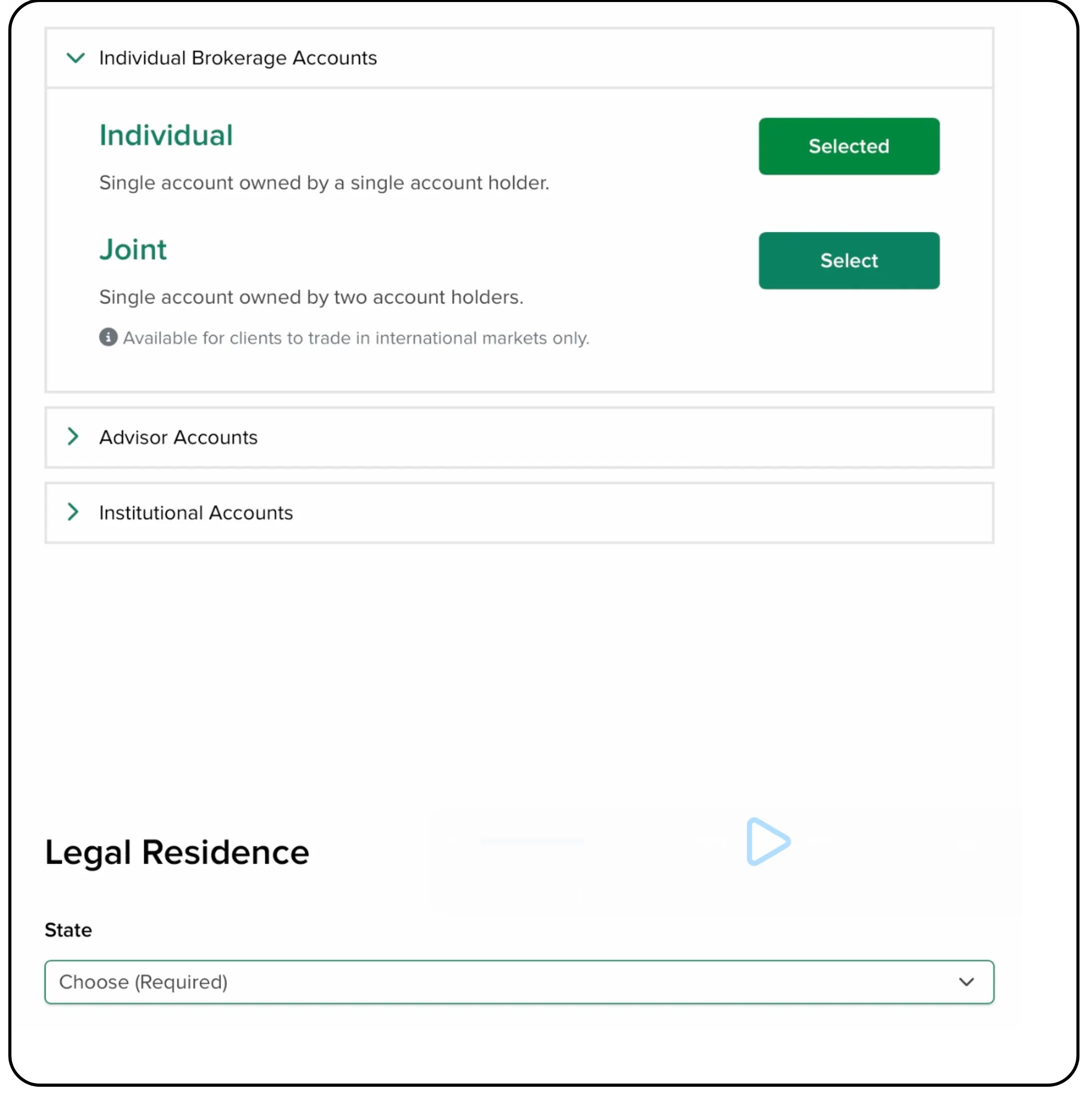
After creating your credentials, confirm your email address. Once done:
- Select your desired account type (e.g., Individual or Joint).
- Under Legal Residence, choose your State.
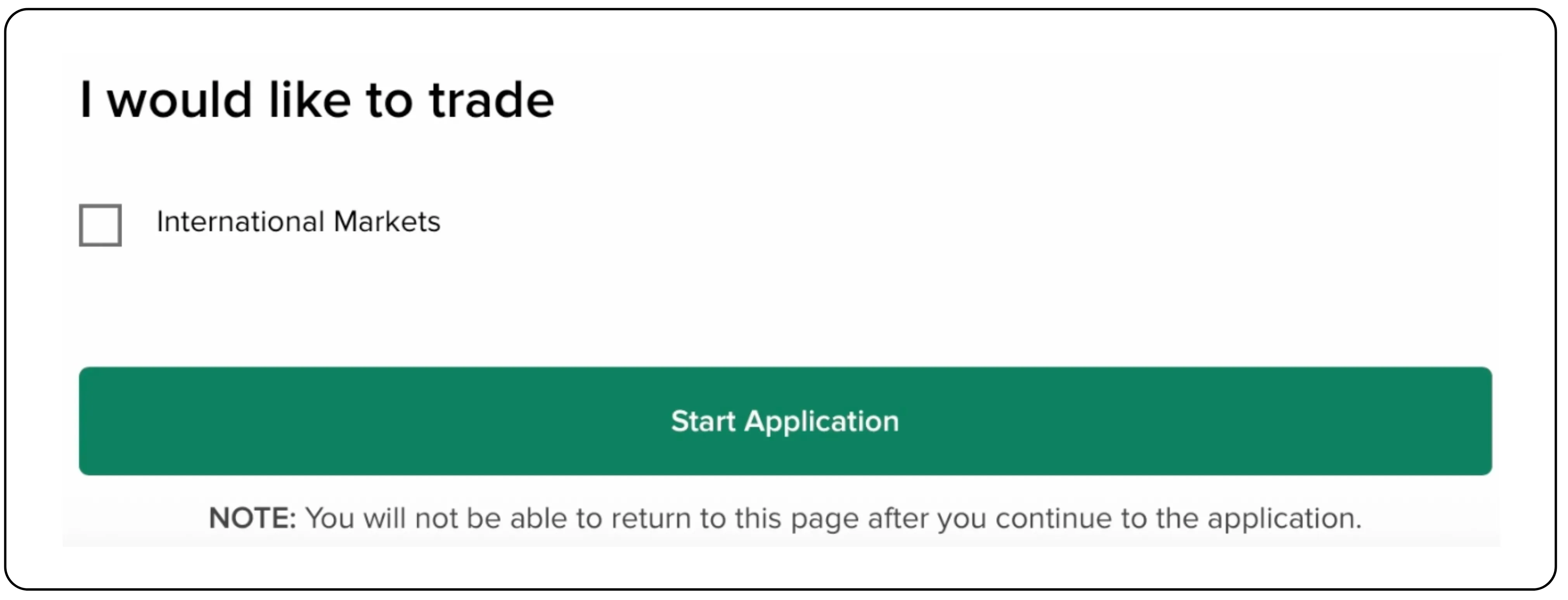
- Tick the checkbox for International Markets.
- Click Start Application.
Also read: The CubePlus Guide to Mutual Fund Investing
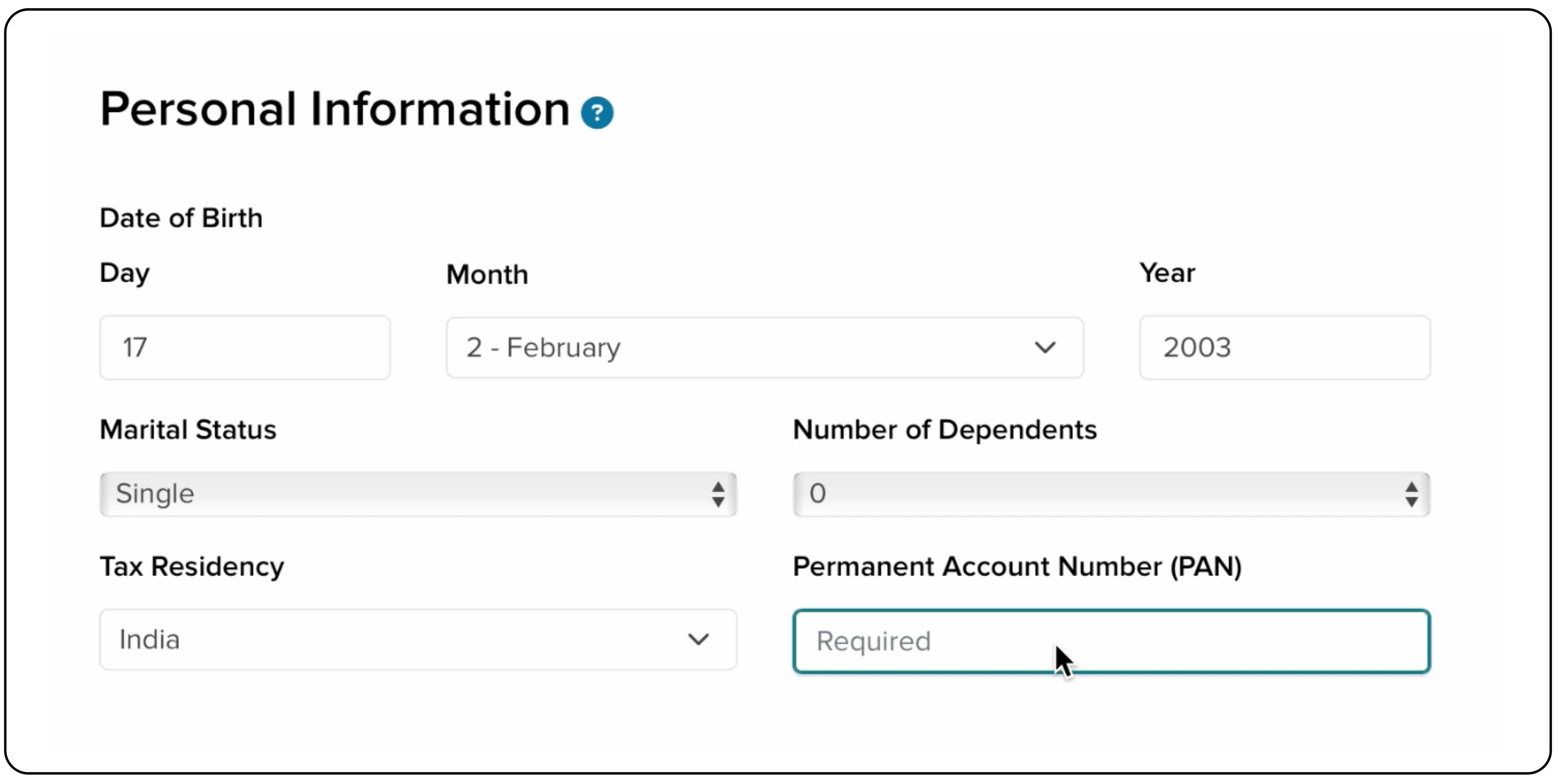
Step 4: Provide your personal information
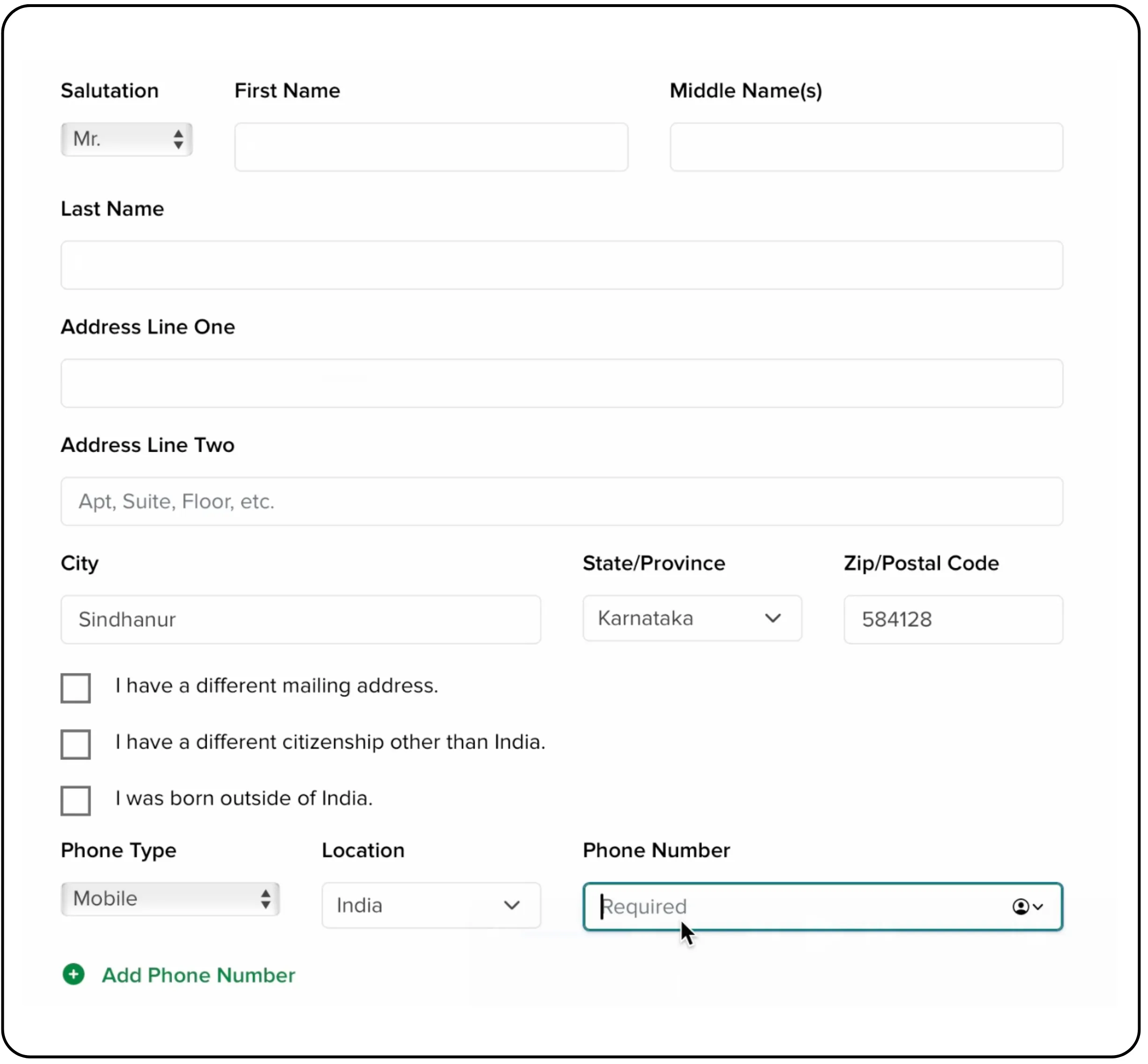
This section requires your personal and contact details as they appear on your official documents. Accuracy is key here.
- Contact Information: Enter your salutation, full name, and complete residential address.
- Personal Information: Provide your date of birth, marital status, number of dependents, and Permanent Account Number (PAN).
Step 5: Provide employment and wealth details
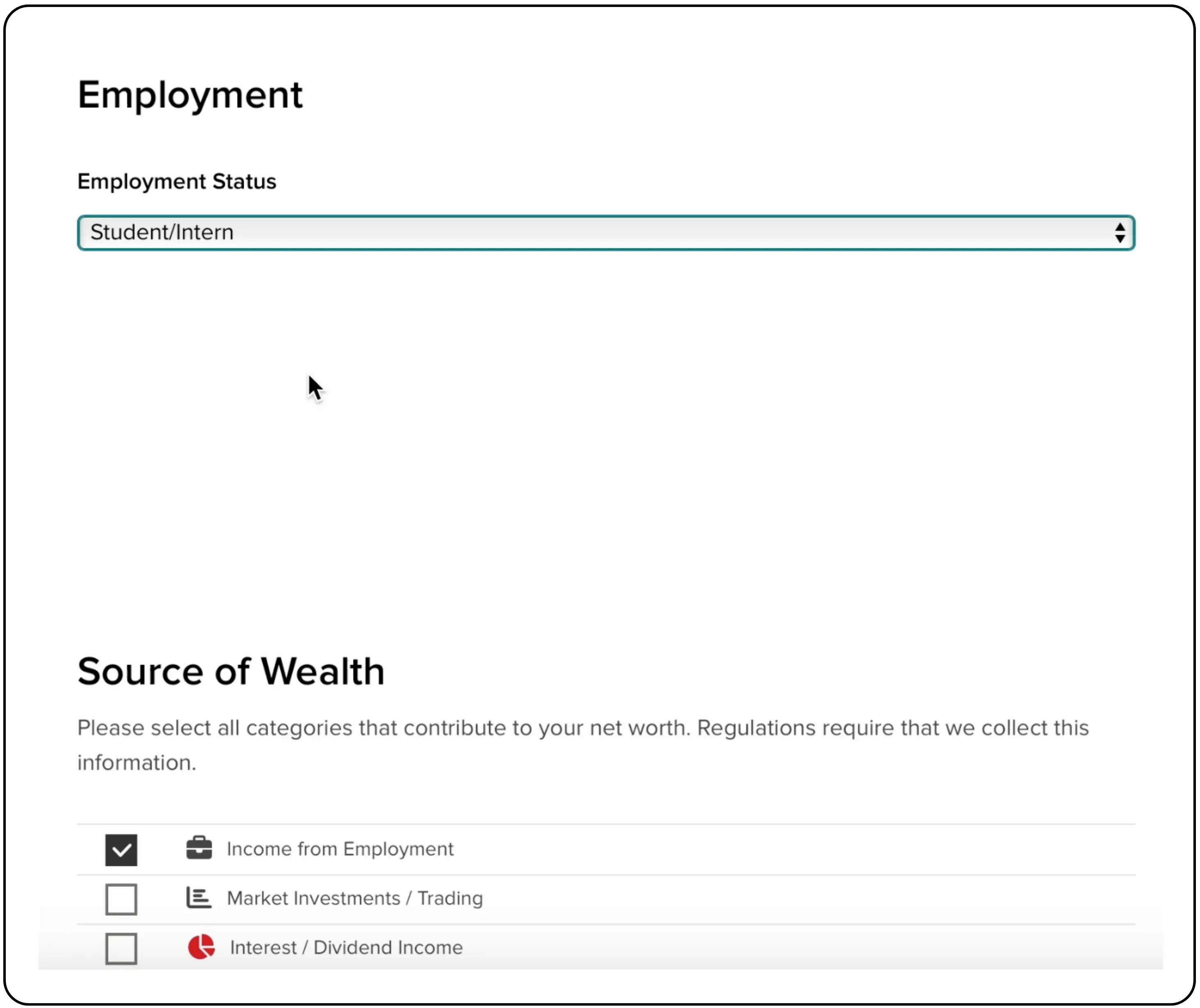
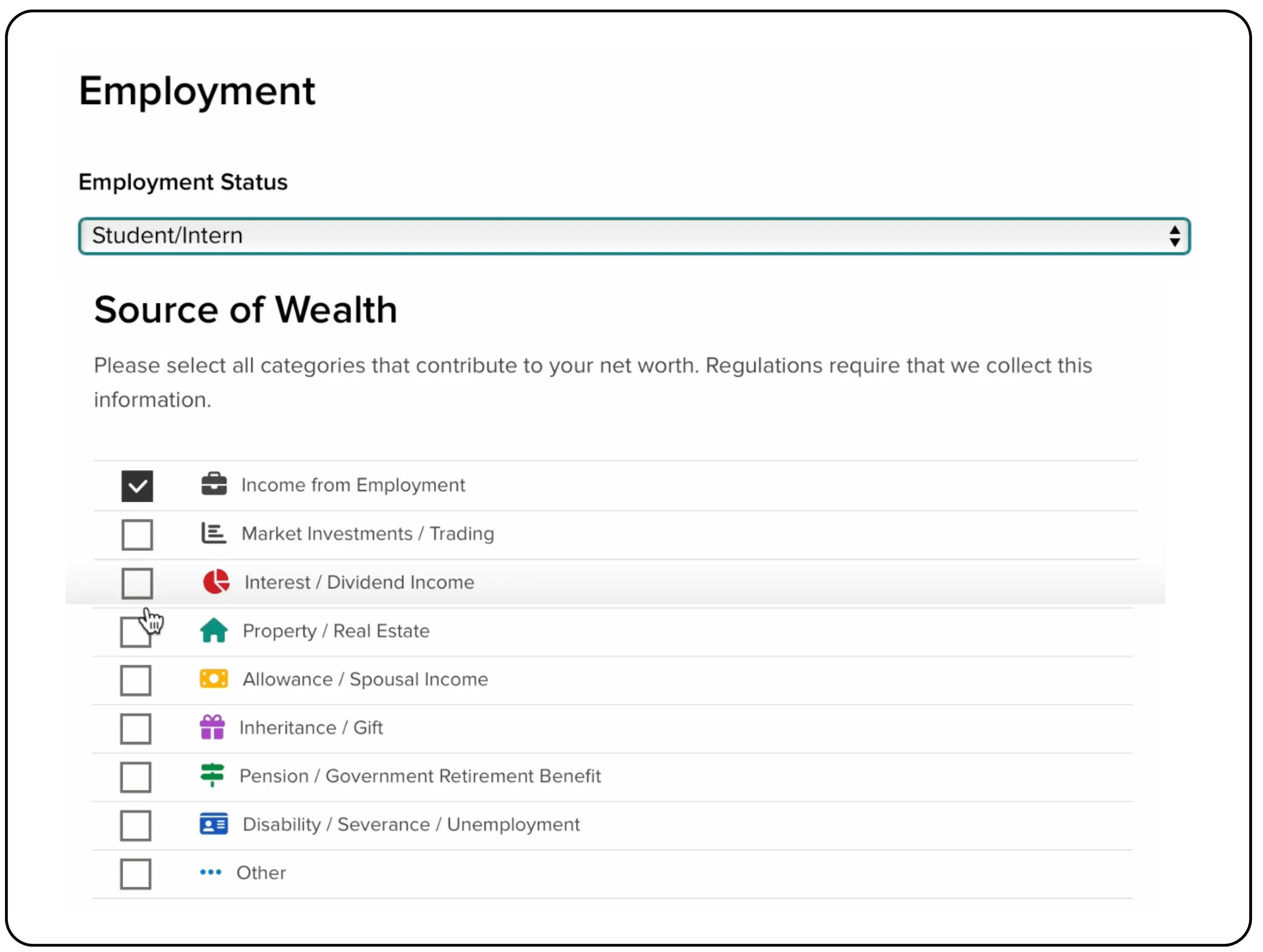
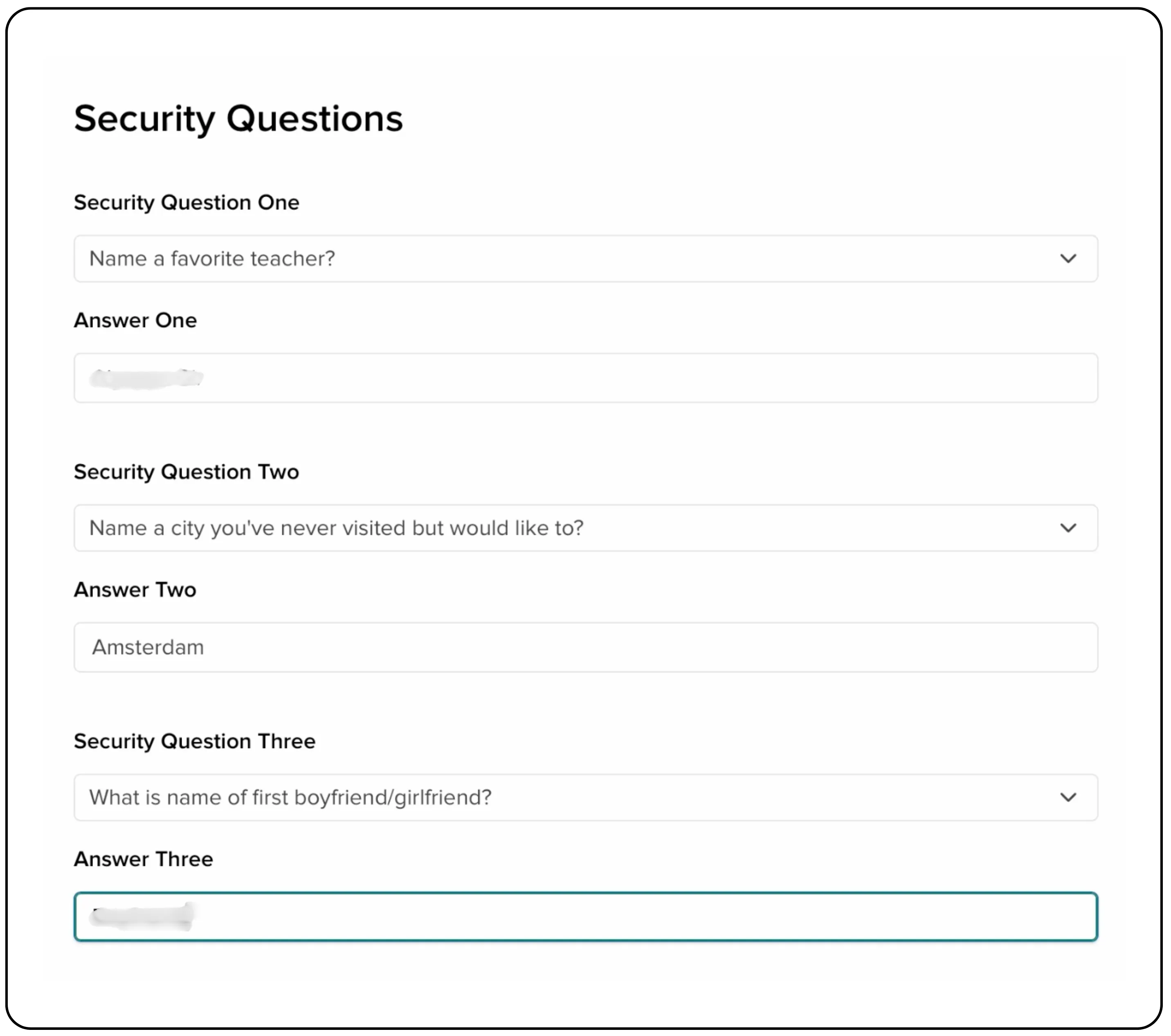
Next, enter your employment details, sources of wealth, and set up security questions.
- Select Employment Status.
- Choose all applicable categories under Source of Wealth.
- Answer three Security Questions for account recovery.
- Click Continue.
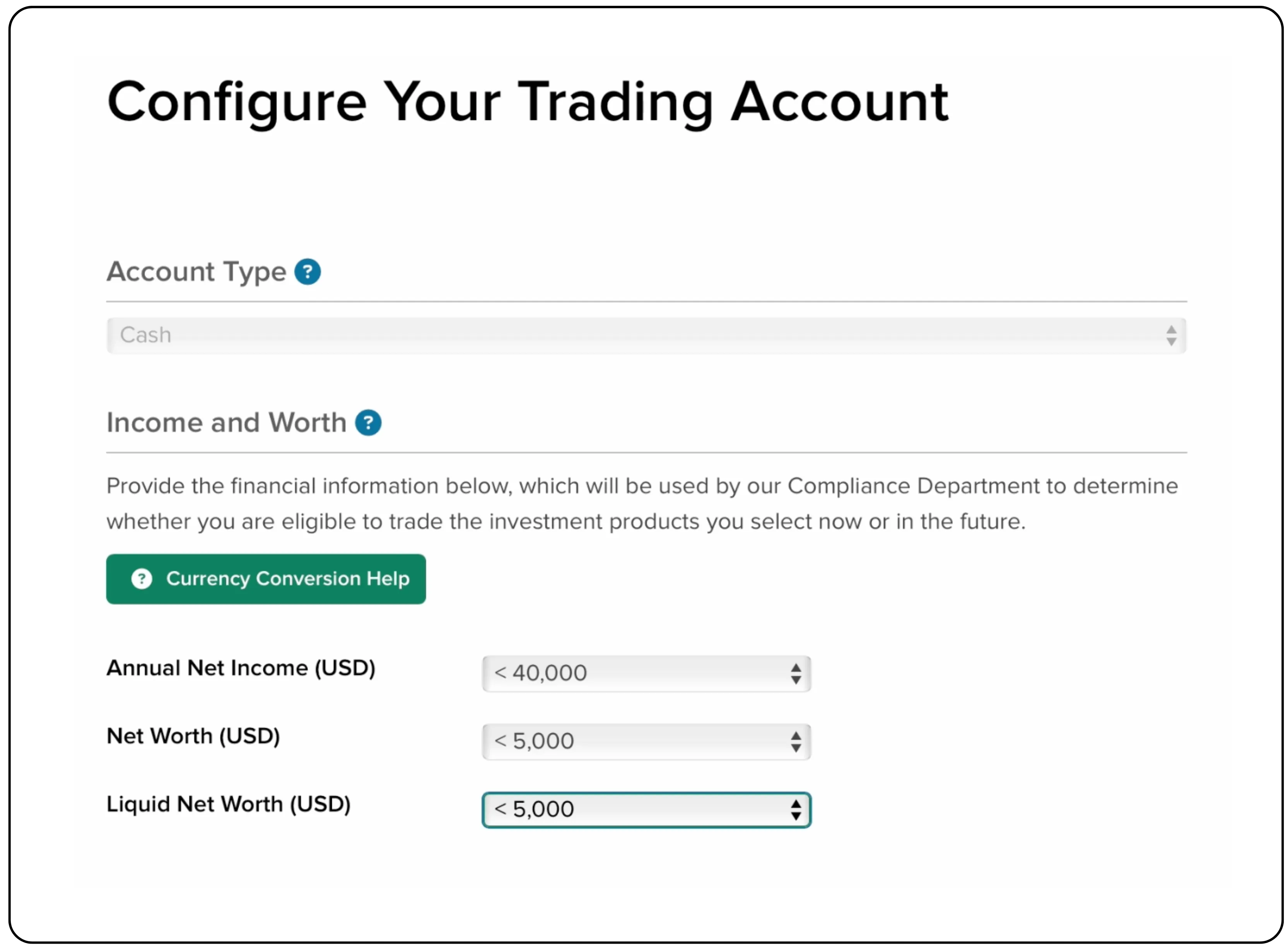
Step 6: Configure your trading account
Next, you will have to set your financial profile and trading preferences. You may need to verify your mobile number via an OTP.
- Income and Worth: Select the appropriate ranges for your Annual Net Income, Net Worth, and Liquid Net Worth in USD.
- Investment Objectives: Select all objectives that apply to you, such as Growth or Hedging.
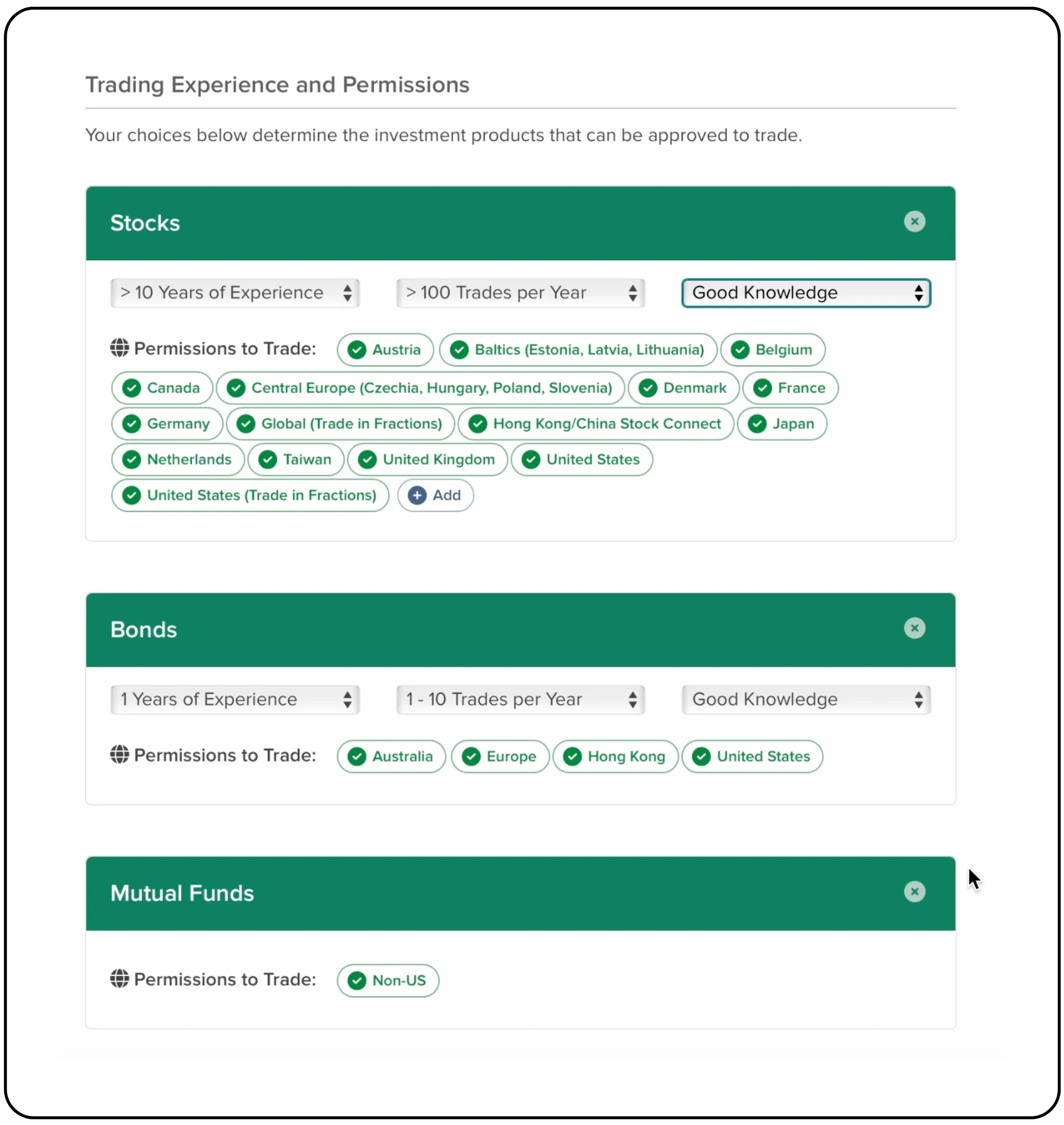
- Trading Experience: For each asset class (Stocks, Bonds, etc.), specify your years of experience, number of trades per year, and knowledge level.
Also read: How to Open Tradejini CubePlus account
Step 7: Regulatory information and agreements
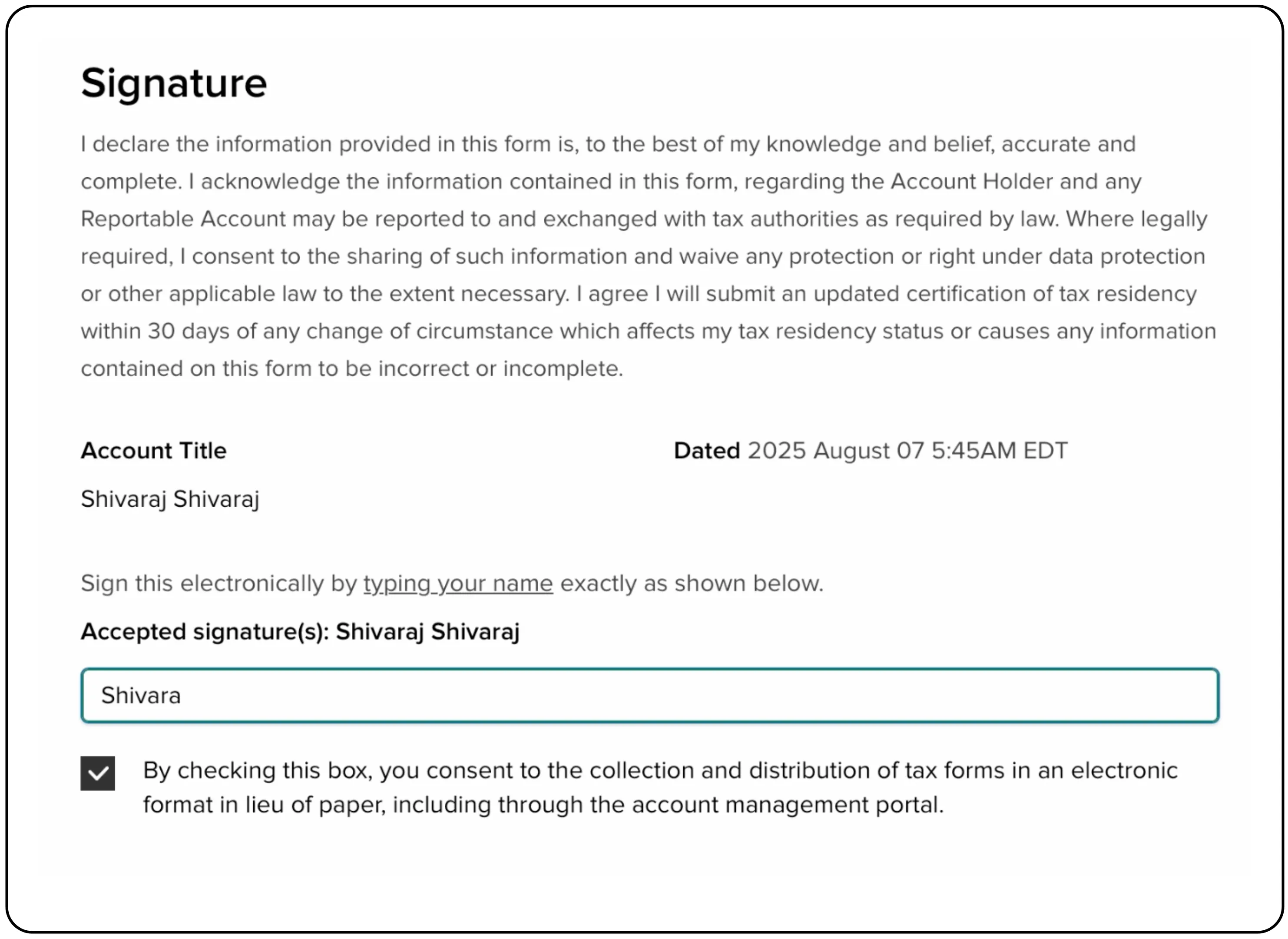
Complete the final regulatory questions and provide your electronic signature to agree to the terms and disclosures.
- Answer the series of 'Yes/No' regulatory questions.
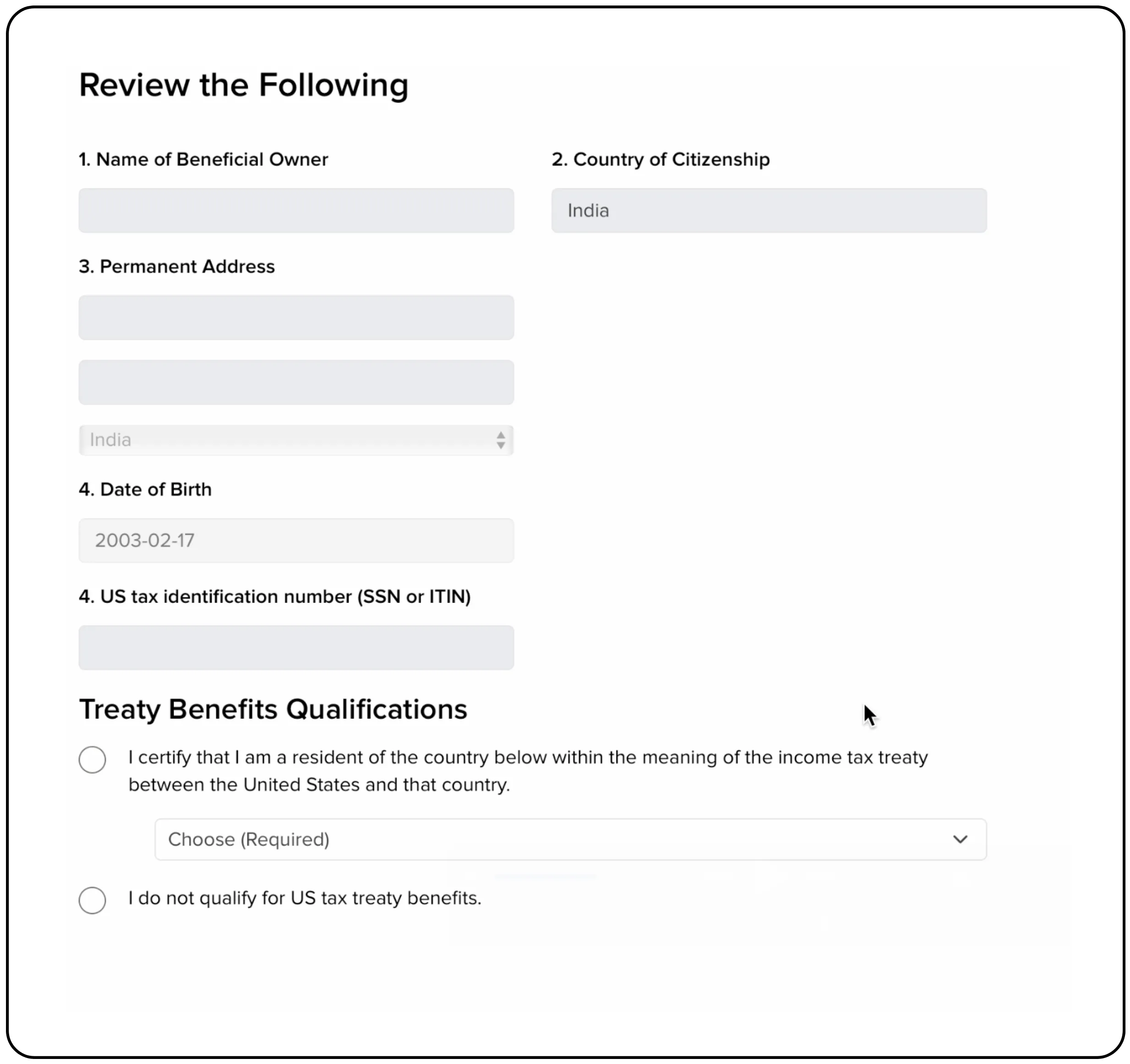
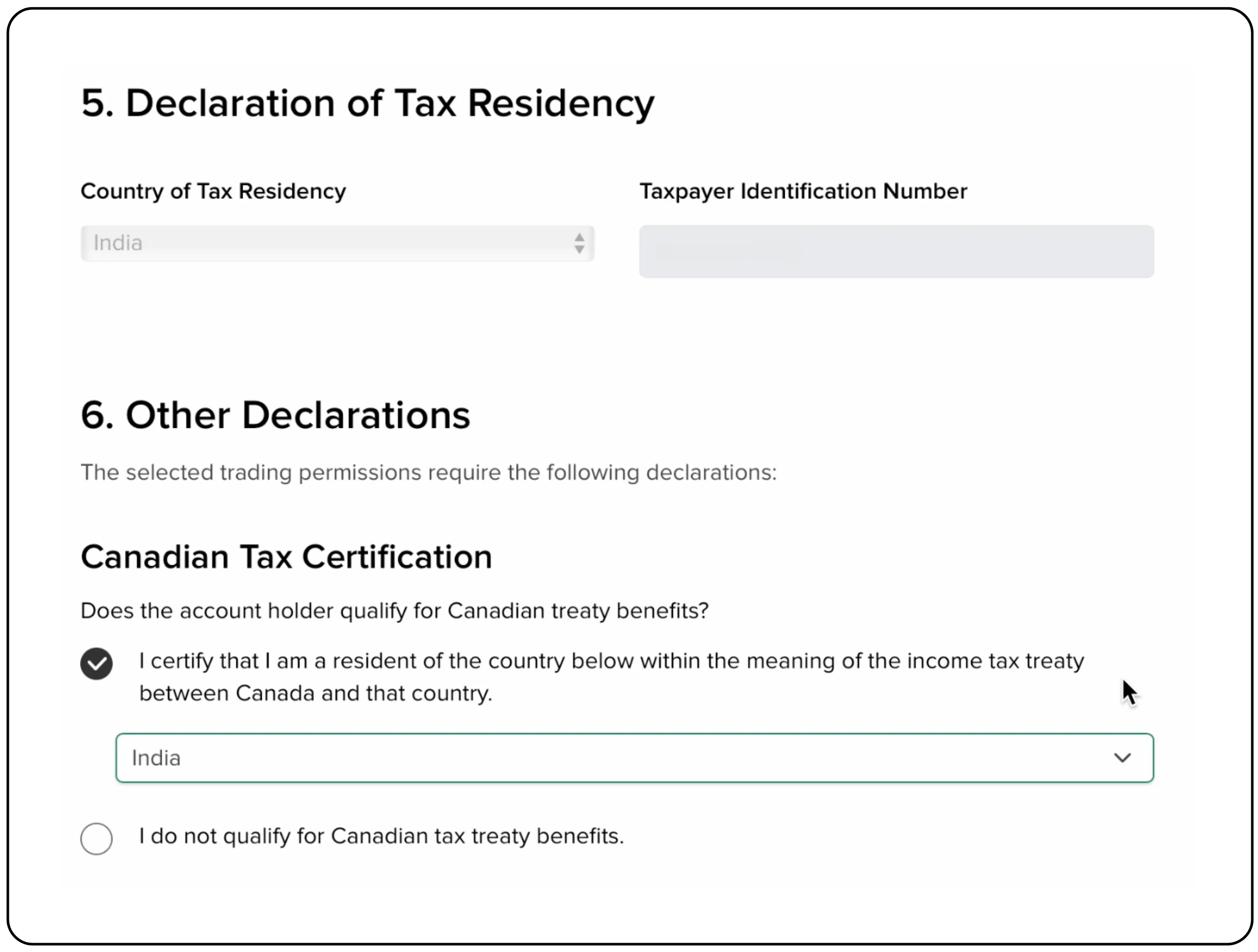
- Confirm your tax residency information.
- Type your full name in the Signature section to sign electronically.
- Check the box to consent and click Continue.
Step 8: Upload your documents
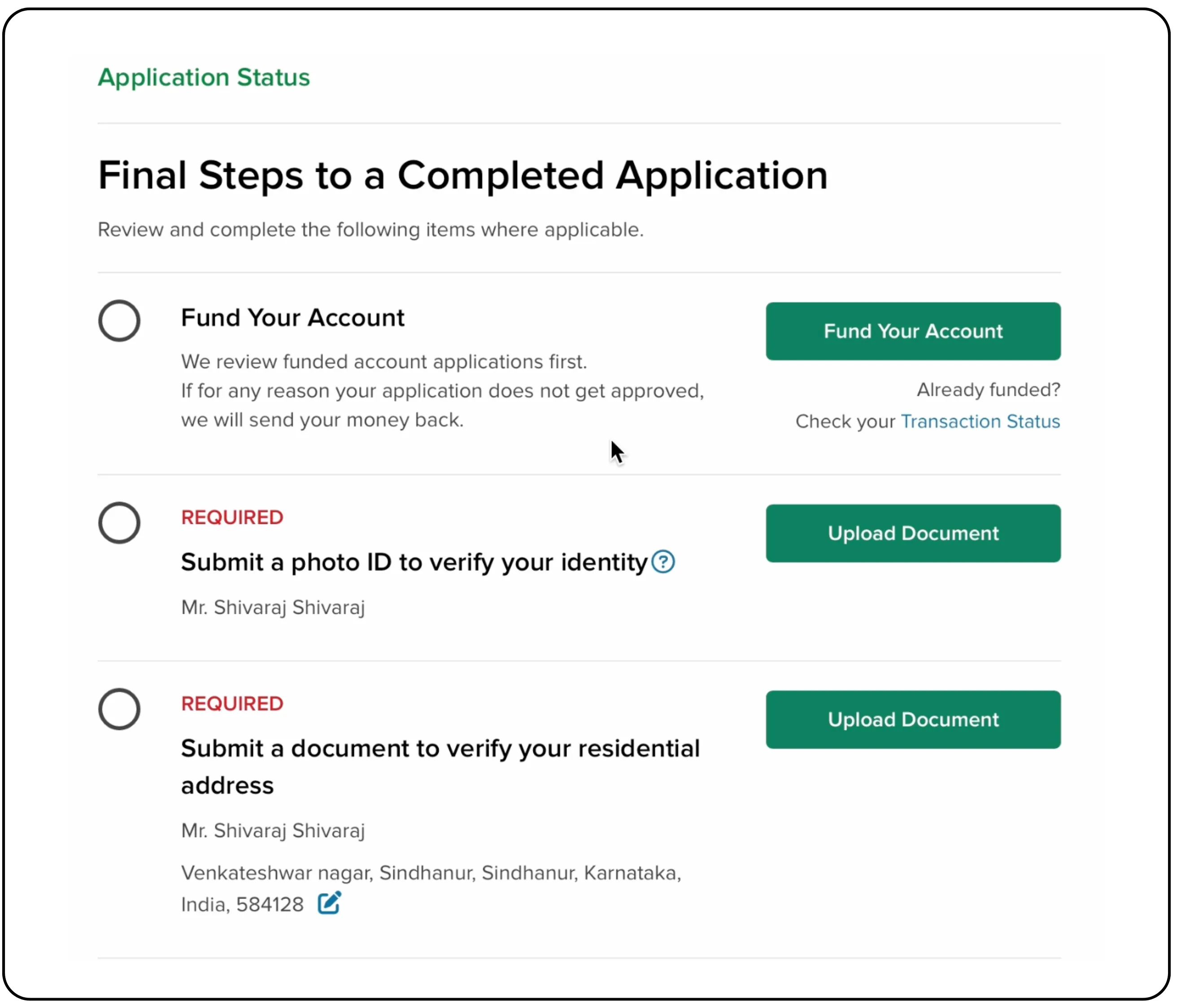
You are almost there! The final step is to upload documents to verify your identity and address. This is a mandatory step for account approval.
- On the Application Status page, you will see pending items.
- Click Upload Document for 'Submit a photo ID to verify your identity'.
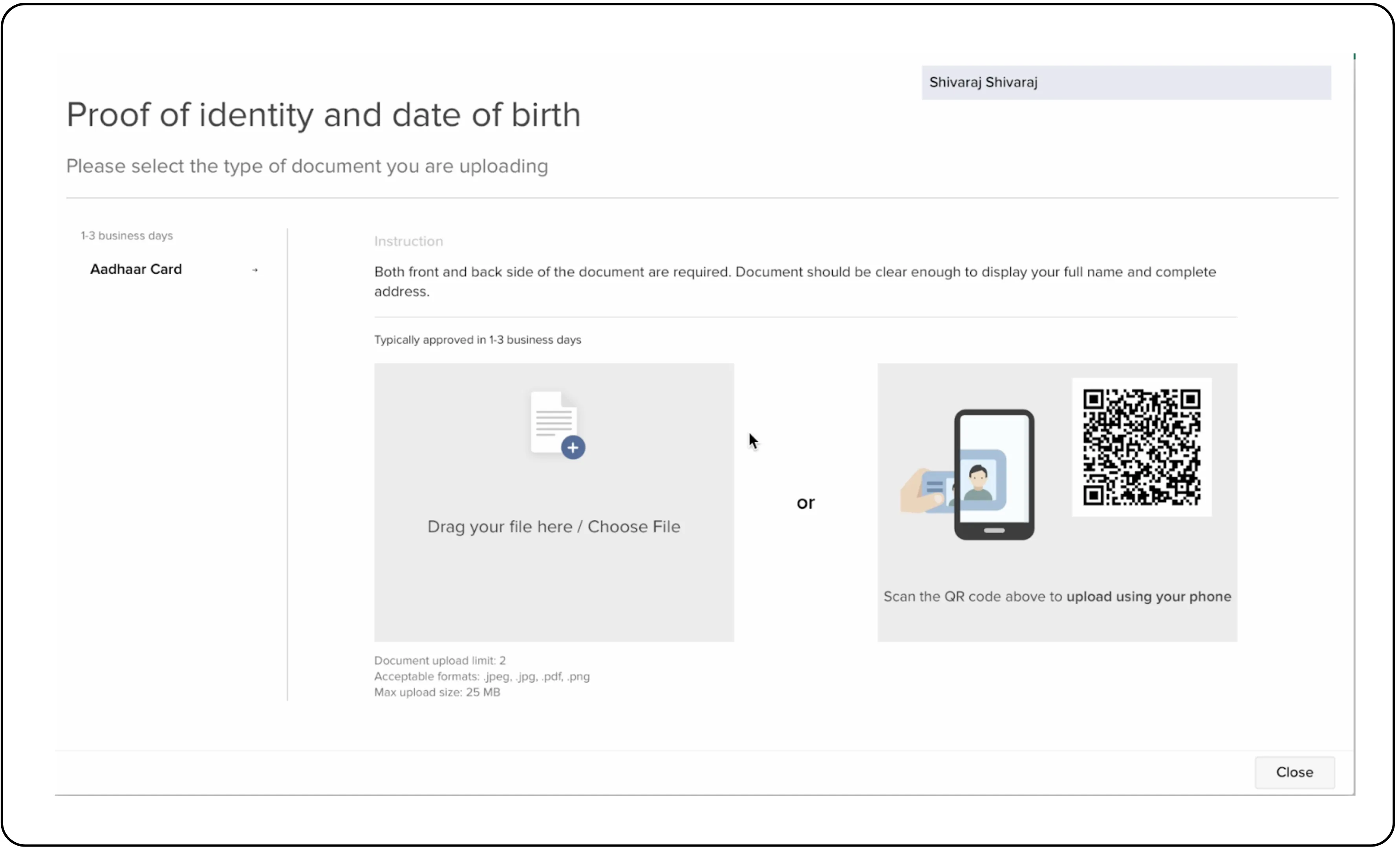
- For ID verification, choose a document type (e.g., Aadhaar Card) and upload clear images of both front and back.
- Repeat the process to 'Submit a document to verify your residential address'.
Step 9: Fund your account
Once your documents are approved, you’ll be ready to fund your account.
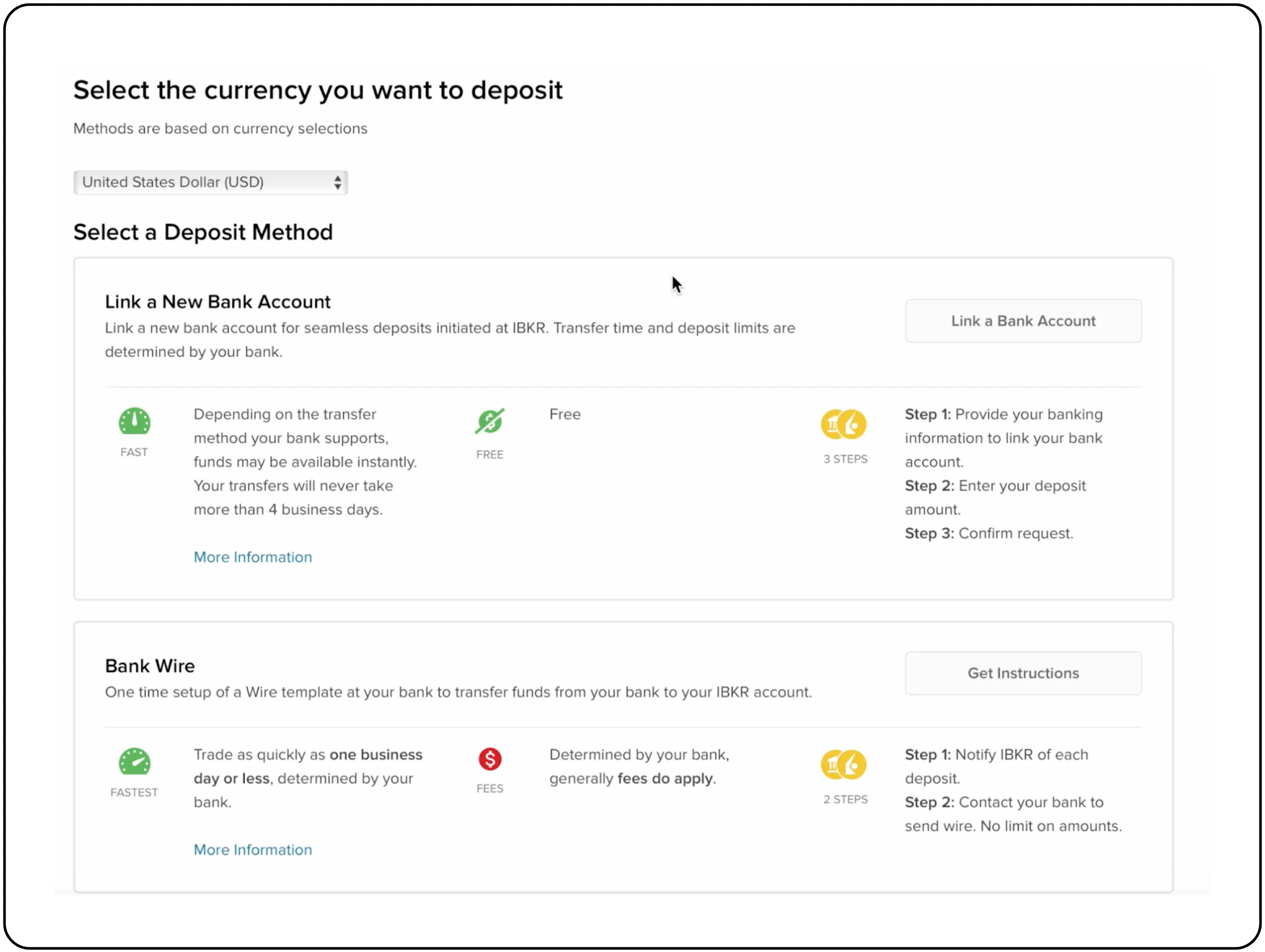
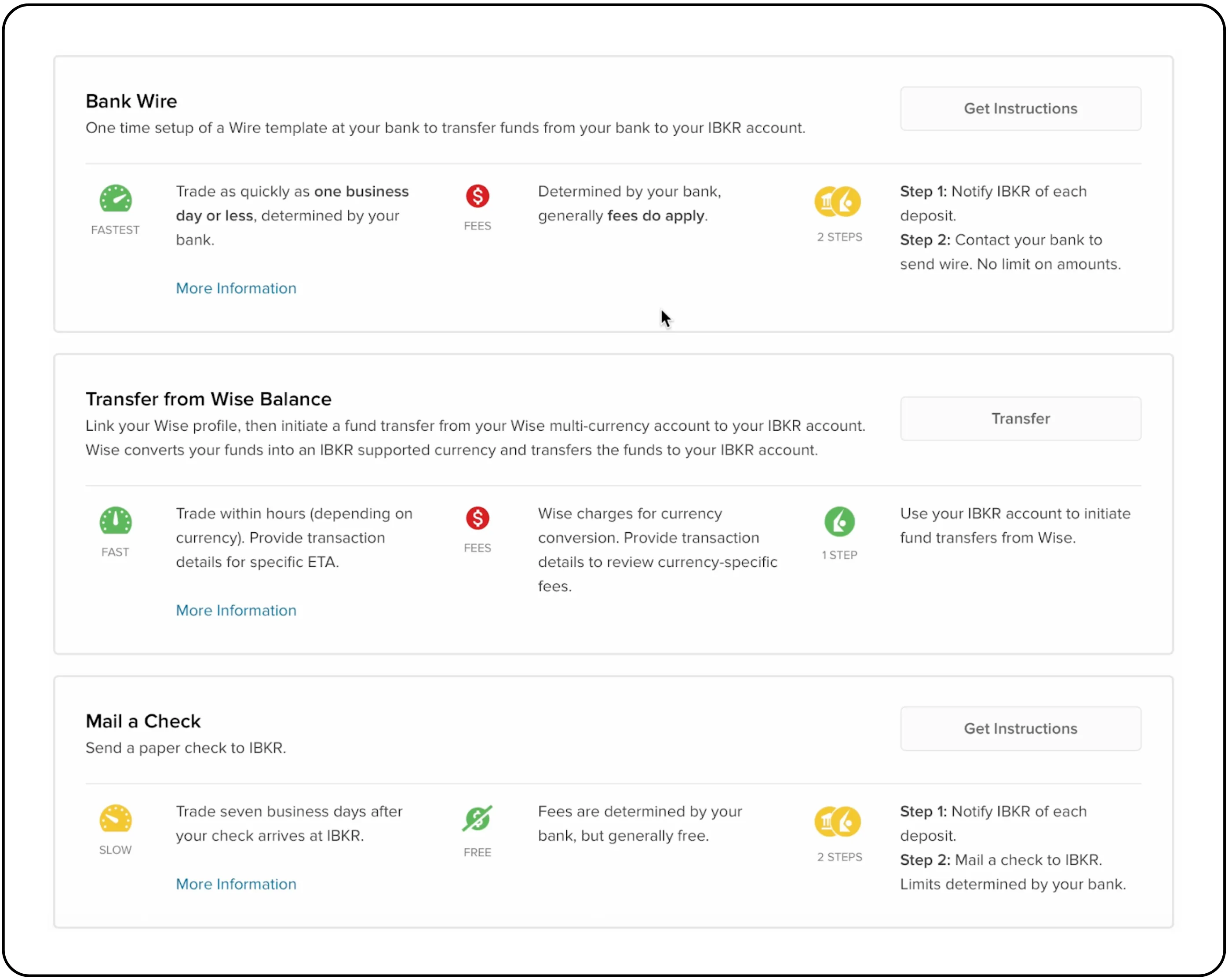
- On the Application Status page, click Fund Your Account.
- Select 'Bank Wire' as a deposit method.
Note: If you hold an account with one of our partner banks, adding funds to your account is a simple and seamless process. These banks also offer competitive exchange rates and minimal transaction charges.
Our partner banks include:
- Kotak Bank
- IndusInd Bank
- ICICI Bank
For step-by-step guidance, please refer to the following links:
Kotak Bank: Instructions for Fund Transfer
IndusInd Bank: Instructions for Fund Transfer
ICICI Bank: Instructions for Fund Transfer
Brokerage:
Tradejini customers enjoy a special brokerage rate of $1 per order with no subscription fee. Other users can also access this $1 per order rate by subscribing to the India INX plan for an additional fee. Without a subscription, the standard brokerage rate is $2 per order.
Congratulations!
Your INX Global Access account is now ready. You have completed the application process for your INX Global Access account. Once your documents are verified and your account is funded, you will be ready to explore and invest in a world of opportunities.
Also read: New to Trading? Learn About the Trading Terminal
Disclaimer: The information provided in our blogs is for informational purposes only and should not be construed as financial, investment, or trading advice. Trading and investing in the securities market carries risk. Always conduct your own research and consult with a qualified financial advisor before making any investment decisions. Past performance is not indicative of future results. Copyrighted and original content for your trading and investing needs.
© 2025 — Tradejini. All Rights Reserved.
.webp%3Falt%3Dmedia%26token%3D0ead9799-20bc-4d1e-ae8f-d75ab18921b5&w=3840&q=75)


