CubePlus has got a new set of updates focused on portfolio tracking, watchlists, market scans, and GTT order management. These additions are aimed at making trading and portfolio monitoring faster, simpler, and more organized for users.
Here’s a look at the latest features added to the platform.
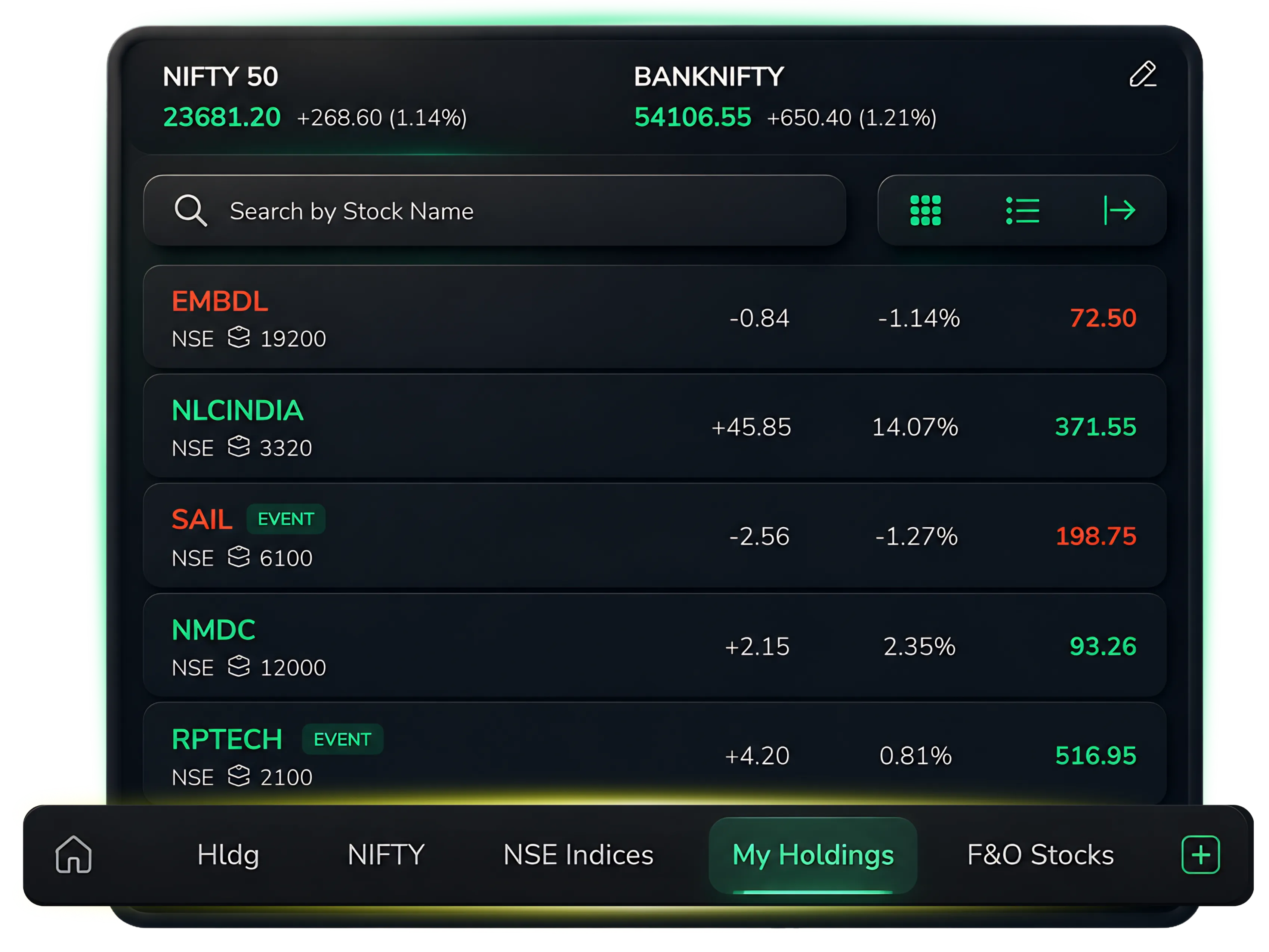
My Holdings in Watchlist
CubePlus now allows users to track their holdings directly from the watchlist section. This makes it easier to monitor portfolio stocks without moving between different windows or tabs.
The feature displays the top 100 holdings based on holding value, allowing users to focus on their most important portfolio positions in one place.
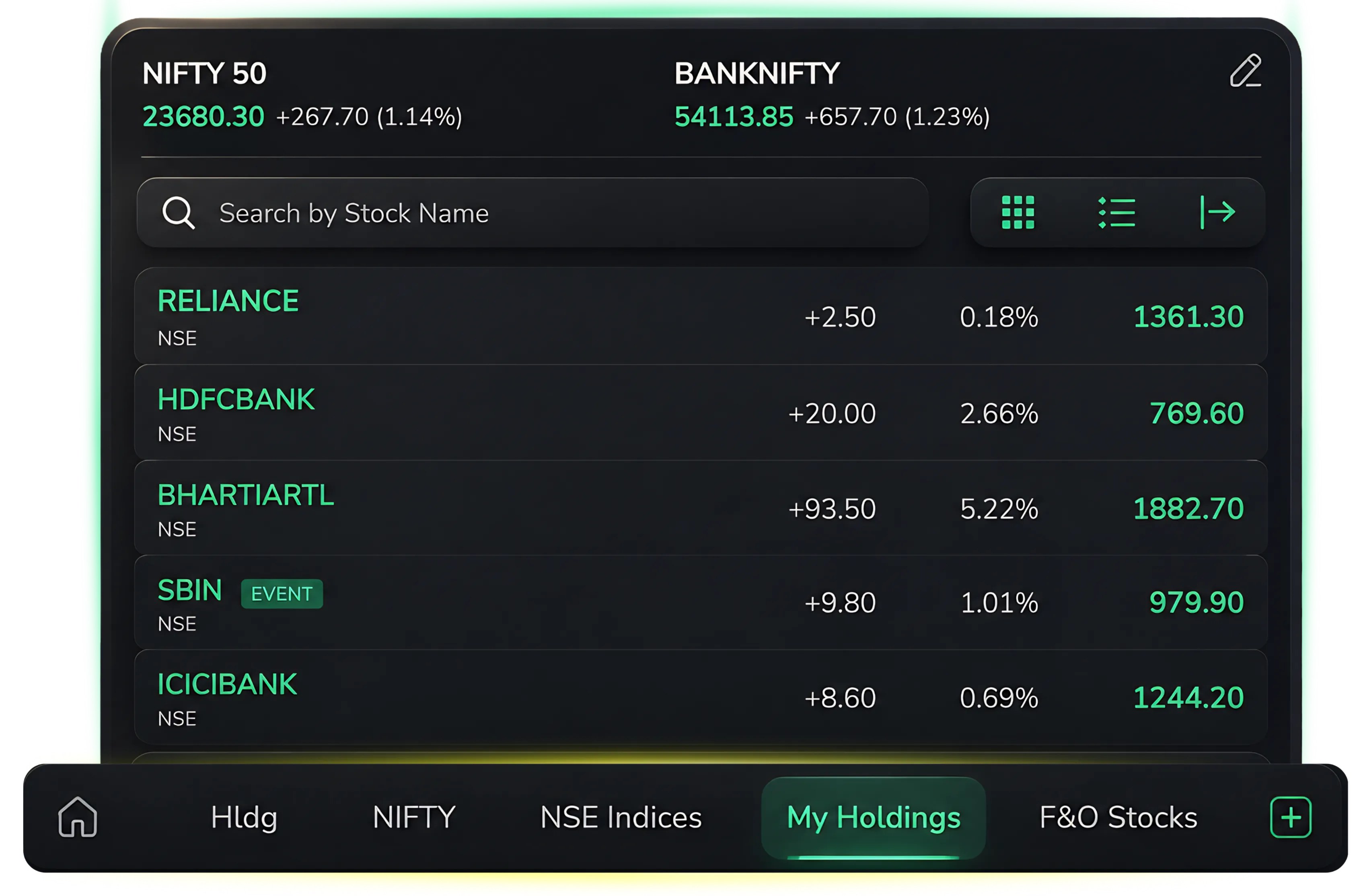
F&O Stocks Watchlist
A dedicated F&O stocks watchlist has now been added to CubePlus. Users can monitor derivative-enabled stocks directly from the watchlist for quicker tracking during market hours.
The section displays the top 100 F&O stocks based on market capitalization. This allows traders to focus on actively traded and liquid counters more efficiently.
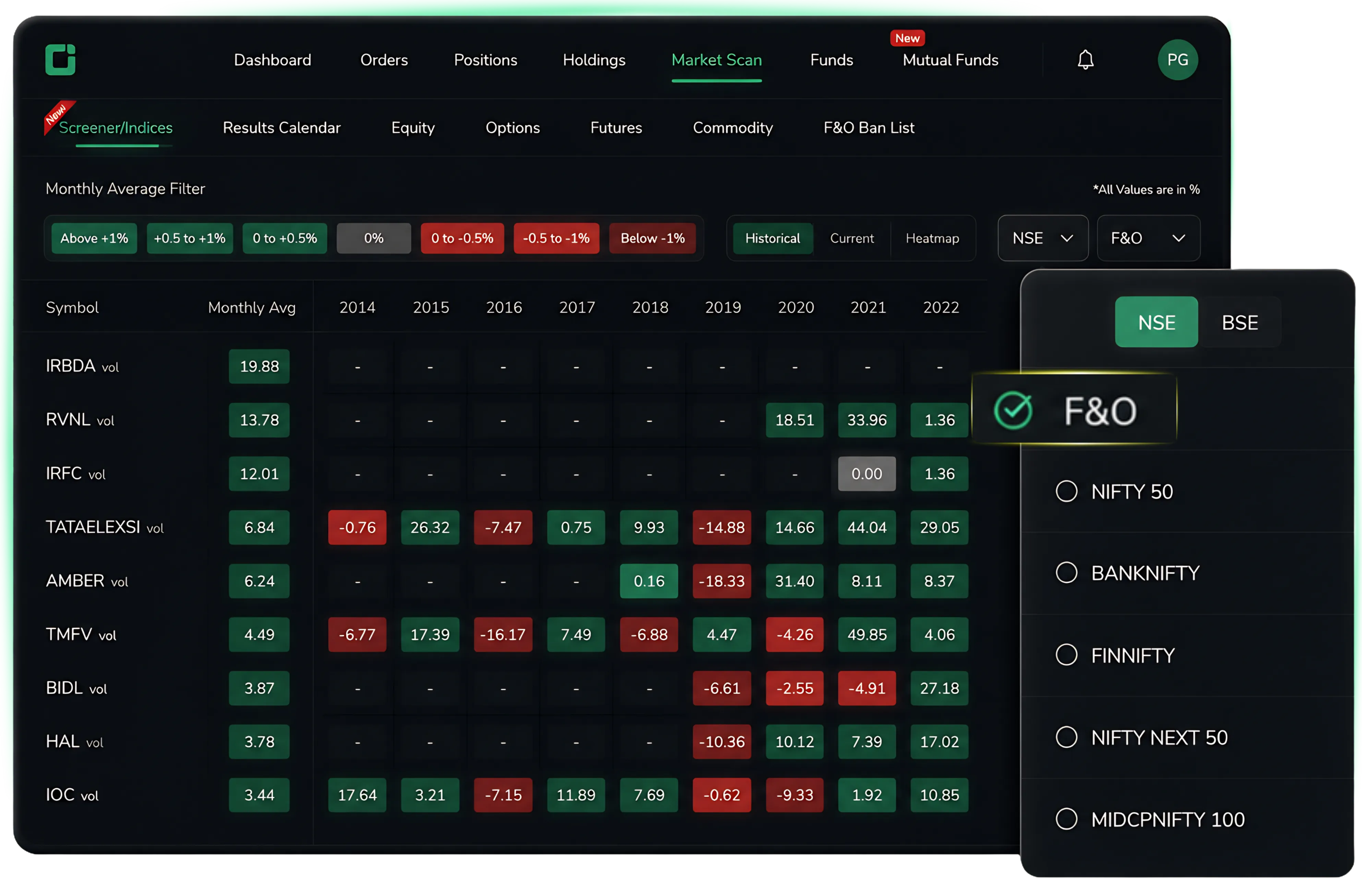
F&O Filters in Market Scan
CubePlus Market Scan now includes F&O filters in the Seasonalitics section.
With this addition, users can narrow their scans specifically to F&O-enabled stocks instead of filtering them manually. This makes market analysis quicker and helps traders identify relevant opportunities faster.
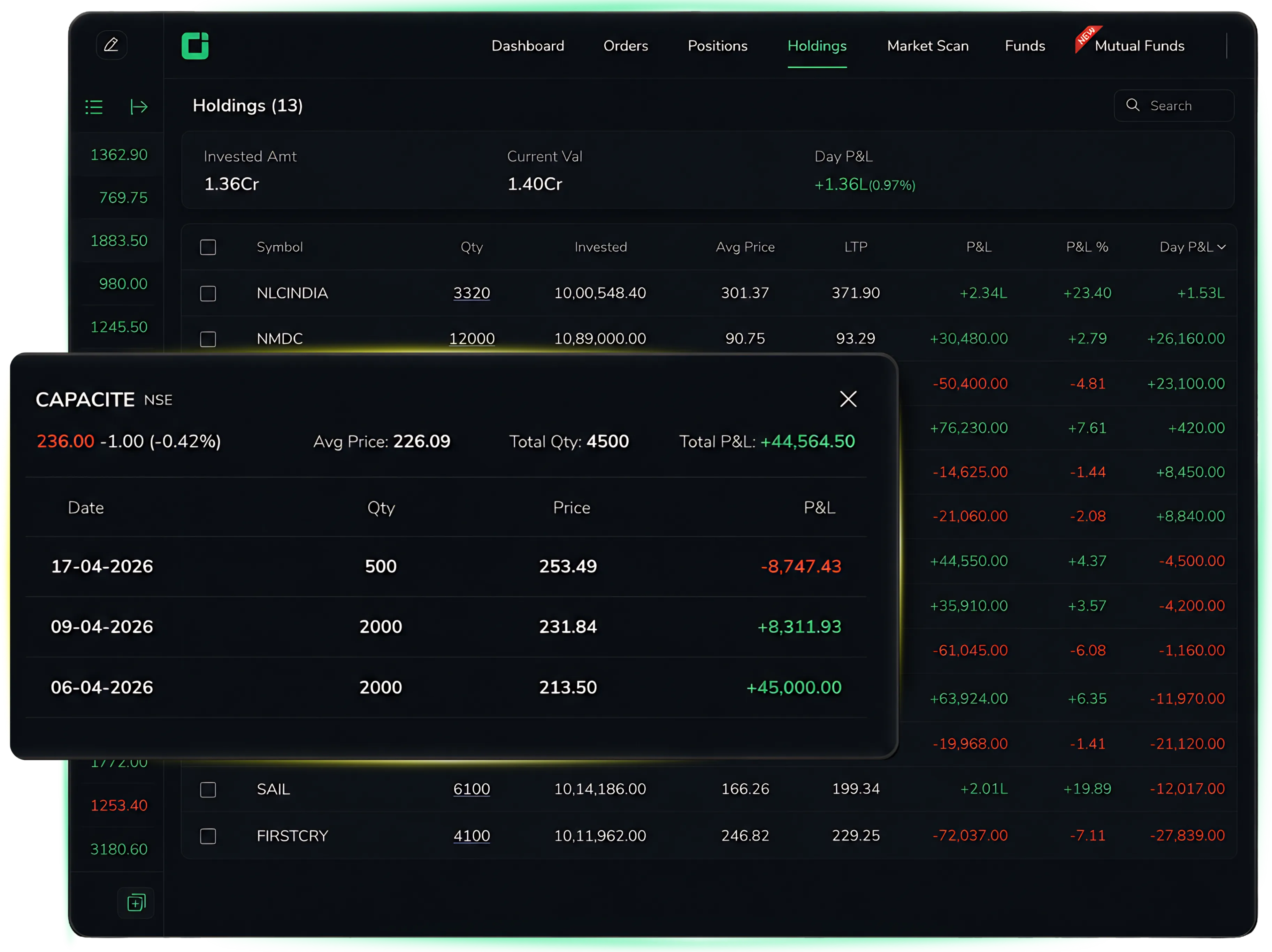
Detailed Holdings Breakup
The holdings section now provides a detailed breakup when users click on the quantity field.
This gives a transaction-level view of holdings and makes portfolio tracking more transparent and convenient.
Mutual Fund Reports Download
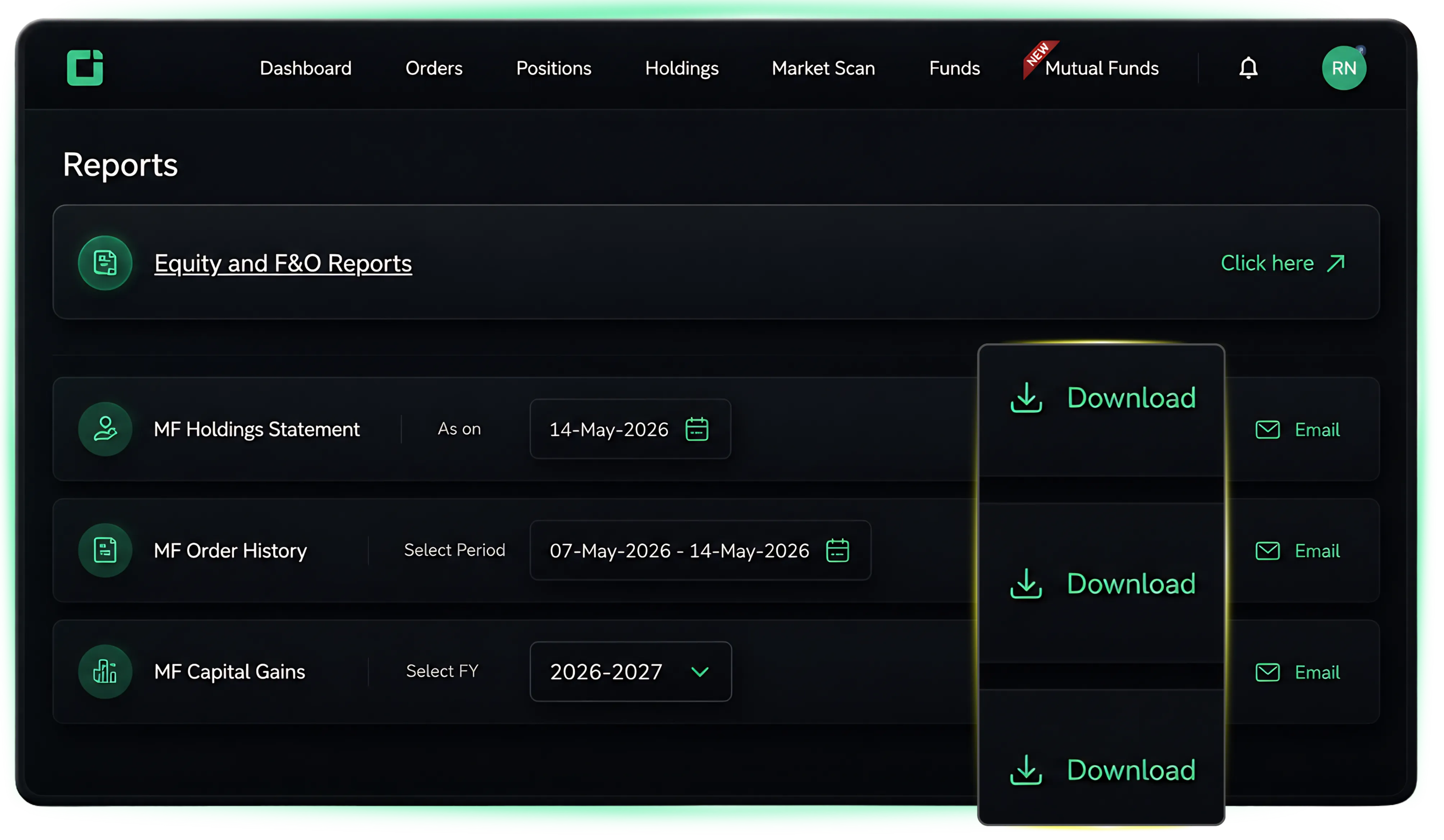
Users can now download Mutual Fund reports directly from the Reports section in CubePlus. The feature includes three separate report options:
MF Holdings Statement
View and download the complete Mutual Fund holdings statement as of a selected date.
MF Order History
Access Mutual Fund transaction and order history for a selected time period.
MF Capital Gains
Download Mutual Fund capital gains reports based on the selected financial year for easier tax and profit tracking.
All reports can be downloaded directly from the platform or shared through email for added convenience.
Trigger Price Percentage Sorting in GTT Orders
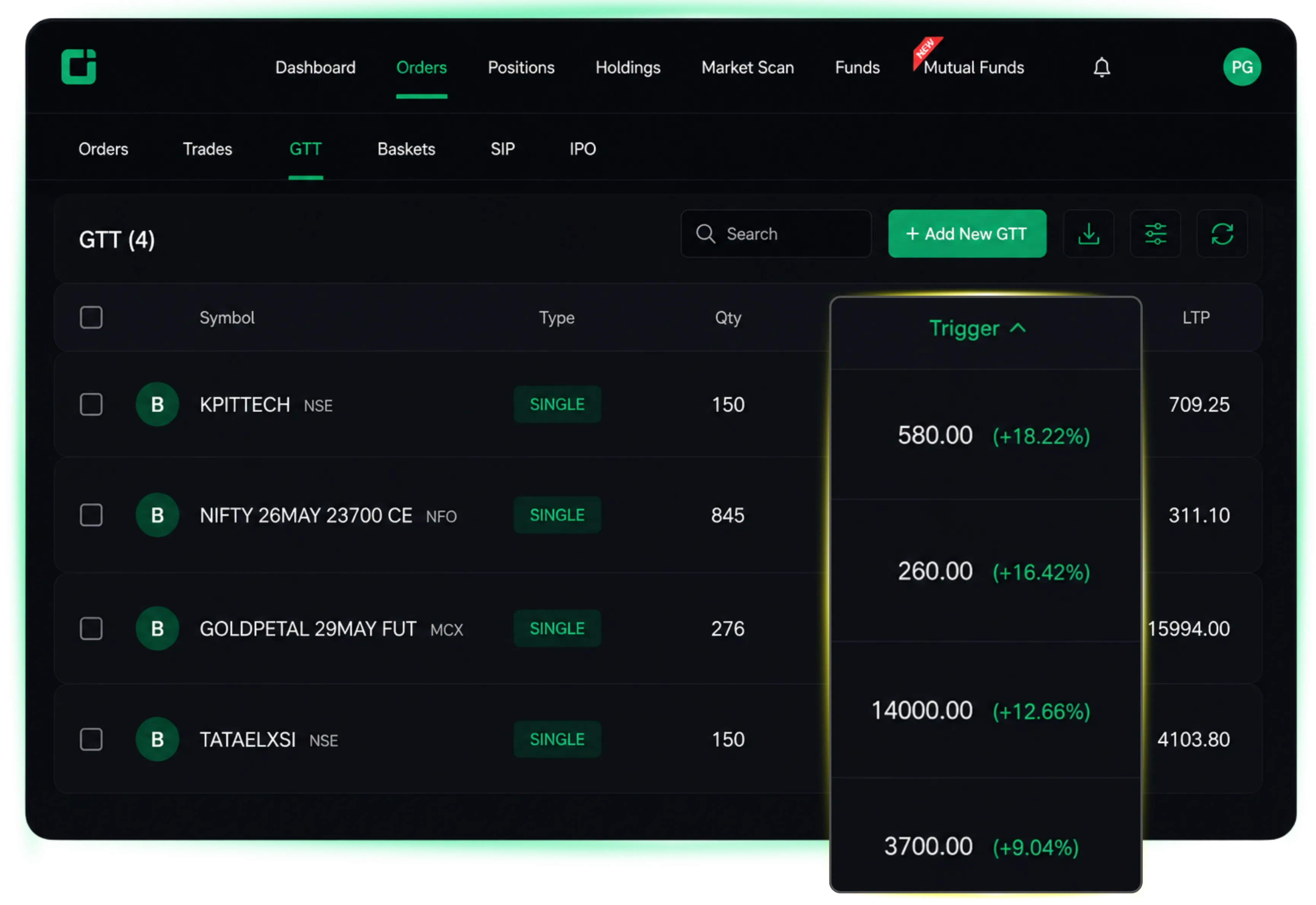
CubePlus now allows users to sort GTT orders based on trigger price percentage.
On clicking the trigger header, the orders get sorted automatically, making it easier to identify orders that are closer to execution and monitor pending setups efficiently during market movements.
GTT Orders Report Download
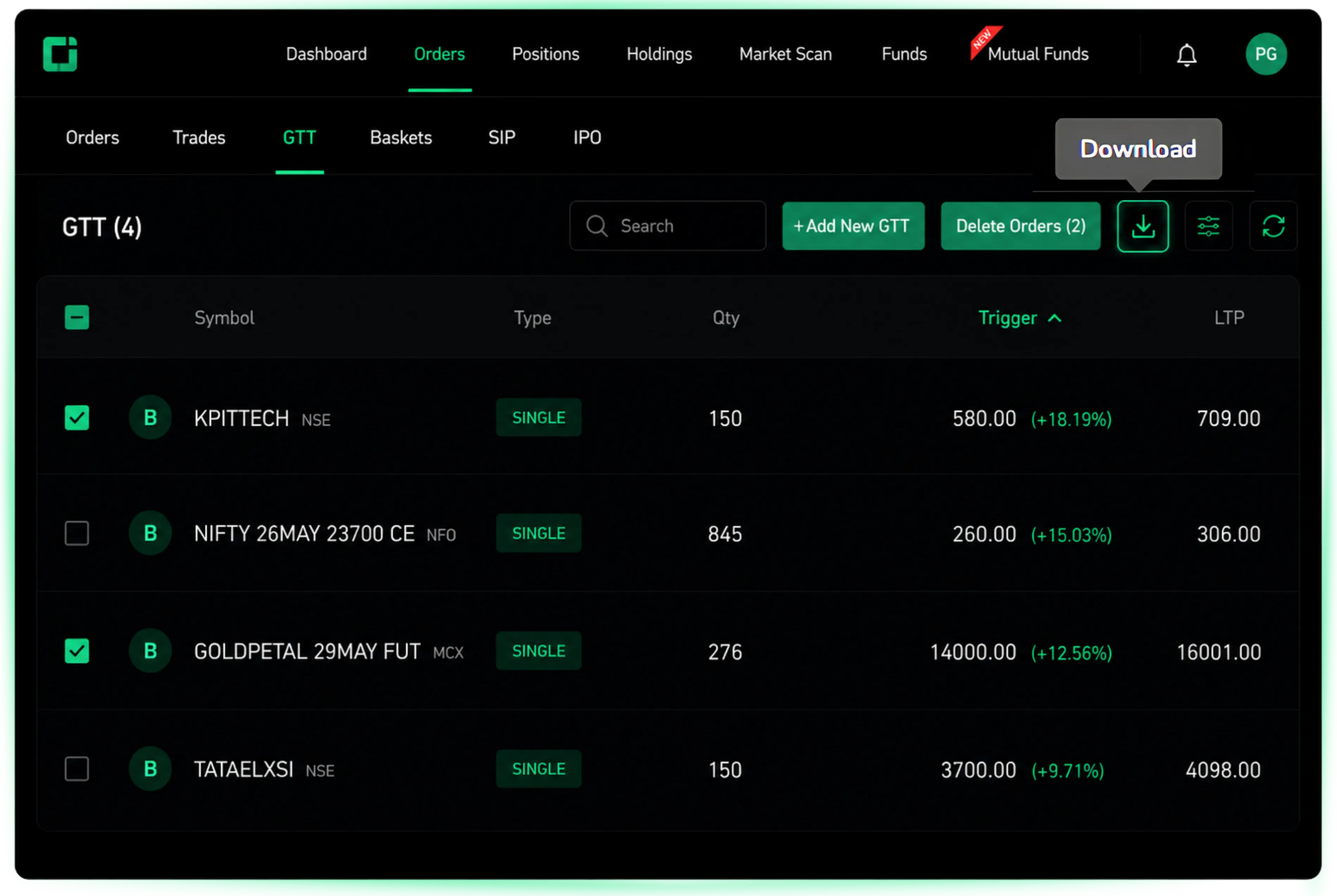
Users can now download GTT order reports directly from the platform.
The feature provides easier access to order records and helps users track and review trading activity more conveniently.
These updates are part of CubePlus’ continued effort to improve usability and provide a smoother trading experience for users. More enhancements and additions will continue to be introduced based on user requirements and platform improvements.
Not investing yet? Start smart with CubePlus and take charge of your financial future.
Disclaimer: The information provided in our blogs is for informational purposes only and should not be construed as financial, investment, or trading advice. Trading and investing in the securities market carries risk. Always conduct your own research and consult with a qualified financial advisor before making any investment decisions. Past performance is not indicative of future results. Copyrighted and original content for your trading and investing needs.
© 2026 — Tradejini. All Rights Reserved.