When you are trading, there are several things to keep track of, from market timings to price movements and order updates. While you can monitor these on your trading screen, it isn't always possible to keep your eyes on it throughout the trading session.
To make this easier, CubePlus has introduced ‘Bell Notifications,’ a feature that uses sound alerts to notify you about specific market timings and trading activity.
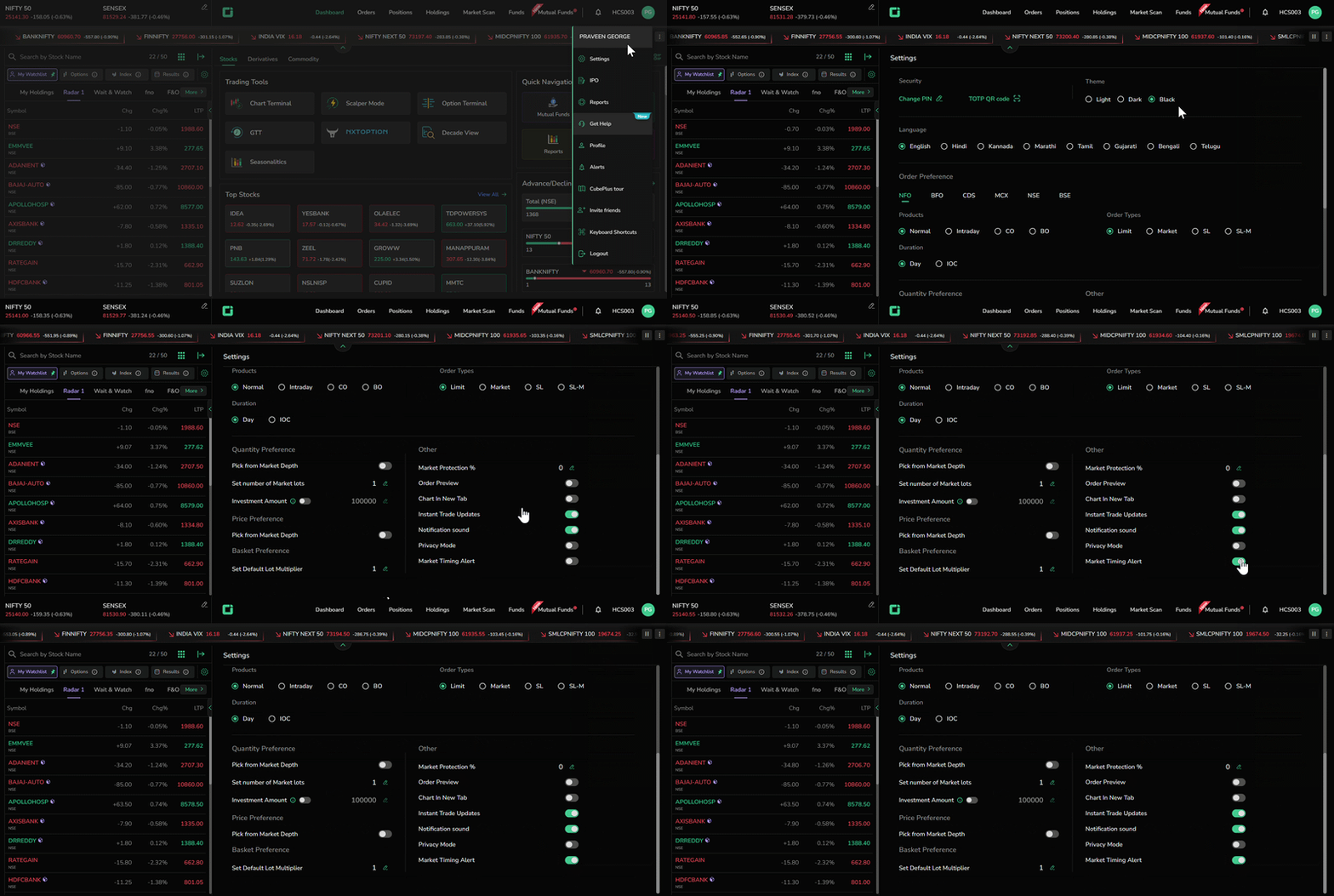
What Are Bell Notifications on CubePlus?
Bell Notifications are sound alerts that play at specific times or when certain trading actions are triggered on CubePlus. Each notification has a distinct sound, helping you recognize the type of update without having to check your screen every time.
The feature covers four types of notifications:
| Event | Sound Notification |
|---|---|
| Market Opening | A bell sound plays at 9:15 AM to mark the beginning of the trading session. |
| Market Closing | The same bell sound plays at 3:40 PM to indicate the end of the trading session. |
| Price Alerts | When a price alert is triggered, CubePlus plays a separate sound to notify you. |
| Order Triggers | A different sound plays when your order is triggered, helping you distinguish it from a price alert. |
How to Enable Bell Notifications on CubePlus?
To start receiving sound alerts, you need to enable Bell Notifications in your CubePlus settings.
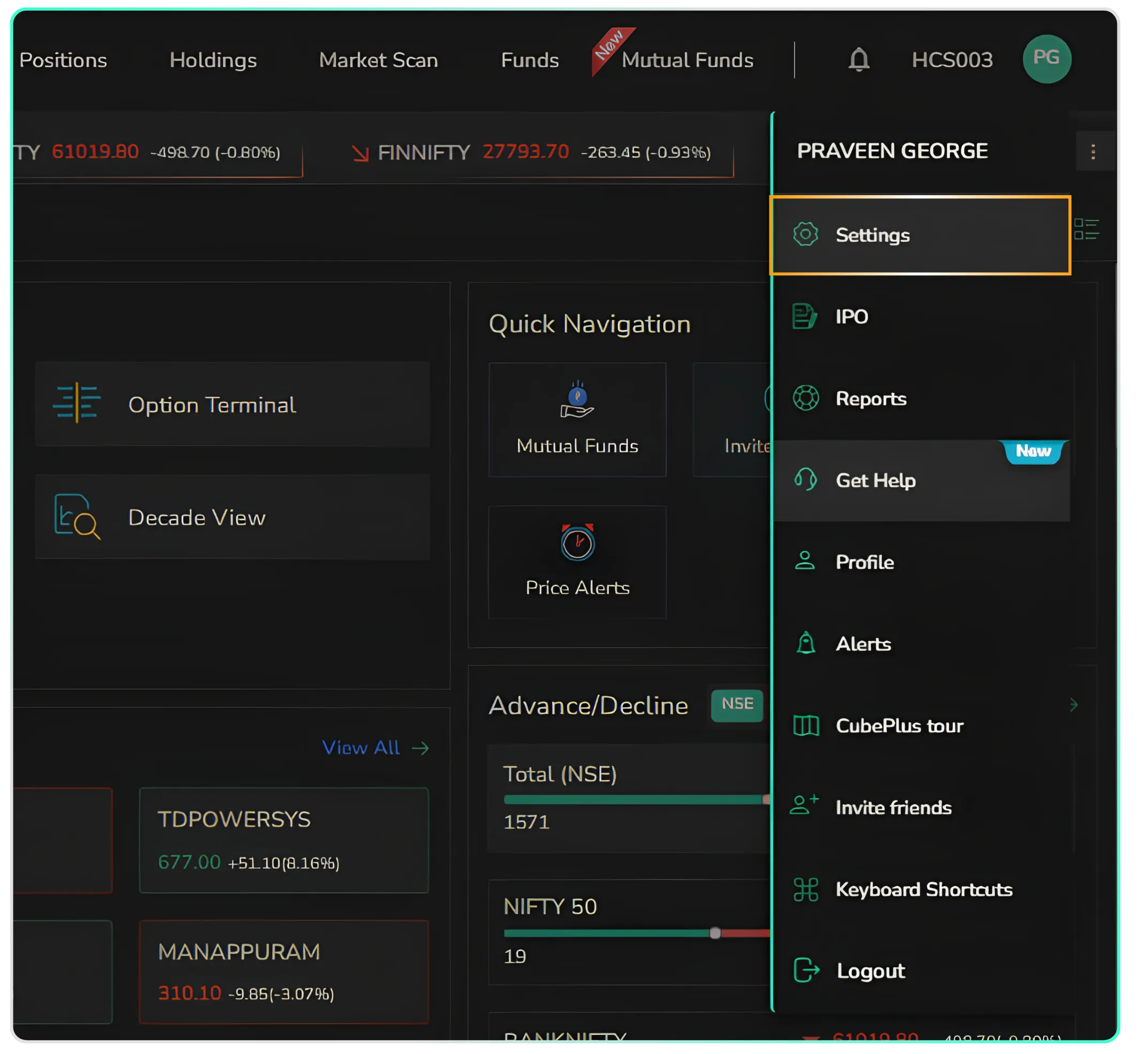
- Log in to your CubePlus dashboard and click on your Profile icon (your name icon) in the top-right corner.
- From the dropdown menu, select Settings.
- On the Settings page, scroll down to the Other section.
- At the bottom of this section, locate Market Timing Alert.
- Turn on the toggle to activate the market opening and closing bell sounds.
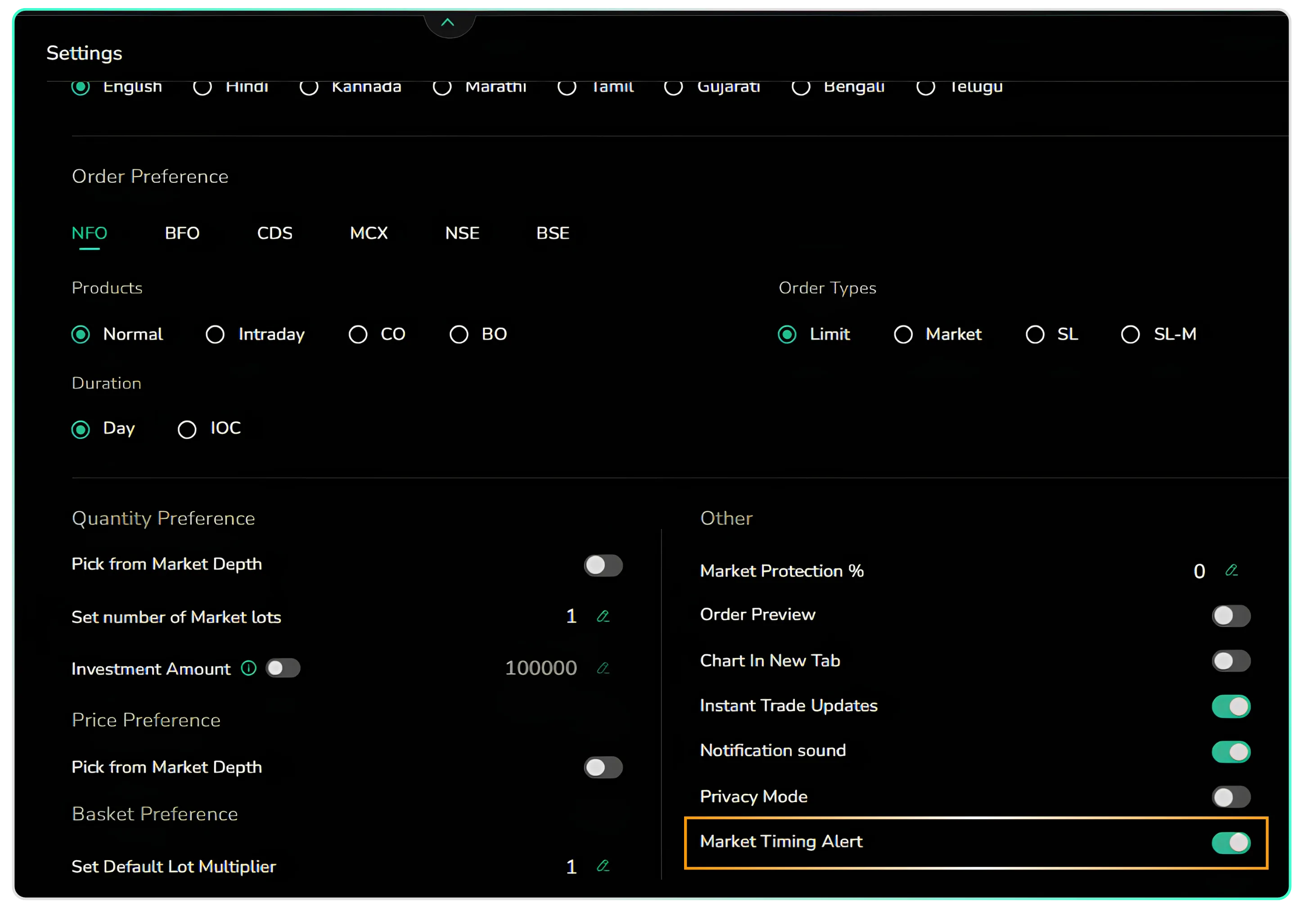
Once enabled, you can hear the notification sounds for market opening, market closing, price alerts, and order triggers.
So, head to your CubePlus account and enable Bell Notifications to get started.
Disclaimer: The information provided in our blogs is for informational purposes only and should not be construed as financial, investment, or trading advice. Trading and investing in the securities market carries risk. Always conduct your own research and consult with a qualified financial advisor before making any investment decisions. Past performance is not indicative of future results. Copyrighted and original content for your trading and investing needs.
© 2026 — Tradejini. All Rights Reserved.